Diese Übersetzung wurde maschinell erstellt und noch nicht von einem Menschen überprüft. Sprichst du diese Sprache? Schau es dir an.

Acer Extensa 4420 RAM austauschen

TheMasterG and one other contributor
Last updated on 31. Jul 2026
Aufrufe: 325
View statistics:
- Past 24 Hours:
- 0
- Past 7 Days:
- 21
- Past 30 Days:
- 73
- All Time:
- 325
Kommentare: 0
No one has left comments on this guide. Will you be first?
Go to guide commentsAbgeschlossen: 1 2
1 person has marked this guide "completed." Will you be next?
2 people have marked this guide "completed." Including you — great job!
Favoriten: 0 1
No one has favorited (and subscribed to) this guide. Will you be the first?
1 person has favorited (and subscribed to) this guide — and that's you!
Anleitung eines Community-Mitglieds
Ein wunderbares Mitglied unserer Community hat diese Anleitung geschrieben. Sie wurde nicht von iFixit Mitarbeitenden erstellt.
What you need
Werkzeuge
-
Spudger4.9


-
-
-
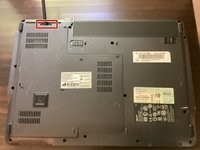
Stelle zunächst sicher, dass der Akkuregler ausgeschaltet ist.
 Frag FixBot
-
-
-
Schiebe dann den anderen Akku-Riegel, während du den Akku herausziehst.
-
-
-
-
-
In diesem Schritt verwendetes Werkzeug:Phillips #00 Screwdriver$5.49
-
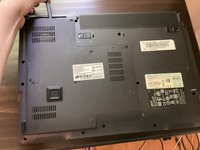
Drehe alle fünf Schrauben auf der Rückseite mit einem Kreuzschlitz-Schraubendreher heraus
-
-
In diesem Schritt verwendetes Werkzeug:Spudger$3.99
-
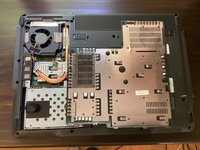
Nimm einen Spudger und beginne, die Rückwand aufzuhebeln. Heble sie anschließend vollständig mit den Händen auf.
-
-
-
-
-
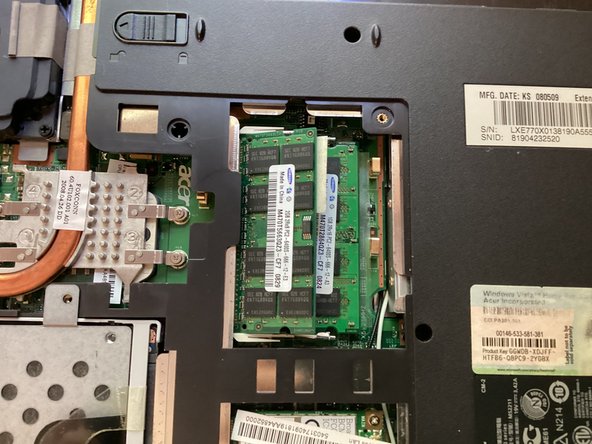
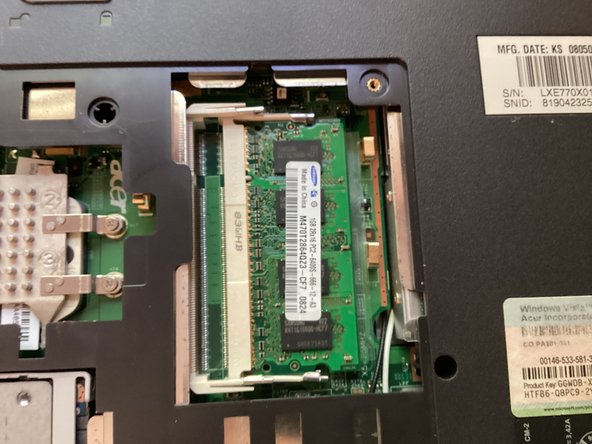
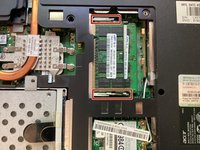
Drücke die rot markierten Clips nach außen. Dadurch wird der Arbeitsspeicher (RAM) gelöst. Ziehe den Arbeitsspeicher heraus.
-
-



Um dein Gerät wieder zusammenzubauen, folge den Schritten dieser Anleitung in umgekehrter Reihenfolge.
Rückgängig: Ich habe diese Anleitung nicht absolviert.
Eine weitere Person hat diese Anleitung absolviert.