Zum Hauptinhalt wechseln
Gemeinsam reparieren - Jetzt registrieren

Farberware FSTO100 Indicator Light Replacement

Was du brauchst

  1. Farberware FSTO100 Indicator Light Replacement, Indicator Light: Schritt 1, Bild 1 von 1
    • Make sure toaster is unplugged.

    • Turn toaster upside down so screws on bottom side are facing toward the ceiling and the door is facing towards you.

    Frag FixBot
  2. Farberware FSTO100 Indicator Light Replacement: Schritt 2, Bild 1 von 1
    • On the left hand side, unscrew the middle screw.

    Frag FixBot
  3. Farberware FSTO100 Indicator Light Replacement: Schritt 3, Bild 1 von 1
    • Remove the panel on the left hand side. The indicator light is located in the red tube that has wires covered by black tubing coming out.

    Frag FixBot
  4. Farberware FSTO100 Indicator Light Replacement: Schritt 4, Bild 1 von 1
    • Pull the black wires to remove the indicator light from the red tube.

    Frag FixBot
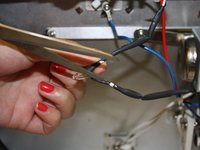
  5. Farberware FSTO100 Indicator Light Replacement: Schritt 5, Bild 1 von 2 Farberware FSTO100 Indicator Light Replacement: Schritt 5, Bild 2 von 2
    • Use scissors to cut open cord sheathing and peel back.

    Frag FixBot
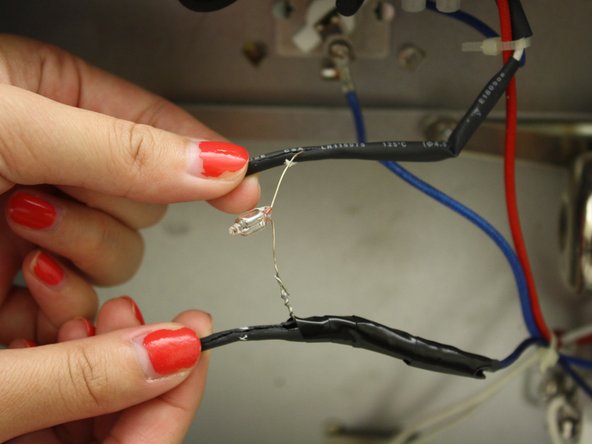
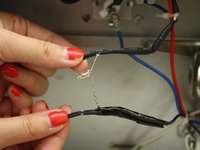
  6. Farberware FSTO100 Indicator Light Replacement: Schritt 6, Bild 1 von 1
    • Use the wire-cutters to remove the light bulb.

    Frag FixBot
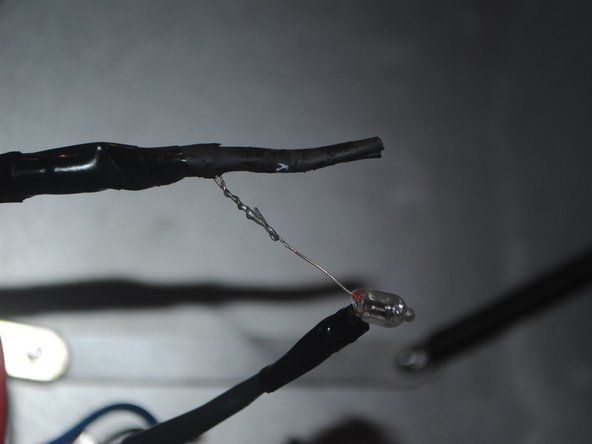
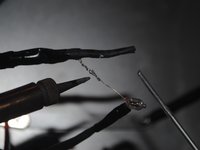
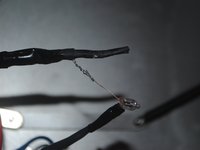
  7. Farberware FSTO100 Indicator Light Replacement: Schritt 7, Bild 1 von 2 Farberware FSTO100 Indicator Light Replacement: Schritt 7, Bild 2 von 2
    • Solder the replacement light bulb back onto its original position.

    Frag FixBot
  8. Farberware FSTO100 Indicator Light Replacement: Schritt 8, Bild 1 von 1
    • Use electrical tape to reseal the sheathing.

    Frag FixBot
  9. Farberware FSTO100 Indicator Light Replacement: Schritt 9, Bild 1 von 1
    • Reinsert the indicator light back into the red tube.

    Frag FixBot
  10. Farberware FSTO100 Indicator Light Replacement: Schritt 10, Bild 1 von 1
    • Turn toaster upside down so screws on bottom side are facing toward the ceiling and the door is facing towards you.

    Frag FixBot
  11. Farberware FSTO100 Indicator Light Replacement: Schritt 11, Bild 1 von 1
    • On the left hand side, screw the middle screw back in.

    Frag FixBot
Abschluss

To reassemble your device, follow these instructions in reverse order.

Eine weitere Person hat diese Anleitung absolviert.

Team

Cal Poly, Team 6-35, Regan Fall 2012 Mitglied von Cal Poly, Team 6-35, Regan Fall 2012

CPSU-REGAN-F12S6G35

4 Mitglieder

6 Anleitungen geschrieben

0 Kommentare zur Anleitung

Kommentar hinzufügen

Seitenaufrufe:

Letzte 24 Stunden: 1

Letzte 7 Tage: 6

Letzte 30 Tage: 46

Insgesamt: 1,165