Diese Übersetzung wurde maschinell erstellt und noch nicht von einer Person überprüft. Sprichst du diese Sprache? Schau es dir an.
-
-
-
Übe Druck aus und schiebe die Rückabdeckung nach oben, um sie zu entfernen.
-
Hebe die Rückabdeckung vom Telefon ab.
 Frag FixBot
-
-
-
-
Hebe den Akku an der oberen rechten Seite an, um ihn zu entfernen.
-
Prüfe den Akku, um sicherzustellen, dass keine Ecken verbogen sind.
-
-
-
-
-
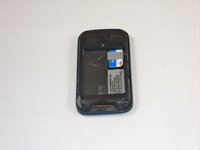
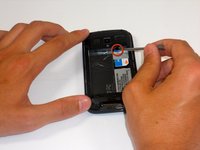
Führe den Eingabestift in den schwarzen Schlitz ein und hebele die SIM-Karte vorsichtig ein Stück heraus.
-
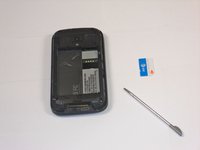
Schiebe die SIM-Karte mit dem Finger vollständig heraus.
-
-


Um dein Gerät wieder zusammenzubauen, folge den Schritten dieser Anleitung in umgekehrter Reihenfolge.
Rückgängig: Ich habe diese Anleitung nicht absolviert.
Eine weitere Person hat diese Anleitung absolviert.

Team

Cal Poly, Team 9-64, Walters Spring 2011 Mitglied von Cal Poly, Team 9-64, Walters Spring 2011
CPSU-WALTERS-S11S9G64
5 Mitglieder
108 Anleitungen geschrieben
