Einleitung
The JBL Flip 1 is an excellent speaker, but we have noticed there are some issues with it. In order to fix these issues, you must first understand how to disassemble the Flip’s outer layers. This guide will teach you how to do this safely and precisely.
Was du brauchst
-
-
-
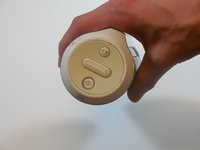
On the end with the buttons, remove the end cap using the flat head screwdriver to get between the rubber lining and the plastic.
-
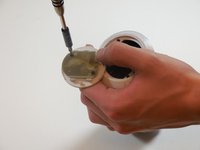
After the cap is removed, unscrew the two 3.3mm screws using a size 1 ph screw driver.
 Frag FixBot
-
-
-
Unscrew four 3.3mm screws on each end of the JBL using a size 1 ph screw driver (8 screws total).
-
-
-
-
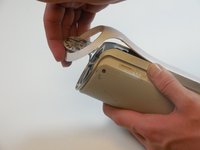
Remove outermost white casing by gently lifting up on one side.
-
Remove two 5mm screws holding the silver back plate in place with a size 2 ph screw driver.
-
Gently lift up and remove the silver casing.
-
-
-
Remove last white back plate to expose the back of the speaker cover.
-
-
-
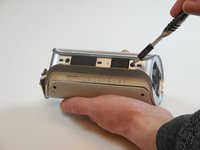
Pry the four tabs on each side of the speaker cover (8 tabs total).
-
Pry the two tabs on each end to remove the cover (4 tabs total).
-
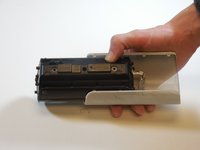
Slide speaker out of metal speaker cover.
-
-
-
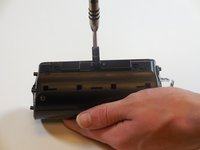
Remove 5mm screw in the middle of the back of the device with a size 2 ph screw driver.
-
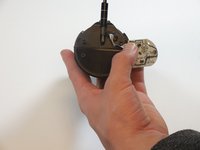
Unscrew the two 5mm screws on each side using a size 2 ph screwdriver.
-
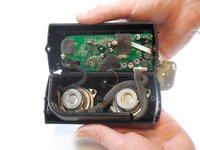
Open the speaker.
-
-





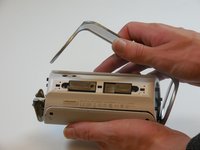


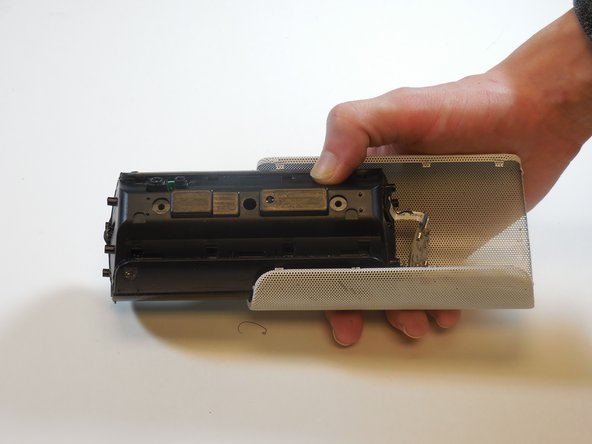
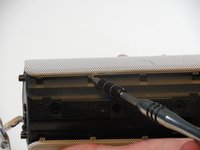
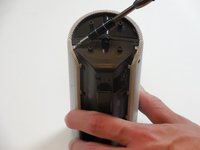


To reassemble your device, follow these instructions in reverse order.
Rückgängig: Ich habe diese Anleitung nicht absolviert.
12 weitere Personen haben diese Anleitung absolviert.

Team

Colorado Springs, Team 9-5, Panko Spring 2015 Mitglied von Colorado Springs, Team 9-5, Panko Spring 2015
UCCS-PANKO-S15S9G5
3 Mitglieder
20 Anleitungen geschrieben
4 Kommentare zur Anleitung
How do i take apart jbl flip 3
The charging PCB on my Flip3 is damaged and needs to be replaced. Any chance of purchasing the charging/interface module, fully populated?
I live in South Africa, and cannot find it here!
Paul M
The charging PCB on my JBL Flip3 is also damaged and needs to be replaced. Any chance of purchasing the charging/interface module?
I live in Pune - Maharashtra in India and cannot find a good reliable service station for JBL speakers here!
Suresh Karve
