Zum Hauptinhalt wechseln
Gemeinsam reparieren - Jetzt registrieren

Mac Pro First Generation Optical Drive Replacement

Was du brauchst

  1. Mac Pro First Generation Optical Drive Replacement, Optical Drive: Schritt 1, Bild 1 von 1
    • Lift the lever to unlock the case

    Frag FixBot

    Kommentar hinzufügen

  2. Mac Pro First Generation Optical Drive Replacement: Schritt 2, Bild 1 von 1
    • Remove the side panel of the Mac Pro

    Frag FixBot

    Kommentar hinzufügen

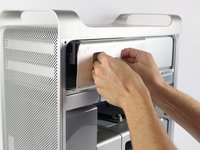
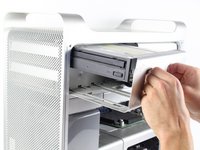
  3. Mac Pro First Generation Optical Drive Replacement: Schritt 3, Bild 1 von 3 Mac Pro First Generation Optical Drive Replacement: Schritt 3, Bild 2 von 3 Mac Pro First Generation Optical Drive Replacement: Schritt 3, Bild 3 von 3
    • Firmly grasp the handles of the shown compartment and pull out firmly to remove the optical drive bay.

    Frag FixBot

    Kommentar hinzufügen

  4. Mac Pro First Generation Optical Drive Replacement: Schritt 4, Bild 1 von 1
    • Firmly hold each of the two connectors and pull them out of their respective sockets.

    Frag FixBot

    Kommentar hinzufügen

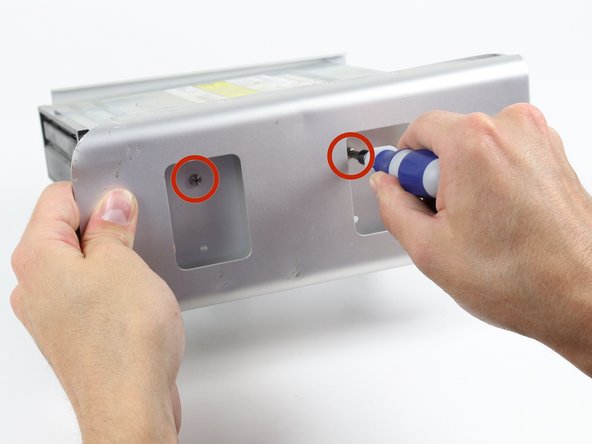
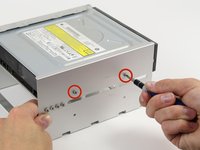
  5. Mac Pro First Generation Optical Drive Replacement: Schritt 5, Bild 1 von 2 Mac Pro First Generation Optical Drive Replacement: Schritt 5, Bild 2 von 2
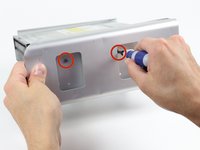
    • Unscrew the shown two 6-32 type screws on each side of the optical drive.

    Frag FixBot

    Kommentar hinzufügen

  6. Mac Pro First Generation Optical Drive Replacement: Schritt 6, Bild 1 von 2 Mac Pro First Generation Optical Drive Replacement: Schritt 6, Bild 2 von 2
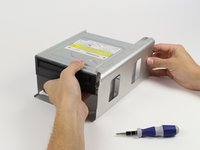
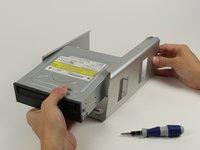
    • Firmly grasp the optical drive and pull it out of its enclosure.

    Frag FixBot

    Kommentar hinzufügen

Abschluss

To reassemble your device, follow these instructions in reverse order.

Rückgängig: Ich habe diese Anleitung nicht absolviert.

21 weitere Personen haben diese Anleitung absolviert.

Team

Cal Poly, Team 6-24, Maness Fall 2014 Mitglied von Cal Poly, Team 6-24, Maness Fall 2014

CPSU-MANESS-F14S6G24

4 Mitglieder

19 Anleitungen geschrieben

10 Kommentare zur Anleitung

Thanks! It had been a long time since I'd been inside my towers! Easy-peasy!

Janie Wilson-Cook - Antwort Teilen

I am having problems with the new optical drive not being able to eject and close without my help. Any thoughts?

footeking - Antwort Teilen

Did you take off the front of the tray?

nbeijer - Antwort Teilen

Awesome!!! Worked like a charm! Drive is totally busted. Do you have a link or a suggestion for an optical drive for a late 2009 Mac pro? Thanks either way!

Jay Haser - Antwort Teilen

The unit holding the optical drive will NOT pull out at all and I and really pulling on it and wiggling it. All other videos show it popping out with little force. What am I doing wrong?

pipevape - Antwort Teilen

Kommentar hinzufügen

Seitenaufrufe:

Letzte 24 Stunden: 1

Letzte 7 Tage: 31

Letzte 30 Tage: 106

Insgesamt: 18,744