Zum Hauptinhalt wechseln
Gemeinsam reparieren - Jetzt registrieren

Merch Source Projector Entertainment II Light Bulb Replacement

Was du brauchst

  1. Merch Source Projector Entertainment II Light Bulb Replacement, Outer Casing: Schritt 1, Bild 1 von 2 Merch Source Projector Entertainment II Light Bulb Replacement, Outer Casing: Schritt 1, Bild 2 von 2
    • Flip the projector onto its back and unscrew the nine 15mm screws using the Phillips #0 screw driver.

    Frag FixBot

    Kommentar hinzufügen

  2. Merch Source Projector Entertainment II Light Bulb Replacement: Schritt 2, Bild 1 von 1
    • Flip the projector right side up and unscrew the two 12mm screws on the light bulb panel located at the rear of the projector with a Phillips #0 screw head.

    • The bottom right panel screw does not come completely out the panel door.

    Frag FixBot

    Kommentar hinzufügen

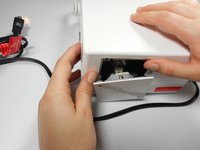
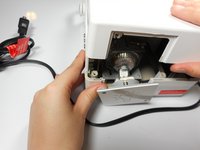
  3. Merch Source Projector Entertainment II Light Bulb Replacement: Schritt 3, Bild 1 von 2 Merch Source Projector Entertainment II Light Bulb Replacement: Schritt 3, Bild 2 von 2
    • Using your hands, gently pry the top and bottom of the projector casing apart.

    Frag FixBot

    Kommentar hinzufügen

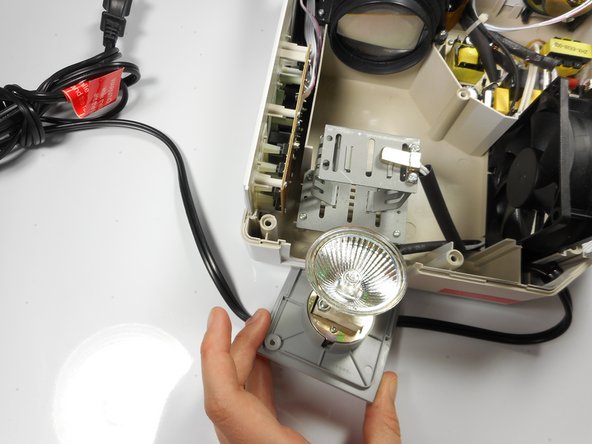
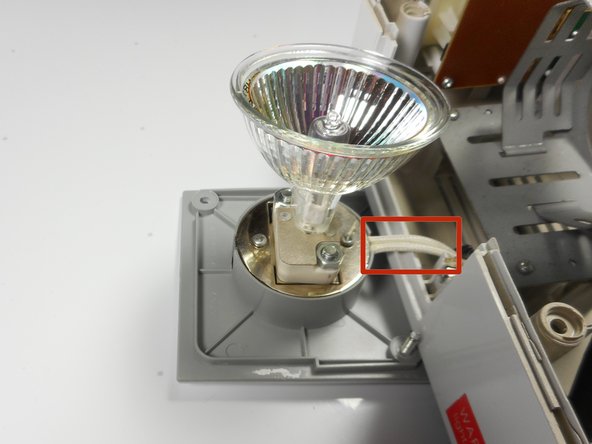
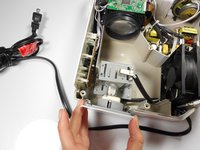
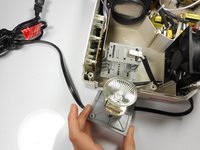
  4. Merch Source Projector Entertainment II Light Bulb Replacement, Remove light bulb assembly from housing unit: Schritt 4, Bild 1 von 3 Merch Source Projector Entertainment II Light Bulb Replacement, Remove light bulb assembly from housing unit: Schritt 4, Bild 2 von 3 Merch Source Projector Entertainment II Light Bulb Replacement, Remove light bulb assembly from housing unit: Schritt 4, Bild 3 von 3
    • Remove the light bulb from its housing unit.

    • Do not damage the 2 white cables leading into the light bulb panel.

    Frag FixBot

    Kommentar hinzufügen

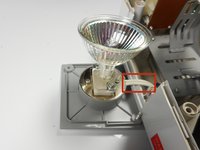
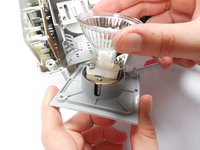
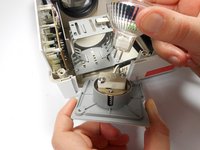
  5. Merch Source Projector Entertainment II Light Bulb Replacement, Replace light bulb: Schritt 5, Bild 1 von 2 Merch Source Projector Entertainment II Light Bulb Replacement, Replace light bulb: Schritt 5, Bild 2 von 2
    • Remove the light bulb from the door panel by gently wiggling it back and forth. Do not twist the light bulb.

    • The light blub is held into the socket with prongs, and should easily pull straight out.

    Frag FixBot

    Kommentar hinzufügen

Abschluss

To reassemble your device, follow these instructions in reverse order.

Rückgängig: Ich habe diese Anleitung nicht absolviert.

Eine weitere Person hat diese Anleitung absolviert.

Team

Cal Poly, Team 18-3, Maness Winter 2015 Mitglied von Cal Poly, Team 18-3, Maness Winter 2015

CPSU-MANESS-W15S18G3

3 Mitglieder

4 Anleitungen geschrieben

1 Kommentar zur Anleitung

Mi nuevo proyector no prende la luz ni el ventilador al conectarlo al tomacorriente y encenderlo.

JAVIER MUNOZ - Antwort Teilen

Kommentar hinzufügen

Seitenaufrufe:

Letzte 24 Stunden: 2

Letzte 7 Tage: 6

Letzte 30 Tage: 46

Insgesamt: 2,615