Zum Hauptinhalt wechseln
Gemeinsam reparieren - Jetzt registrieren

Pantech Matrix Camera Button Replacement

Was du brauchst

  1. Pantech Matrix Camera Button Replacement, Phone Orientation: Schritt 1, Bild 1 von 1
    • Place phone with screen side facing toward you.

    Frag FixBot
    Kommentar hinzufügen

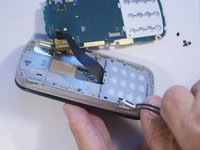
  2. Pantech Matrix Camera Button Replacement, Phone Orientation: Schritt 2, Bild 1 von 1
    • Flip phone over so screen side is now facing down.

    Frag FixBot
    Kommentar hinzufügen

  3. Pantech Matrix Camera Button Replacement, Remove Back Cover: Schritt 3, Bild 1 von 2 Pantech Matrix Camera Button Replacement, Remove Back Cover: Schritt 3, Bild 2 von 2
    • Gently slide the backside phone cover off exposing the battery underneath.

    Frag FixBot

    Kommentar hinzufügen

  4. Pantech Matrix Camera Button Replacement, Lift Battery: Schritt 4, Bild 1 von 1
    • Carefully lift the battery up from where the spudger is pointed.

    Frag FixBot

    Kommentar hinzufügen

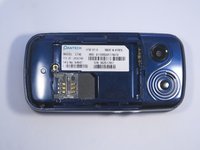
  5. Pantech Matrix Camera Button Replacement, Remove Battery: Schritt 5, Bild 1 von 1
    • Remove the battery from its dock.

    Frag FixBot

    Kommentar hinzufügen

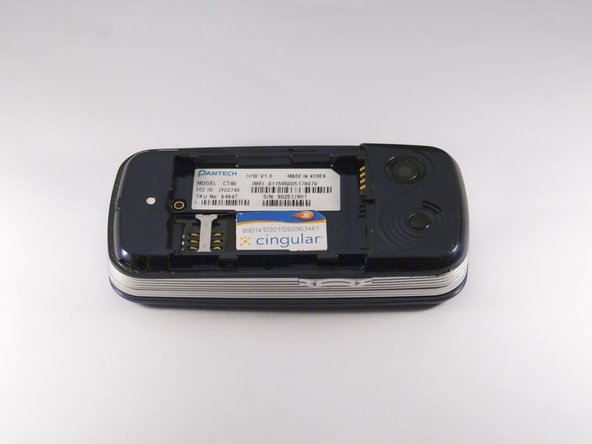
  6. Pantech Matrix Camera Button Replacement, Slide SIM Card Out: Schritt 6, Bild 1 von 3 Pantech Matrix Camera Button Replacement, Slide SIM Card Out: Schritt 6, Bild 2 von 3 Pantech Matrix Camera Button Replacement, Slide SIM Card Out: Schritt 6, Bild 3 von 3
    • Slide the SIM Card out of its dock.

    Frag FixBot

    Kommentar hinzufügen

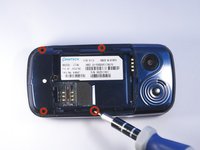
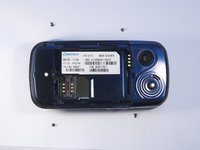
  7. Pantech Matrix Camera Button Replacement, Remove Phone Screws: Schritt 7, Bild 1 von 2 Pantech Matrix Camera Button Replacement, Remove Phone Screws: Schritt 7, Bild 2 von 2
    • Use a Phillips screwdriver to remove the four 2mm Phillips #000 screws from each corner of the device.

    Frag FixBot

    Kommentar hinzufügen

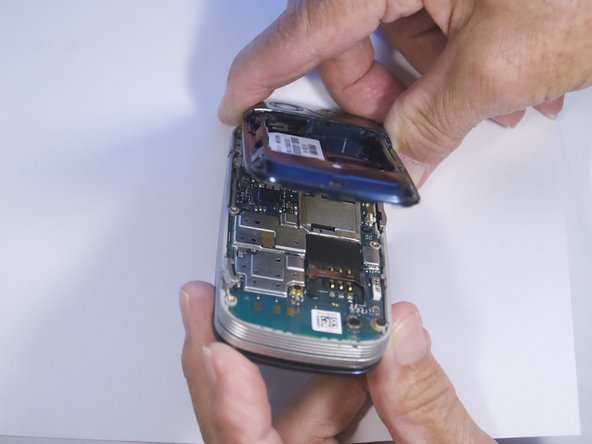
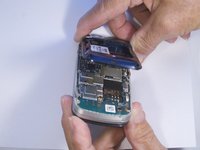
  8. Pantech Matrix Camera Button Replacement, Identify and Remove Phone Casing: Schritt 8, Bild 1 von 2 Pantech Matrix Camera Button Replacement, Identify and Remove Phone Casing: Schritt 8, Bild 2 von 2
    • Rotate the phone so the base is facing you.

    • Use spudger to separate phone casing and inside as shown.

    • Remove the casing carefully and set aside.

    Frag FixBot

    Kommentar hinzufügen

  9. Pantech Matrix Camera Button Replacement, Remove Camera Screws: Schritt 9, Bild 1 von 2 Pantech Matrix Camera Button Replacement, Remove Camera Screws: Schritt 9, Bild 2 von 2
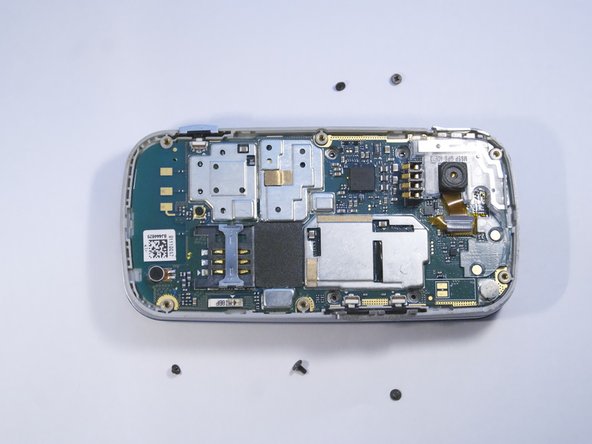
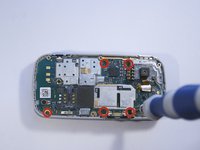
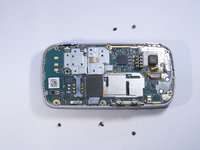
    • Place phone with exposed motherboard facing you.

    • Use a Phillips screwdriver to remove the five 2mm Phillips #000 screws holding the camera in place.

    Frag FixBot

    Kommentar hinzufügen

  10. Pantech Matrix Camera Button Replacement, Identify and Remove Camera Button: Schritt 10, Bild 1 von 2 Pantech Matrix Camera Button Replacement, Identify and Remove Camera Button: Schritt 10, Bild 2 von 2
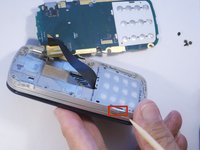
    • Carefully remove the motherboard to expose the camera button.

    • Grasp the camera button with a polypus and pull gently to remove the camera button.

    Frag FixBot

    Kommentar hinzufügen

Abschluss

To reassemble your device, follow these instructions in reverse order.

Rückgängig: Ich habe diese Anleitung nicht absolviert.

Eine weitere Person hat diese Anleitung absolviert.

Zeel Patel

Mitglied seit: 10/13/14

1.096 Reputation

9 Anleitungen geschrieben

0 Kommentare zur Anleitung

Kommentar hinzufügen

Seitenaufrufe:

Letzte 24 Stunden: 2

Letzte 7 Tage: 6

Letzte 30 Tage: 40

Insgesamt: 373