Einleitung
This guide will show you how to replace the battery and the soldering new wires to the motherboard. This is guide includes a highly recommend soldering guide. CAUTION: Soldering iron will be hot and may cause minor burns if handles improperly.
Was du brauchst
-
-
-
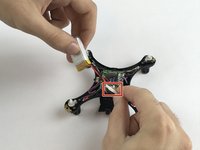
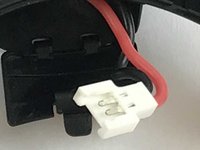
Open the hatch and carefully pull out the battery to expose the cable connection
-
-
-
-
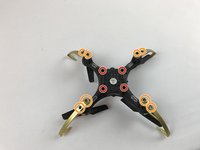
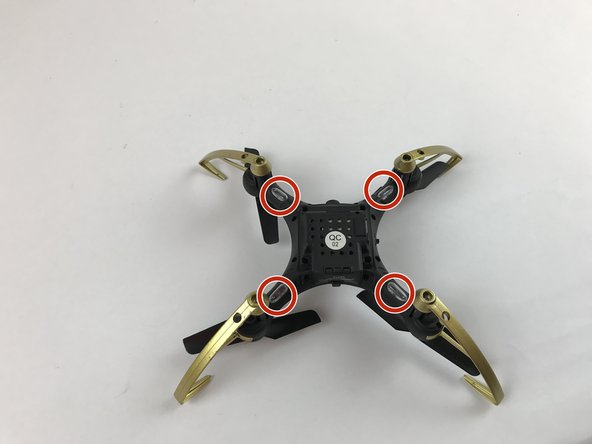
Unscrew the 4 screws from the bottom of the drone.
-
Unscrew the 8 screws connecting the propeller guards to the drone
-
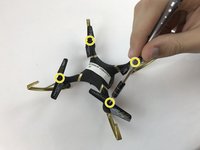
Unscrew the four propeller screws.
-
-
In diesem Schritt verwendetes Werkzeug:Tweezers$4.99
-
Feed through opening using tweezers to grasp the wire and carefully pull through.
-
-
-
Use the soldering iron to solder new wires to mother board. CAUTION: Soldering iron may get hot and cause minor burns if handled improperly.
-
Use this guide for how to solder: https://www.youtube.com/watch?v=QKbJxytE...
-
-
-
Reattach the battery and test for power by turning on the drone and look for the 4 LEDs turn on.
-

 Frag FixBot






All Done!
Rückgängig: Ich habe diese Anleitung nicht absolviert.
Eine weitere Person hat diese Anleitung absolviert.

Team

USF Tampa, Team S2-G1, Passmore Fall 2017 Mitglied von USF Tampa, Team S2-G1, Passmore Fall 2017
USFT-PASSMORE-F17S2G1
4 Mitglieder
21 Anleitungen geschrieben
3 Kommentare zur Anleitung
Great explanation. Just wondering where to get the replacement piece. My drone has the black wire hanging by a single strand just outside the white connector. The red wire is in tact but I would need the whole part that attaches to the board and extends outside the drone to connect the battery to. Thanks
Was wondering i think its charging the blue light flashes when plugged in but wont turn on. Wires look brand new
I’m wondering the same thing, mine lights up blue when charging, wires look good but still no action.
