Diese Übersetzung wurde maschinell erstellt und noch nicht von einer Person überprüft. Sprichst du diese Sprache? Schau es dir an.
Einleitung
Der Akku lässt sich recht einfach austauschen. Die einzige Schwierigkeit beim Ausbau ist der Klebstoff, mit dem er befestigt ist. Am besten lässt er sich lösen, indem man ihn erwärmt. Empfohlene Werkzeuge dafür sind der iOpener und der Metall-Spudger.
Was du brauchst
-
-
-
Drücke mit einem Öffnungswerkzeug sechzehn kleine Kunststoffclips am Gehäuserand nacheinander ein, um sie zu lösen. Hebele das Gehäuse nach und nach auf, während sich die Clips lösen.
 Frag FixBot
-
-
-
-
-
Entferne das schwarze Isolierband über dem Flachbandkabel-Stecker.
-
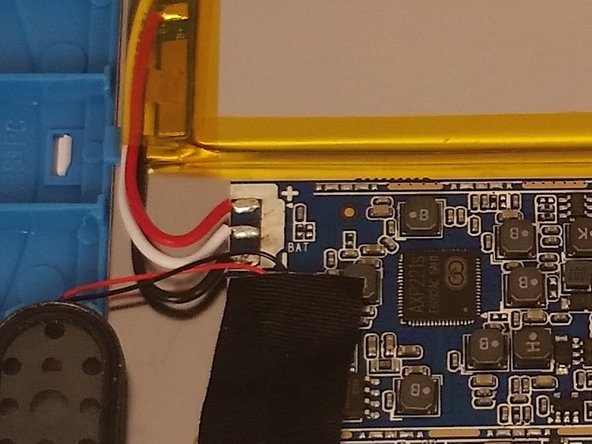
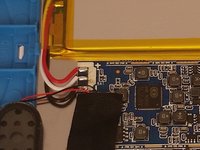
Entferne den Flachbandkabel-Stecker über dem Akku.
-
-
-
-
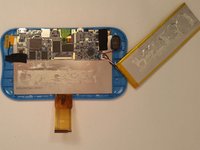
Erwärme anschließend den Akku, um den Klebstoff, der den Akku mit dem Gerät verbindet, zu lösen.
-
-


Um dein Gerät wieder zusammenzubauen, folge den Schritten dieser Anleitung in umgekehrter Reihenfolge.
Rückgängig: Ich habe diese Anleitung nicht absolviert.
3 weitere Personen haben diese Anleitung absolviert.

Team

USF Tampa, Team 14-101, Meier Fall 2015 Mitglied von USF Tampa, Team 14-101, Meier Fall 2015
USFT-MEIER-F15S14G101
4 Mitglieder
42 Anleitungen geschrieben
7 Kommentare zur Anleitung
Ours is only 6 months old. It only works when it stays plugged in. Battery is bad?
I had the same problem, only played while plugged in and would not charge.. I found that the battery wires while appearing tight one wire had broken inside the wire insulation at the solder pad on the main board. When I redid the connection it charges, and works well. 8/11/16
My grand daughters won't come on, should I take it to an electronic store?. I don't want to try and pry it open, for fear I may make it worse, she loves her tablet, and it is very helpful for her with school, she's had it 2 years and I put it away for about 8 month, for going on line, without permission, I gave it back in Sept. Now its not charging or coming on. Thank you.Deborah
