Zum Hauptinhalt wechseln

eufy Clean RoboVac G32 Pro Power Control Buttons Replacement

Was du brauchst

  1. eufy Clean RoboVac G32 Pro Power Control Buttons Replacement, Rolling Brush: Schritt 1, Bild 1 von 1
    • Make sure your device is turned off.

    • Flip the device upside down on a flat surface.

  2. eufy Clean RoboVac G32 Pro Power Control Buttons Replacement: Schritt 2, Bild 1 von 1
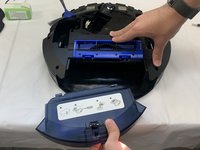
    • Press the clips at the bottom of the device that are indicated by the downward facing arrows.

    • Take off the rolling brush cover.

  3. eufy Clean RoboVac G32 Pro Power Control Buttons Replacement: Schritt 3, Bild 1 von 1
    • Pull the rolling brush up on the right side. Remove the rolling brush.

  4. eufy Clean RoboVac G32 Pro Power Control Buttons Replacement, Bump Sensor: Schritt 4, Bild 1 von 3 eufy Clean RoboVac G32 Pro Power Control Buttons Replacement, Bump Sensor: Schritt 4, Bild 2 von 3 eufy Clean RoboVac G32 Pro Power Control Buttons Replacement, Bump Sensor: Schritt 4, Bild 3 von 3
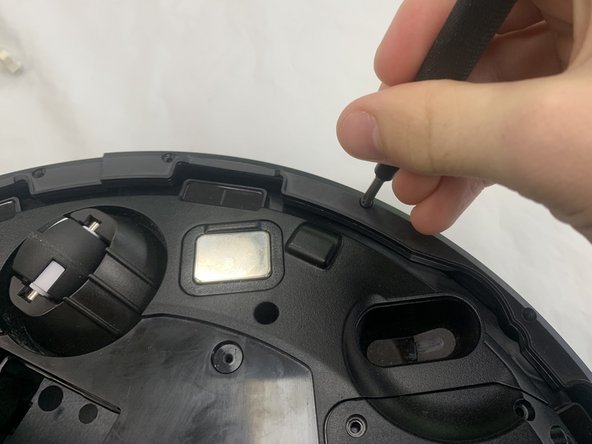
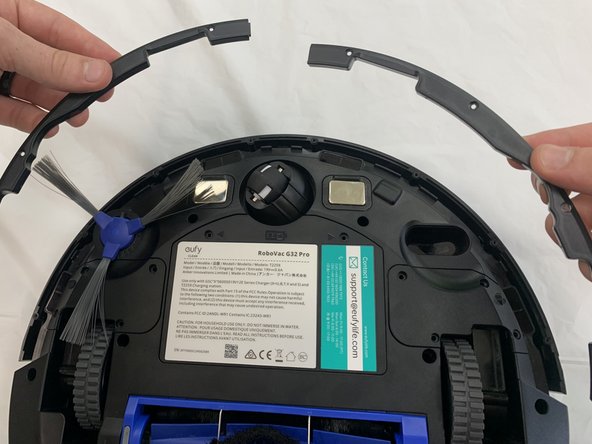
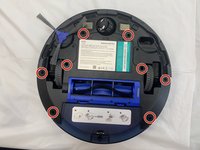
    • Orient the device so the underside is facing up.

    • Remove the eight 9.3 mm screws securing the bumper brackets using a Phillips #1 screwdriver.

    • Remove the bumper brackets.

  5. eufy Clean RoboVac G32 Pro Power Control Buttons Replacement: Schritt 5, Bild 1 von 2 eufy Clean RoboVac G32 Pro Power Control Buttons Replacement: Schritt 5, Bild 2 von 2
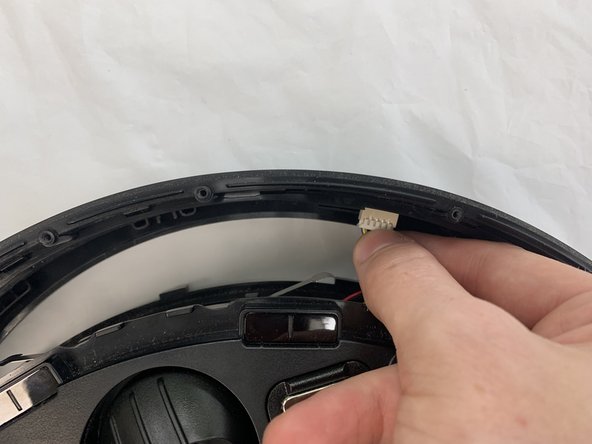
    • Lift the bumper off of the device gently.

    • Use your fingers to disconnect the 8 pin connector.

  6. eufy Clean RoboVac G32 Pro Power Control Buttons Replacement: Schritt 6, Bild 1 von 2 eufy Clean RoboVac G32 Pro Power Control Buttons Replacement: Schritt 6, Bild 2 von 2
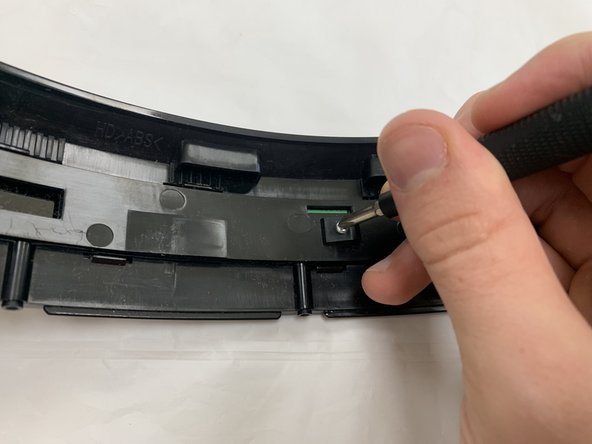
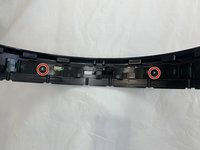
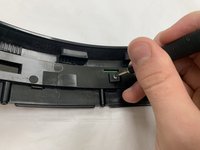
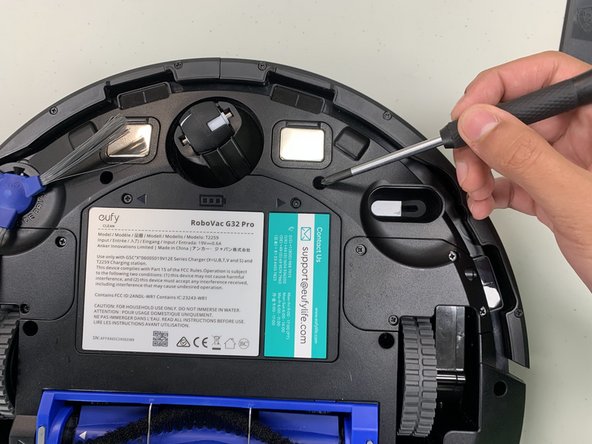
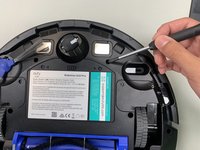
    • Remove the two 10 mm screws using a Philips #1 screwdriver.

  7. eufy Clean RoboVac G32 Pro Power Control Buttons Replacement: Schritt 7, Bild 1 von 1
    • Lift the bump sensor off using your fingers.

  8. eufy Clean RoboVac G32 Pro Power Control Buttons Replacement, Power Control Buttons: Schritt 8, Bild 1 von 2 eufy Clean RoboVac G32 Pro Power Control Buttons Replacement, Power Control Buttons: Schritt 8, Bild 2 von 2
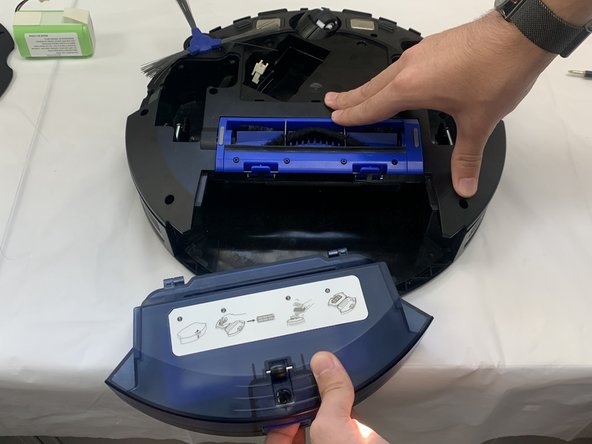
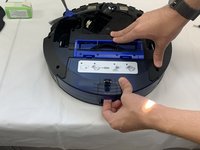
    • Remove the dust collector by grabbing under the lip and pulling it out.

  9. eufy Clean RoboVac G32 Pro Power Control Buttons Replacement: Schritt 9, Bild 1 von 1
    • Remove the two 5.5 mm screws using a Philips #1 screwdriver.

  10. eufy Clean RoboVac G32 Pro Power Control Buttons Replacement: Schritt 10, Bild 1 von 2 eufy Clean RoboVac G32 Pro Power Control Buttons Replacement: Schritt 10, Bild 2 von 2
    • Remove the eight 14 mm screws using a Philips #1 screwdriver.

  11. eufy Clean RoboVac G32 Pro Power Control Buttons Replacement: Schritt 11, Bild 1 von 1
    • Lift the bottom housing towards the front.

  12. eufy Clean RoboVac G32 Pro Power Control Buttons Replacement: Schritt 12, Bild 1 von 2 eufy Clean RoboVac G32 Pro Power Control Buttons Replacement: Schritt 12, Bild 2 von 2
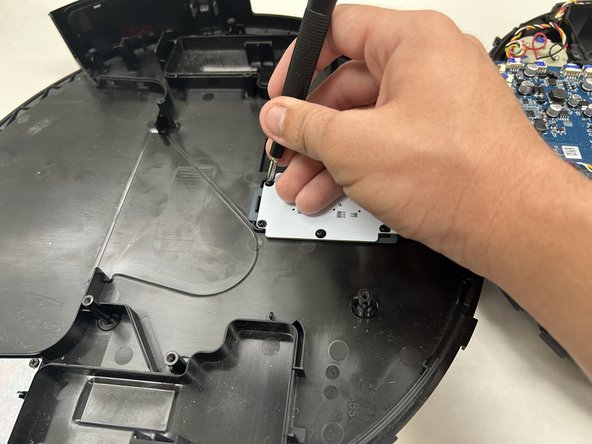
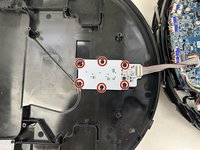
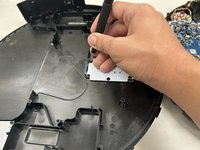
    • Remove the six 5.5 mm screws securing the button board with a Phillips #1 screwdriver.

  13. eufy Clean RoboVac G32 Pro Power Control Buttons Replacement: Schritt 13, Bild 1 von 1
    • Grab the 8 pin connector with your hands and firmly pull it away from the board.

    • Remove the board.

Abschluss

To reassemble your device, follow the above steps in reverse order.
Take your e-waste to an R2 or e-Stewards certified recycler.
Repair didn’t go as planned? Try some basic troubleshooting or ask our Answers community for help.

Gabe Moore

Mitglied seit: 09/19/24

133 Reputation

1 Anleitung geschrieben

Team

0 Kommentare zur Anleitung

Kommentar hinzufügen

Seitenaufrufe:

Letzte 24 Stunden: 1

Letzte 7 Tage: 6

Letzte 30 Tage: 14

Insgesamt: 145