Zum Hauptinhalt wechseln
Gemeinsam reparieren - Jetzt registrieren

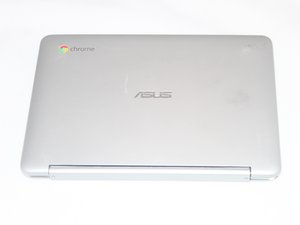
Repair and troubleshooting information for the ASUS Flip C100P Chromebook. Released in 2012.

Cracked screen making it hard to use.

I have a pretty big crack in my screen....no dead pixels, but it's making the touch screen go crazy. I can hardly use the chromebook even in laptop mode because the screen will flicker and open random things as if someone is going crazy on the touchscreen.

I looked into ordering the screen repair kit but found it was almost as expensive as a new chromebook. So my question is, is there a way I can just disable the touchscreen function? I don't mind only using it in laptop mode.

Thank you

Beantwortet! Antwort anzeigen Ich habe das gleiche Problem

Ist dies eine gute Frage?

Bewertung 1
Einen Kommentar hinzufügen

1 Antwort

Gewählte Lösung

steph fxe this should work for you

First go here: chrome://flags/#ash-debug-shortcuts and enable the flag, then click RESTART NOW at the bottom of that page.

Once that's done, you have two new keyboard shortcut toggles available to you -

Toggle touch screen on/off: --> Search+Shift+T Toggle touchpad on/off: --> Search+Shift+P

WARNING - use of this feature may cause unwary users to think their touchpad or touchscreen is defective. There are no status indicators to tell you that you have turned the touch device off!

War diese Antwort hilfreich?

Bewertung 4

2 Kommentare:

Alright! thanks so much, I never would have figured that out by myself. You just saved me a bunch of money, awesome.

von

Thank you so much! Same problem, thought I would have to buy a whole new computer since repairs are hardly a different price.

Mine is a chrome pixelbook and just a tiny crack in the bottom left of the screen but caused massive glitching. Again, tysm!!

von

Einen Kommentar hinzufügen

Antwort hinzufügen

steph fxe wird auf ewig dankbar sein.
Seitenaufrufe:

Letzte 24 Stunden: 0

Letzte 7 Tage: 6

Letzte 30 Tage: 18

Insgesamt: 2,477