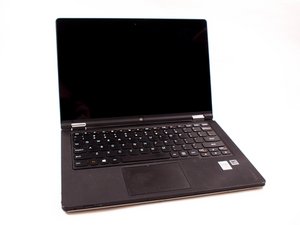
backlit keyboard options 11s
are there any direct replacement keyboards that fit the ideapad yoga 11s?
Ist dies eine gute Frage?
Bewertung
0

are there any direct replacement keyboards that fit the ideapad yoga 11s?
Ist dies eine gute Frage?

Rep: 30,1 Tsd.
 74
74
 28
28
 72
72
I think you’ll have to do a bit of research yourself - I could be wrong but you may not find anyone here with a definitive answer.
Look at the specs of laptops in the same range and see if any have keyboard backlights. If so, it’s possible one may fit your laptop.
Also, look for disassembly and repair guides and videos for your laptop, and when you know how to do it, remove your keyboard. There may be an empty ribbon cable socket next to the keyboard data ribbon socket. If so, this is likely to be for the backlight. You may be able to see it on some of the guides and videos.
If you find a compatible keyboard, make sure it’s the right nationality or you may find some of the keys in the wrong places.
War diese Antwort hilfreich?

Rep: 460 Tsd.
11
373
1,5 Tsd.
Hi,
Here’s a link to the service manual for your laptop. Scroll to p.33 to view the necessary pre-requisite step and then the procedure to remove the keyboard.
Scroll to p.64-65 to find the part numbers for the various “national” keyboards (and the manufacturer of the keyboard) available for this model laptop.
If you search online, using the appropriate part number only in the search box of your browser, you’ll get results for suppliers of the part.
You can verify if the part number is correct as usually it is printed somewhere on the underside of the keyboard (obviously you’ll have to remove it to find out).
There is no mention in the manual regarding whether the keyboard has a backlight feature or not, so I don’t know about this.
War diese Antwort hilfreich?
Letzte 24 Stunden: 2
Letzte 7 Tage: 2
Letzte 30 Tage: 17
Insgesamt: 280
