Hi,
Digitizer is just another more technical name for the touchscreen. (digits = fingers ;-)
If the LCD screen is still OK with no cracks etc, then you can replace the touchscreen only.
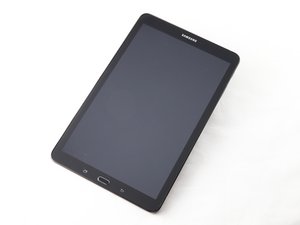
Here’s the Ifixit Samsung Galaxy Tab E 9.6 Wi-Fi Digitizer (Screen Replacement) Replacement that may help.
As regards to the Home button the impurities in the water causes corrosion and this could’ve damaged it or the circuit components associated with it.
When disassembling the tablet to replace the touchscreen check the systemboard for any signs of corrosion. If there are then you need to clean any affected parts using Isopropyl Alcohol 99%+ (available at electronics parts stores) to remove all traces of corrosion. If possible do not use "rubbing alcohol" as in some cases this is only 70% IPA or less, can contain additives and is not as effective. If you do have to use it check the label to verify the amount of IPA. The higher the percentage of IPA the better
Here is a link that describes the process. Electronics Water Damage
As always with electronics, especially surface mounted pcb be gentle when handling and especially when brushing away the corrosion. You do not want to remove any components from the board.
You could try replacing the home button board and see if that works. Perhaps only the button contacts themselves have been affected.
Here’s the Ifixit Samsung Galaxy Tab E 9.6, Verizon Home Button Replacement guide that may help.
Here’s a link to a supplier of the part (example only). It is only to show the part and what it may cost. There are other suppliers online that may suit you better. Just search for Galaxy Tab E 9.6 (insert tablet model number) home button board to get results.
Golden rule when repairing battery powered electronics. Unless you are testing, always disconnect the battery as soon as it is accessible before continuing with the repair and reconnect it as late as possible when reassembling to avoid any electrical problems from occurring.
War diese Antwort hilfreich?
Bewertet
Rückgängig machen
Bewertung
2
Abbrechen
Schau durch den Thread, bis du den richtigen Platz für diesen Kommentar gefunden hast. Klicke dann auf "Den Kommentar diesem Post zuordnen", um ihn zu verschieben.
 5
5  1
1 
 1,5 Tsd.

