Zum Hauptinhalt wechseln

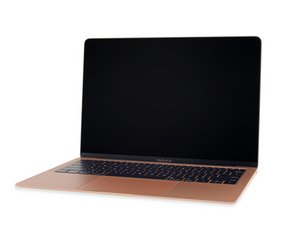
Die langerwartete Neuauflage des populären MacBook Air mit einem Core i5 Prozessor von Intel, ein verbessertes Retina Display und mehrere andere Veränderungen und Verbesserungen. Veröffentlicht am 7. November 2018.

How to replace MacBook Air 13 LCD Display Cable

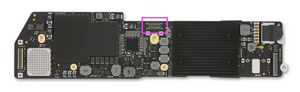
I have damaged LCD display cable. I found a replacement one but cant find any guide how to disconnect it from the logic board i disconnected it only from the display. Should i remove the whole logic board because it seems like its connected from the backside on the logic board.

Beantwortet! Antwort anzeigen Ich habe das gleiche Problem

Ist dies eine gute Frage?

Bewertung 0
Einen Kommentar hinzufügen

1 Antwort

Gewählte Lösung

The display cable is connected on the backside of the logic board, you'll need to lift it off to gain access to the other end. Follow this guide MacBook Air (13 Zoll, Retina Display, Ende 2018) Logic Board tauschen

Block Image

War diese Antwort hilfreich?

Bewertung 1

3 Kommentare:

What about the 2020

von

It’s no different from this series.


But why are you thinking you need to replace it? One typically doesn’t need to replace this cable unless you physically damage it.


How about posting a fresh Q with more details on what you are facing for a problem, maybe we can help focus in on what is needed to get you going again.

von

It ripped off the ribbon. I’m replacing the screen. I have seen a YouTube that does make it look like I need to remove they logic board to replace it.

von

Einen Kommentar hinzufügen

Antwort hinzufügen

Hailo17 wird auf ewig dankbar sein.
Seitenaufrufe:

Letzte 24 Stunden: 0

Letzte 7 Tage: 1

Letzte 30 Tage: 14

Insgesamt: 173