
Zum Hauptinhalt wechseln
Gemeinsam reparieren - Jetzt registrieren

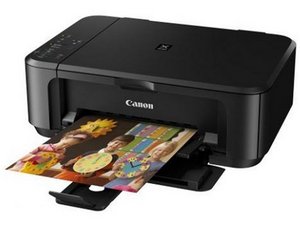
Ein All-in-One-Drucker und -Scanner mit Duplexdruck und WLAN-Verbindung.

5B02 error - ink absorber full.

I am struggling to reset the printer from the 5B02 error (having emptied the ink absorber). I have followed the instructions given on youtube etc, but no success.

Diese Frage beantworten Ich habe das gleiche Problem

Ist dies eine gute Frage?

Bewertung 9
1 Kommentar

I managed to clear the problem (TR4500)by feeling inside the cover to feel for the ink pad opening and pushing a tissue in to draw out the excess ink. I left it overnight .When removed it was soaked with ink. I started the printer and pressed 'ok', when the error came up and the printer was fine.

von

Einen Kommentar hinzufügen

4 Antworten

Hilfreichste Antwort

This error is (generally) a total loss situation on most printers due to parts costs. See if you can get the part, but don't be surprised if you can't or if the price exceeds that of a similar quality printer.

To PROPERLY fix it, you need to make sure you have a Canon printer that doesn't rely on a cloud login (or a registration key) for the service tools and runs on a standalone PC. I looked, and yours is good to go on both fronts since it uses V5204. However, I am not linking it to make it hard for Canon to DMCA the links that take 5 minutes to find). You will need to put the printer into service mode (on these, the character LCD will usually be blank) to reset it, but you have to change the waste ink pad first, or it will overflow. These newer printers aren't like the older Epsons that had a built-in reset on some old ones, like the R200/280. Most of them do the reset in SW only, but there's a way that MAY WORK on yours: Canon inkjet printers: how to reset the Waste Ink Counter - YouTube

War diese Antwort hilfreich?

Bewertung 2

2 Kommentare:

Thanks so much, after hours of trying the canon service software and failing this seems to work on pixma4260. May have to do this each time you start the printer as error code5 b02 seems to be very persistent. Thanks again

von

@geoffmartin8264 Once it gets too full it’s time for a new one.

von

Einen Kommentar hinzufügen

I know this is an old post, but thought I'd add my findings in case someone comes across this post like I did looking for a solution.

I was able to resolve this issue with my Pixma MG3620 following the instructions on this site: https://easyfixs.blogspot.com/2019/09/se...

This site is incredibly detailed and helpful for fixing a ton of different Canon models.

I can't speak to the security or safety of this site or tool, so I would recommend downloading and installing this tool in a sandbox or on a computer that can be wiped, and on an isolated network if possible. All I know is that after 5+ hours of digging for solutions and being told "it's not possible", this tool had me screaming "hallelujah" in minutes. It's a little tricky to install, as the package downloads as a .rar file. I used 7-Zip to extract the files, and then again to extract the program.

I would also recommend that you DEFINITELY do not run this tool without also cleaning your Ink Absorber pad(s). There's a reason these printers basically shut down because of this error (but also, c'mon Canon, this is nuts).

War diese Antwort hilfreich?

Bewertung 0

1 Kommentar:

Bonjour,

J'ai le même problème mais sur le site l'outil pour l'imprimante MG 3650 n'a pas de lien. L'outil est v4713. Pour la MG 3620 c'est le même outil.

Qu'avez-vous utilisé comme outil?

von

Einen Kommentar hinzufügen

estou com problema do erro 5bo2

War diese Antwort hilfreich?

Bewertung 0
Einen Kommentar hinzufügen

I managed to clear the problem (TR4500)by feeling inside the cover to feel for the ink pad opening and pushing a tissue in to draw out the excess ink. I left it overnight .When removed it was soaked with ink. I started the printer and pressed 'ok', when the error came up and the printer was fine.

War diese Antwort hilfreich?

Bewertung 0
Einen Kommentar hinzufügen

Antwort hinzufügen

Andrew Harthill wird auf ewig dankbar sein.
Seitenaufrufe:

Letzte 24 Stunden: 9

Letzte 7 Tage: 50

Letzte 30 Tage: 277

Insgesamt: 19,487
