Beliebte Fragen im Forum
Eine Frage stellenEs gibt noch keine Fragen. Stelle du die erste!
Hintergrund
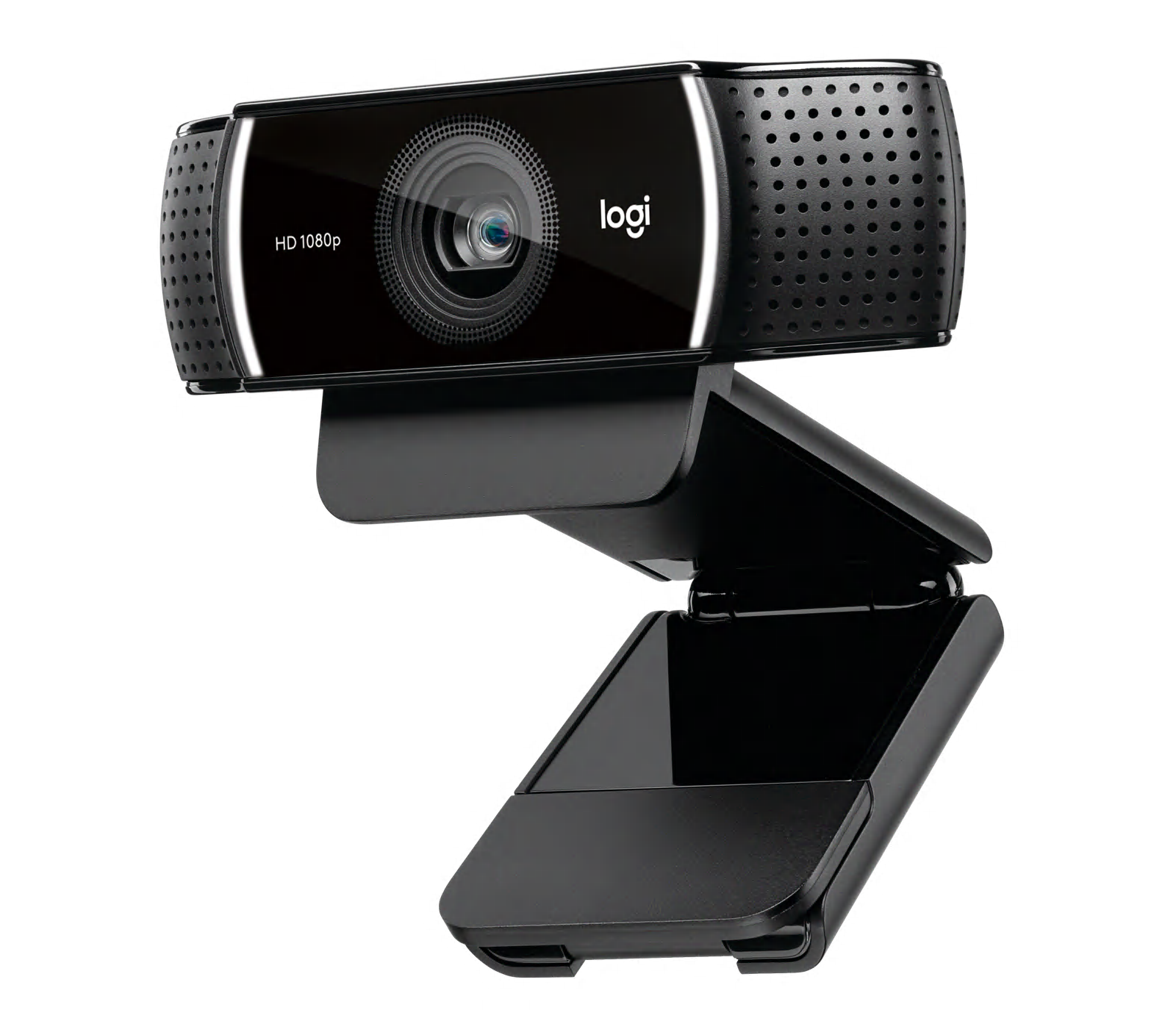
Die Logitech C922 PRO STREAM WEBCAM ist eine USB-Webcam für Livestreaming und Content-Erstellung, die Full-HD mit 1080p bei 30 fps oder 720p bei 60 fps bietet. Sie enthält Funktionen wie Autofokus, Stereo-/No-Drop-Audio, ein diagonales Sichtfeld von 78° und eine automatische Lichtkorrektur zur Verbesserung der Bildqualität unter verschiedenen Bedingungen. Das Gerät besteht aus langlebigem Kunststoff und einer Metallverstärkung im Montageclip und Stativgewinde, um wiederholtem Anbringen und Transport standzuhalten. Logitech bietet die Kompatibilität mit der Capture-Software für verbesserte Streaming-Steuerung.
Identifizierung
Die Logitech C922 PRO STREAM WEBCAM lässt sich anhand der Modellnummer (M/N V-U0028) identifizieren. Das Modellschild befindet sich auf der Verpackung und in Produktlisten (SKU/MPN: 960-001087). Dieses Schild listet die Modellnummer (M/N), die Teilenummer (P/N) und die Seriennummer (S/N) auf.
Spezifikationen
- Bauform: Desktop-Clip / auf Stativ montierbare USB-Webcam
- Modell / SKU / MPN: C922 PRO HD STREAM WEBCAM — SKU/MPN: 960-001087, Produkt-ID: c922-pro-stream-webcam
- Videoauflösung & Bildraten: Full HD 1080p bei 30 fps; HD 720p bei 60 fps
- Sichtfeld: 78° diagonales Sichtfeld
- Autofokus: Ja – eingebauter Autofokus mit automatischer Lichtkorrektur
- Mikrofone: Zwei integrierte Mikrofone (Stereo) mit beworbenem No-Drop-Audio
- Montage: Universal-Clip für Monitore und Laptop-Bildschirme; Standard 1/4-Zoll-Stativgewinde für Stative
- Konnektivität: Kabelgebundene USB-Verbindung (USB-A-Kabel)
- Software & Kompatibilität: Kompatibel mit Logitech Capture und gängiger Streaming-Software; unterstützt unter Windows und macOS (spezifische Treiber/Apps über die Logitech-Website)
- Umweltbilanz: Die Produktseite gibt einen Lebenszykluswert von etwa 8,85 kg CO2e an
Fehlerdiagnose
Zu den häufigen, für die Reparatur relevanten Fehlern gehören kein Videoausgang (oft verursacht durch ein fehlerhaftes USB-Kabel, einen defekten Anschluss oder Treiberprobleme), nachlassende Autofokus- oder Bildqualität sowie Mikrofon-/Audioaussetzer. Zur Diagnose teste die Webcam an einem nachweislich funktionierenden USB-Anschluss und einem anderen Computer, überprüfe die Treiber/Software (Logitech Capture oder Kameraberechtigungen des Betriebssystems), inspiziere das USB-Kabel und den Stecker auf Beschädigungen und wechsle zu einem nachweislich funktionierenden Kabel oder Anschluss.
Für weitere Hilfe bei der Fehlerdiagnose besuche: Siehe die Logitech-Produktsupportseiten für Unterstützung, Downloads und Kompatibilitätsdetails: https://support.logi.com/hc/en-us/articl...
Zusätzliche Informationen
Garantieinformationen
Die Garantie variiert je nach Region; überprüfe die Garantieseite von Logitech für regionalspezifische Informationen zur beschränkten Hardwaregarantie.