Beliebte Fragen im Forum
Eine Frage stellenEs gibt noch keine Fragen. Stelle du die erste!
Hintergrund
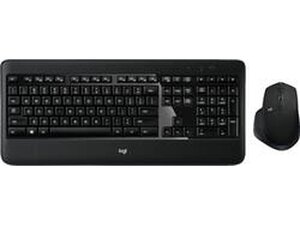
Das MX900 PERFORMANCE ist ein Full-Size-Bundle aus drahtloser Scheren-Tastatur und Maus, das auf Produktivität ausgelegt ist und sich auf Komfort sowie eine lange Akkulaufzeit konzentriert. Die Tastatur verwendet einen Scherenmechanismus und verfügt über eine sensorbasierte automatische Hintergrundbeleuchtung, die sich aktiviert, wenn du dich ihr näherst, und ausschaltet, wenn du gehst. Das Set besteht aus langlebigem Kunststoff mit verstärkten Tastenkappen und einem robusten Mausgehäuse für den täglichen Bürogebrauch. Zu den Hauptmerkmalen gehören drahtlose Kopplung mit mehreren Geräten, verstellbare Tastaturhöhe und eine ergonomische, funktionsreiche Maus.
Identifizierung
Das Logitech MX900 PERFORMANCE lässt sich anhand der Modellnummer (M/N M-R0066) identifizieren. Das Modellschild befindet sich auf der Unterseite der Tastatur. Dieses Etikett listet die Modellnummer (M/N), die Teilenummer (P/N) und die Seriennummer (S/N) auf.
Spezifikationen
- Formfaktor: Full-Size-Tastatur mit Ziffernblock
- Schaltertyp: Scherenmechanismus (Membran + Scherenmechanismus, flaches Design)
- Hersteller der Tastenschalter: Logitech (proprietärer Scherenmechanismus; die genaue interne Teilenummer ist nicht auf den Produkt-/Supportseiten aufgeführt)
- Bundle-Modellnummer: 920-008872 (Bundle-Modell laut Produktseite); SKU 6290219
- Mausmodell: Das Modell der enthaltenen Maus ist nicht separat auf den Produkt-/Supportseiten aufgeführt; im Bundle unter Modell 920-008872 enthalten
- Hintergrundbeleuchtung: Sensorbasierte automatische Tasten-Hintergrundbeleuchtung (ein Näherungssensor schaltet die Hintergrundbeleuchtung ein/aus)
- Konnektivität: Drahtlos via USB-Empfänger (2,4 GHz); spezifisches Empfängermodell nicht aufgeführt. Softwareunterstützung via Logi Options+ empfohlen; Unifying-Software/ältere Dienstprogramme sind laut Logitech-Support veraltet.
- Akku / Stromversorgung: Kunden berichten von einer langen Akkulaufzeit; genaue Akkuzusammensetzung/-typen sind auf den Produkt-/Supportseiten nicht spezifiziert
- Materialien: Langlebiges ABS-Kunststoffgehäuse und verstärkte Tastenkappen
- Kompatibilität: Kompatibel mit Windows und macOS; konfigurierbar mit Logi Options+ (Logitech-Support empfiehlt Logi Options+)
Fehlerdiagnose
Häufige reparaturrelevante Fehler sind defekte Akkus oder schwache Akkuleistung, Ausfälle bei drahtlosen Verbindungen, Probleme mit der Hintergrundbeleuchtung oder dem Näherungssensor sowie defekte oder klemmende Scherenmechanismen unter den Tasten. Zur Diagnose: Akkus prüfen/ersetzen, den USB-Empfänger an einem anderen Anschluss oder System neu koppeln, das Verhalten von Näherungssensor/Hintergrundbeleuchtung in einer bekanntermaßen funktionierenden Umgebung testen und Tastenkappen sowie Scheren-Clips auf physische Schäden untersuchen.
Für weitere Hilfe bei der Fehlerdiagnose besuche: Logitech Support: https://support.logi.com (produktspezifische FAQ-Seite für MX900 Performance auf der Logitech-Support-Website verfügbar).
Zusätzliche Informationen
Garantieinformationen
Eingeschränkte Hardwaregarantie – die Bedingungen variieren je nach Region; überprüfe die Logitech-Garantieseite oder kontaktiere den Logitech-Support für Details und zur Einreichung von Ansprüchen.

