Beliebte Fragen im Forum
Eine Frage stellenEs gibt noch keine Fragen. Stelle du die erste!
Hintergrund
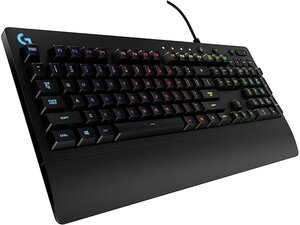
Das PRODIGY COMBO kombiniert die kabelgebundene Gaming-Tastatur G213 Prodigy von Logitech mit dem Gaming-Headset G231 Prodigy, um ein erschwingliches Einsteiger-Gaming-Paket zu bieten. Die Tastatur verfügt über LIGHTSYNC RGB-hintergrundbeleuchtete Tasten, dedizierte Multimedia-Steuerelemente, anpassbare Tastenfunktionen und ein spritzwassergeschütztes Gehäuse aus strapazierfähigem Kunststoff. Das Headset ist ein leichtes, kabelgebundenes Gaming-Headset aus der Prodigy-Familie, das für den ausgiebigen Gebrauch mit atmungsaktiven Materialien an den Ohrpolstern und einem verstärkten, verstellbaren Kopfbügel entwickelt wurde. Beide Komponenten verwenden langlebige Materialien und kabelgebundene Verbindungen, die auf Zuverlässigkeit und den täglichen Gaming-Einsatz ausgelegt sind.
Identifizierung
Das Logitech PRODIGY COMBO umfasst eine Tastatur (M/N M-U0049), eine Maus (M/N Y-U0029) und einen USB-Empfänger. Modellschilder befinden sich an folgenden Stellen: Tastatur: auf dem Produktetikett an der Unterseite; Maus: auf dem Produktetikett an der Unterseite; USB-Empfänger: auf der flachen Seite oder der Seite des Empfängergehäuses in der Nähe des USB-Steckers aufgedruckt. Jede Komponente besitzt ihre eigene Modellnummer (M/N) und Seriennummer (S/N).
Spezifikationen
- Komponenten: Tastatur (Logitech G213 Prodigy), Headset (Logitech G231 Prodigy)
- Modellnummer der Tastatur: G213 Prodigy
- Modellnummer des Headsets: G231 Prodigy
- Schaltertyp: Proprietäre Mech-Dome-Membrantasten von Logitech (proprietäre Membran-Dom-Schalter, keine mechanischen Schalter)
- Beleuchtung: LIGHTSYNC RGB-hintergrundbeleuchtete Tasten
- Spritzwasserschutz: Spritzwassergeschütztes Gehäuse (Tastatur)
- Konnektivität: Tastatur: Kabelgebundenes USB (Bus-betrieben); Headset: Kabelgebunden analog (3,5-mm-Klinkenanschluss)
- Multimedia-Steuerelemente: Dedizierte Multimedia-Tasten auf der Tastatur
- Materialien: Langlebiges ABS-/Kunststoffgehäuse der Tastatur und verstärkter, verstellbarer Headset-Kopfbügel mit atmungsaktiven Materialien an den Ohrpolstern
- Stromversorgung: Tastatur wird über den USB-Bus mit Strom versorgt; Headset ist passiv (kein Akku)
- Kompatibilität: Entwickelt für PC-Gaming; Plug-and-Play mit Standard-Audio-/USB-Anschlüssen (Software optional über den Logitech-Support)
Fehlerdiagnose
Zu den häufigen, für Reparaturen relevanten Fehlern gehören klebende oder nicht reagierende Tasten nach dem Verschütten von Flüssigkeiten, Ausfälle der RGB-/Hintergrundbeleuchtung sowie Tonausfälle oder Probleme mit dem Mikrofon am Headset. Beginne die Diagnose, indem du die Tastatur und das Headset an einem anderen USB-/AUX-Anschluss und an einem anderen PC testest. Untersuche Kabel und Stecker auf Brüche oder verbogene Kontaktstifte, suche nach sichtbaren Flüssigkeitsrückständen oder Korrosion und überprüfe die Software-/Treibererkennung im Betriebssystem. Öffne bei physischen Schäden am Kabel oder der Platine das Gehäuse, um Lötverbindungen und Kabelzugentlastungen zu prüfen; tausche beschädigte Kabel oder Stecker nach Bedarf aus oder löte sie neu.
Für weitere Hilfe bei der Fehlerdiagnose besuche den Logitech-Support (support.logi.com), um Produktsupport, Treiber und Downloads für G213-/G231 Prodigy-Produkte zu erhalten.
Zusätzliche Informationen
Garantieinformationen
Beziehe dich für Details zur Abdeckung auf die regionsspezifische eingeschränkte Hardwaregarantie von Logitech; Garantieinformationen sind auf den Support-/Garantieseiten von Logitech verfügbar.

