Beliebte Fragen im Forum
Eine Frage stellenEs gibt noch keine Fragen. Stelle du die erste!
Hintergrund
Das SLIM COMBO (Signature Slim Combo for Business) ist ein Tastatur-Folio-Zubehör, das als Produktivitätslösung für kompatible Tablets konzipiert wurde. Es besteht aus strapazierfähigen Materialien, um das Tablet zu schützen und eine stabile Tippoberfläche sowie einen Ständer mit verschiedenen Winkeln zu bieten. Zu den Hauptmerkmalen gehören ein abnehmbares Tastaturmodul und ein schützendes Folio mit integriertem Ständer. Die offizielle Support-Dokumentation für diese Business-SKU enthält nur begrenzte technische Details und keine Ersatzteillisten.
Identifizierung
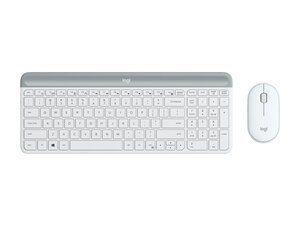
Das Logitech SLIM COMBO besteht aus einer Tastatur (M/N Y-B0011) und einem Ladecase. Die Modellbezeichnungen befinden sich an folgenden Stellen: Tastatur – Modell- und Kennzeichnungen befinden sich üblicherweise auf der Unterseite des Tastaturmoduls; Ladecase – Identifizierungshinweise befinden sich im Inneren des Folios oder am inneren Gehäuse. Jedes Bauteil besitzt eigene Modellnummern (M/N) und Seriennummern (S/N).
Technische Details
- Formfaktor: Abnehmbares Tastatur-Folio (Tastaturmodul + Schutzhülle)
- Kompatibilität: Entwickelt für ausgewählte Tablet-Modelle (spezifische kompatible Modellnummern sind auf der referenzierten Support-Seite nicht aufgeführt)
- Schaltertyp: Scrubber- (Membran-) Schalter – der genaue Hersteller/das Modell der Tastenschalter ist auf der Support-Seite nicht angegeben
- Konnektivität: Bluetooth und/oder Smart Connector je nach SKU; genaue Wireless-Empfänger-/Modellnummern sind im Support-Inhalt nicht angegeben
- Akku: Die Bluetooth-SKU enthält einen internen wiederaufladbaren Akku (Kapazität nicht angegeben); Smart-Connector-Varianten beziehen ihren Strom vom Tablet (kein Akku)
- Materialien: Hergestellt aus strapazierfähigen Materialien für Schutz und Langlebigkeit; spezifische Materialzusammensetzung auf der Support-Seite nicht angegeben
- Enthaltene Komponenten: Tastaturmodul und Schutz-Folio/Gehäuse – Hersteller-Modellnummern und Ersatzteillisten sind auf der bereitgestellten Support-Seite nicht verfügbar
- Abmessungen & Gewicht: Auf der bereitgestellten Support-Seite nicht angegeben
- Regulierung / Zertifizierungen: Regulatorische Details werden auf dem Logitech-Support referenziert; spezifische Zertifizierungsnummern sind im gescrapten Inhalt nicht aufgeführt
- Verfügbarkeit von Ersatzteilen: Die Support-Seite gibt an, dass für dieses Produkt keine Ersatzteile oder Downloads verfügbar sind
Fehlerdiagnose
Häufige reparaturrelevante Fehler sind nicht reagierende Tasten, Probleme bei der Bluetooth-Konnektivität oder Kopplung sowie ein beschädigtes Folio/Scharnier oder beschädigte Flachbandkabel. Zur Diagnose den Akkustand prüfen oder die Kontakte des Smart Connectors kontrollieren, versuchen, die Bluetooth-Verbindung neu zu koppeln, Flachbandkabel auf Schäden untersuchen und das Tastaturmodul an einem nachweislich funktionierenden, kompatiblen Tablet testen. Ersetze das Tastaturmodul, das Flachbandkabel oder den Akku, wenn eine Sichtprüfung und grundlegende Diagnosen auf einen Defekt hinweisen.
Für weitere Hilfe zur Fehlerdiagnose besuche: Siehe support.logi.com für Produktsupport und Kontaktoptionen; die referenzierte Support-Seite für das Signature Slim Combo for Business enthält nur begrenzte Ressourcen.
Weitere Informationen
Garantieinformationen
Garantieinformationen sind über die Garantieseiten von Logitech verfügbar; der Support-Inhalt verweist darauf, die Garantie von Logitech für die Einreichung von Ansprüchen zu prüfen.

