Beliebte Fragen im Forum
Eine Frage stellenEs gibt noch keine Fragen. Stelle du die erste!
Hintergrund
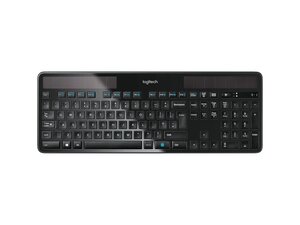
Das MK750 Wireless Solar-Set kombiniert die schlanke, vollwertige K750-Solartastatur von Logitech mit einer kabellosen Maus im Marathon-Stil in einem nachhaltigen, flachen Design. Die Tastatur wird über ein integriertes Solarpanel mit Strom versorgt und ist für die tägliche Produktivität mit Ziffernblock und ultraflachem Profil konzipiert. Das Produkt besteht aus langlebigen Kunststoffmaterialien und flachen Tastenkappen, wobei der Schwerpunkt auf Nachhaltigkeit bei den Komponenten und der Fertigung liegt. Zu den Hauptmerkmalen gehören der kabellose Betrieb über einen USB-Empfänger, eine lange Laufzeit durch Lichteinwirkung und mehrere regionale Tastaturlayouts.
Identifizierung
Das Logitech WIRELESS SOLAR KB & MSE MK750 lässt sich anhand der Modellnummer (M/N M-R0073) identifizieren. Das Modellschild befindet sich auf der Unterseite der Tastatur (siehe SKUs 920-002929, 920-002927, 920-002916, 920-002915, 920-002917, 920-002925). Auf diesem Schild sind die Modell- (M/N), Teil- (P/N) und Seriennummern (S/N) aufgeführt.
Spezifikationen
- Formfaktor: Ultraflache Tastatur in voller Größe mit Ziffernblock
- Stromversorgung: Integriertes Solarpanel zum Aufladen eines internen Akkus; Betrieb durch Umgebungslicht (in Produkt-/Supportseiten ist kein benutzerseitig austauschbarer Akku vorgesehen)
- Konnektivität: Kabellos über den mitgelieferten USB-Empfänger (2,4-GHz-Empfänger im Lieferumfang des Sets enthalten)
- Tastatur-Modellnummern / SKUs: 920-002929; 920-002927; 920-002916; 920-002915; 920-002917; 920-002925
- Produkt-ID: k750-wireless-solar
- Tastenschalter-Typ: Flache Scherenmechanik (Logitech-eigen; genauer Schalterhersteller/-modell von Logitech nicht spezifiziert)
- Materialien: Robustes Kunststoffgehäuse und flache Tastenkappen; laut Logitech-Produktinformationen unter Berücksichtigung von Nachhaltigkeitsaspekten entwickelt
- Enthaltene Maus: Marathon-Maus (als Teil des MK750-Sets verkauft). Die spezifische Modellnummer der Maus ist in den bereitgestellten Produkt-/Supportseiten nicht aufgeführt
- Kompatibilität: Kompatibel mit gängigen Desktop-Betriebssystemen; Logitech empfiehlt Logi Options+ für unterstützte Geräte (gemäß Support-Hinweisen)
- Ersatzteile & Downloads: Die Supportseiten von Logitech für das MK750 geben an, dass für dieses Set keine Ersatzteile oder Produkt-Downloads verfügbar sind
Fehlerdiagnose
Zu den häufigen, für Reparaturen relevanten Fehlern gehören Ladeprobleme (Solarpanel/Akku), nicht reagierende Tasten und Ausfälle der drahtlosen Verbindungen. Zur Diagnose prüfe, ob das Solarpanel ausreichend Licht erhält, ob die Kopplung des Geräts mit dem USB-Empfänger korrekt ist und ob das Schild auf der Unterseite sowie der interne Akkubereich Korrosionsspuren oder Schäden aufweisen. Bei Tastenproblemen kannst du die Tastenkappen entfernen, um sie auf Ablagerungen oder Schäden am Schalter zu untersuchen; eine erneute Kopplung oder der Austausch des Empfängers löst Konnektivitätsprobleme oft.
Für weitere Hilfe bei der Fehlerdiagnose besuche: Besuche https://support.logi.com für Produkthilfe, Registrierung und Kontaktoptionen.
Weitere Informationen
Garantieinformationen
Siehe die Seite mit den Garantieinformationen von Logitech (überprüfe die regionsspezifischen Garantiebedingungen auf support.logi.com).

