Einleitung
The Razer Blade 14" (2017) battery breaks down over time. Therefore, my team and I provided a guide to assist our audience. Use this guide as a DIY before purchasing a new computer or part.
A computer's battery is in good shape for 2-4 years. Depending on how well it's taken care of, the damage to the battery could either drain quicker than normal or stop charging completely.
If the battery is physically broken, it is time to buy a whole new computer.
Was du brauchst
-
-
Power off the laptop.
-
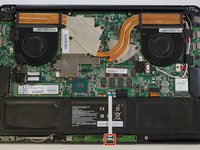
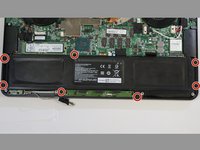
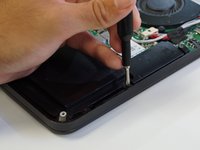
Use the T5 Torx screwdriver to unscrew the 10 screws found at the bottom of the laptop. Then, remove the back plate of the laptop.
 Frag FixBot
-
-
-
At the bottom left corner of the battery, grab and pull the power indicator cable towards the left to disconnect it.
-
-
-
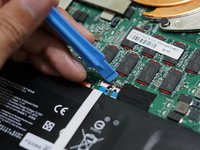
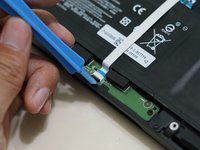
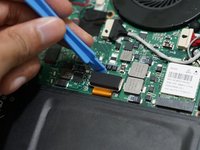
At the top center of the battery, use the opening tool to flip the ribbon cable ZIF latch up.
-
-
-
-
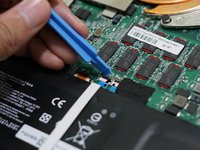
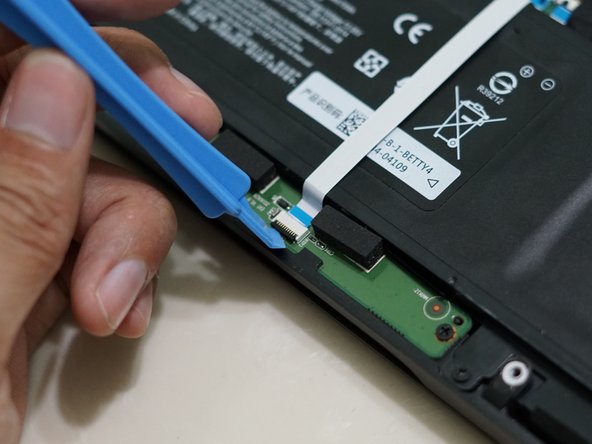
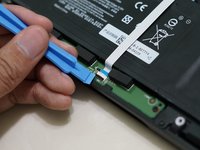
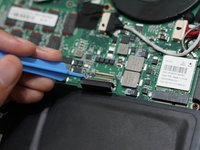
At the bottom center of the battery, use the opening tool to flip the ribbon cable ZIF latch up. (similar way from step 3)
-
Slide both ends out of the ZIF connector. Remove the touchpad ribbon cable that overlaps the battery.
-
-
-
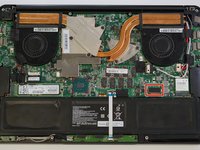
At the top right side of the battery, use the opening tool to disconnect the battery cable from the motherboard.
-


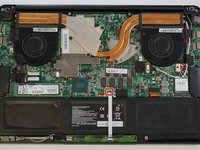







To reassemble your device, follow these instructions in reverse order.
Rückgängig: Ich habe diese Anleitung nicht absolviert.
4 weitere Personen haben diese Anleitung absolviert.

Team

University of Memphis, Team 2-2, Cameron Fall 2022 Mitglied von University of Memphis, Team 2-2, Cameron Fall 2022
UM-CAMERON-F22S2G2
3 Mitglieder
1 Anleitung geschrieben
