Einleitung
Use this guide to open the GuliKit KingKong 2 Pro controller for repairs and modding.
Was du brauchst
-
-
Use a Phillips #00 screwdriver to remove the four 11 mm-long screws securing the back cover.
-
-
-
Insert an opening pick into the gap between the front assembly and the back cover at the bottom edge of the controller.
-
Tilt your opening pick downwards to widen the gap.
-
-
-
-
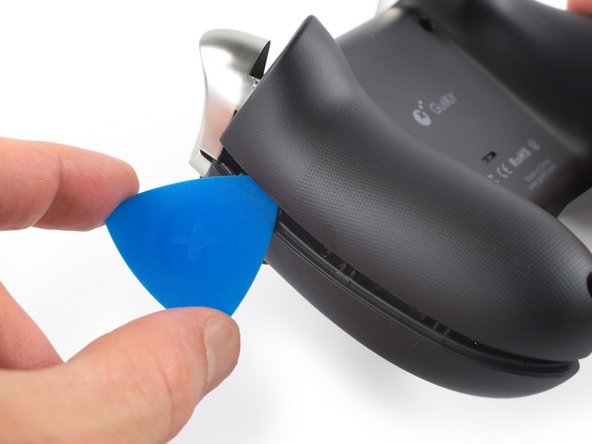
Insert an opening pick into the gap between the front assembly and the back cover at the outside of the right controller handle.
-
Slide the opening pick along the gap to separate the front assembly from the back cover.
-
-
-
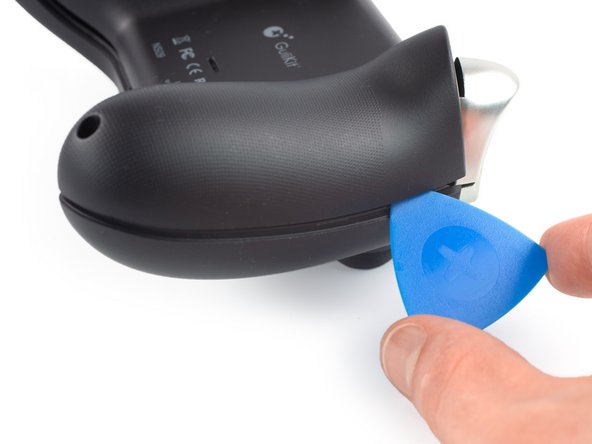
Insert an opening pick into the gap between the front assembly and the back cover at the outside of the left controller handle.
-
Slide the opening pick along the gap to separate the front assembly from the back cover.
-
-
-
Separate the back cover from the front assembly and remove it.
-





To reassemble your device, follow these instructions in reverse order.
Take your e-waste to an R2 or e-Stewards certified recycler.
Repair didn’t go as planned? Check out our Answers community for troubleshooting help.
To reassemble your device, follow these instructions in reverse order.
Take your e-waste to an R2 or e-Stewards certified recycler.
Repair didn’t go as planned? Check out our Answers community for troubleshooting help.



