Zum Hauptinhalt wechseln
Gemeinsam reparieren - Jetzt registrieren

Lenovo ThinkPad T480s Hall Sensor Replacement

Was du brauchst

  1. Lenovo ThinkPad T480s Hall Sensor Replacement, Bottom Cover: Schritt 1, Bild 1 von 2 Lenovo ThinkPad T480s Hall Sensor Replacement, Bottom Cover: Schritt 1, Bild 2 von 2
    • Disable the battery, power down the device, and unplug the power adapter from your device before proceeding/beginning the guide.

    • Loosen the six captive screws with a Phillips #1 screwdriver.

    Frag FixBot

    Kommentar hinzufügen

  2. Lenovo ThinkPad T480s Hall Sensor Replacement: Schritt 2, Bild 1 von 3 Lenovo ThinkPad T480s Hall Sensor Replacement: Schritt 2, Bild 2 von 3 Lenovo ThinkPad T480s Hall Sensor Replacement: Schritt 2, Bild 3 von 3
    • Remove the bottom cover with an opening tool.

    • Start from the top edge near the hinge and work your way along the edge until all of the clips are unsnapped.

    Frag FixBot

    Kommentar hinzufügen

  3. Lenovo ThinkPad T480s Hall Sensor Replacement: Schritt 3, Bild 1 von 2 Lenovo ThinkPad T480s Hall Sensor Replacement: Schritt 3, Bild 2 von 2
    • Lift the bottom cover off.

    Frag FixBot

    Kommentar hinzufügen

  4. Lenovo ThinkPad T480s Hall Sensor Replacement, Battery: Schritt 4, Bild 1 von 2 Lenovo ThinkPad T480s Hall Sensor Replacement, Battery: Schritt 4, Bild 2 von 2
    • Use the Phillips #1 screwdriver to remove four 4.5mm screws that hold the battery down to the mid frame.

    Frag FixBot

    Kommentar hinzufügen

  5. Lenovo ThinkPad T480s Hall Sensor Replacement: Schritt 5, Bild 1 von 3 Lenovo ThinkPad T480s Hall Sensor Replacement: Schritt 5, Bild 2 von 3 Lenovo ThinkPad T480s Hall Sensor Replacement: Schritt 5, Bild 3 von 3
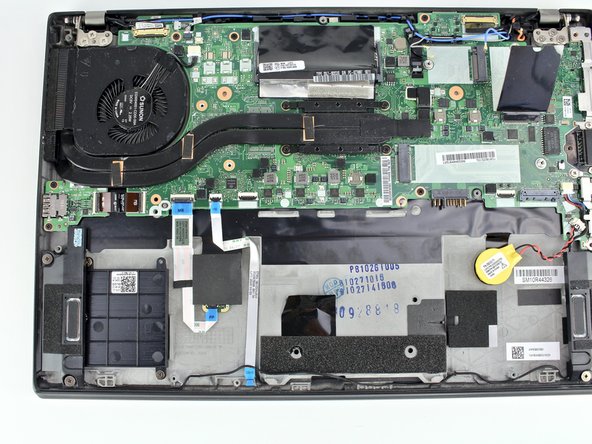
    • Lift the battery near the connector and remove it from the system.

    Frag FixBot

    Kommentar hinzufügen

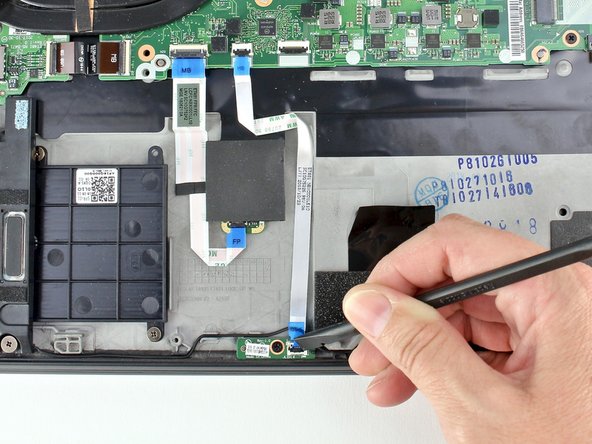
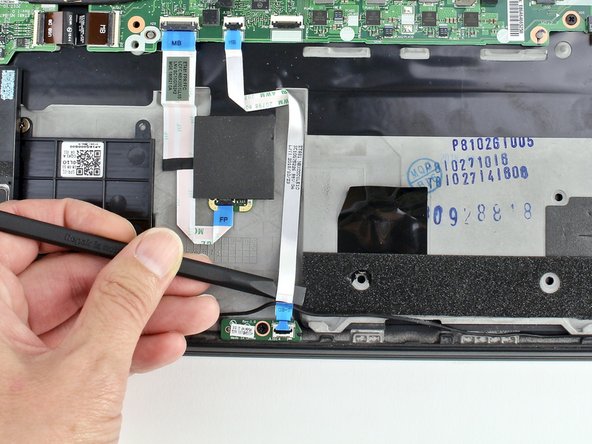
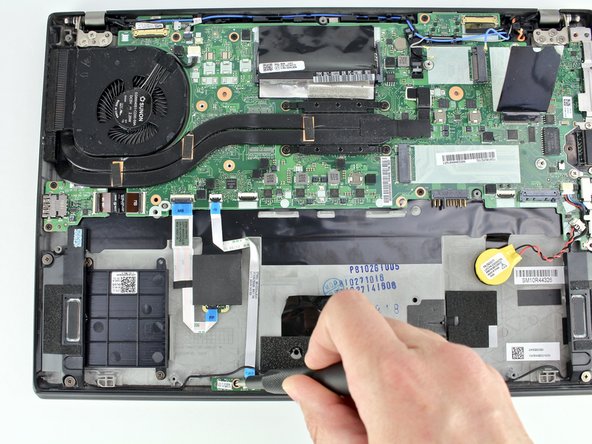
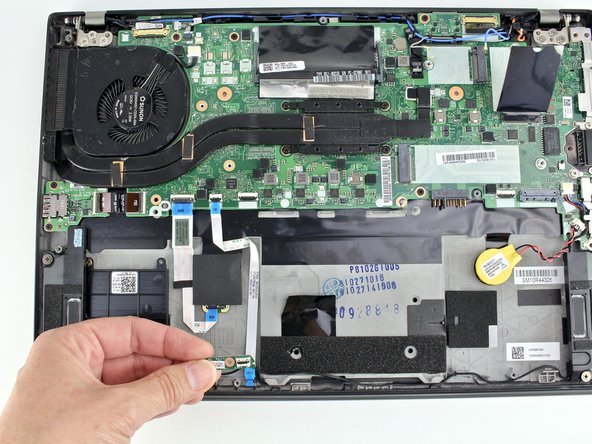
  6. Lenovo ThinkPad T480s Hall Sensor Replacement, Hall Sensor: Schritt 6, Bild 1 von 3 Lenovo ThinkPad T480s Hall Sensor Replacement, Hall Sensor: Schritt 6, Bild 2 von 3 Lenovo ThinkPad T480s Hall Sensor Replacement, Hall Sensor: Schritt 6, Bild 3 von 3
    • Use a spudger to disconnect the cable from the Hall sensor.

    Frag FixBot

    Kommentar hinzufügen

  7. Lenovo ThinkPad T480s Hall Sensor Replacement: Schritt 7, Bild 1 von 2 Lenovo ThinkPad T480s Hall Sensor Replacement: Schritt 7, Bild 2 von 2
    • With the Phillips #1 screwdriver, remove one 3.1 mm screw from the sensor.

    Frag FixBot

    Kommentar hinzufügen

  8. Lenovo ThinkPad T480s Hall Sensor Replacement: Schritt 8, Bild 1 von 3 Lenovo ThinkPad T480s Hall Sensor Replacement: Schritt 8, Bild 2 von 3 Lenovo ThinkPad T480s Hall Sensor Replacement: Schritt 8, Bild 3 von 3
    • Remove the sensor from the system.

    Frag FixBot

    Kommentar hinzufügen

Abschluss

To reassemble your device, follow these instructions in reverse order.

Take your e-waste to an R2 or e-Stewards certified recycler.

Repair didn’t go as planned? Try some basic troubleshooting, or ask our Answers community for help.

Rückgängig: Ich habe diese Anleitung nicht absolviert.

Team

iFixit Mitglied von iFixit

Staff

122 Mitglieder

27.503 Anleitungen geschrieben

0 Kommentare zur Anleitung

Kommentar hinzufügen

Seitenaufrufe:

Letzte 24 Stunden: 3

Letzte 7 Tage: 14

Letzte 30 Tage: 90

Insgesamt: 4,963