Einleitung
Use this guide to replace the screen on the Zeki Droid TBDC1093B.
Follow these instructions to disassemble the Zeki Droid and gain access to the broken screen. To prevent injury, I recommend following this guide to reinforce the broken glass.
Was du brauchst
-
-
-
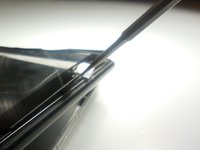
Remove the back casing by slowly popping each tab out with a plastic opening tool.
 Frag FixBot
-
-
In diesem Schritt verwendetes Werkzeug:Tweezers$4.99
-
Remove the tapes one by one from the connecting wires with tweezers.
-
-
-
Remove the black clips from both sides of the casing with a plastic opening tool.
-
-
-
-
-
-
Detach the motherboard from the framing by removing the four screws using a Phillips #000 screwdriver.
-
-
In diesem Schritt verwendetes Werkzeug:Tweezers$4.99
-
Lift the camera and flash components from their fittings using tweezers.
-
-
-
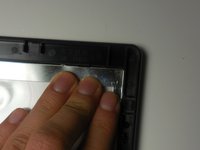
Lift the metal framing to reach the components at the front of the device.
-
-


To reassemble your device, follow these instructions in reverse order.

Team

Colorado Springs, Team 2-6, Panko Spring 2015 Mitglied von Colorado Springs, Team 2-6, Panko Spring 2015
UCCS-PANKO-S15S2G6
3 Mitglieder
15 Anleitungen geschrieben
