Zum Hauptinhalt wechseln
Gemeinsam reparieren - Jetzt registrieren

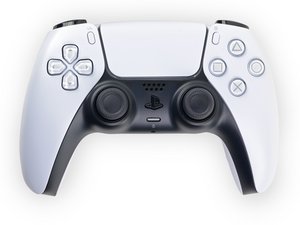
Reparaturanleitungen, Demontage und Informationen zur Fehlerdiagnose für den Sony PlayStation 5 DualSense-Controller der ersten Generation, Nachfolger der DualShock-Serie. Identifiziert durch die Modellnummer CFI-ZCT1W und das Motherboard-Modell BDM-010.

L2 Button constant on even if not pushed

Hello,

i changed the two rings around the L3 button which caused stick drift , after getting all stuff together my L2 Button is like always enabled even if im not pushing it at all. How can i fix this ? Thanks

Diese Frage beantworten Ich habe das gleiche Problem

Ist dies eine gute Frage?

Bewertung 2
Einen Kommentar hinzufügen

4 Antworten

Hilfreichste Antwort

Try taking the controller apart again and then push the L2 button then release. If that doesn't work ,try replacing the trigger button. Hope this helps!

Diode

War diese Antwort hilfreich?

Bewertung 1

3 Kommentare:

tested some stuff and the L2 is even activated after i removed the left L1 and L2 unit from motherboard. So its something with the board i assume.

von

@Toni Montana Seems that way. All right. I don't know if I can help you in any other way. Sorry.

von

its a problem with the blue flat cable that connects the unit to the main board… try straightening the metals at the tip… worked for me

von

Einen Kommentar hinzufügen

Usually it happens when the board is loose. There's one screw that atach the board to the controller shell. Open the controller again and Make sure you've tightened it.

War diese Antwort hilfreich?

Bewertung 1

1 Kommentar:

I had the same issue and Younes is correct. The L1/L2/R1/R2 buttons are in same circuit as all the other buttons. Underneath the circuit board is a pad with 16 connections that needs to make contact with circuit board. That pad was out of alignment on my controller and I was having the same issue with the R2 button. Realigning the pad and tightening down the circuit board fixed the issue.

von

Einen Kommentar hinzufügen

when I had close to the same problem, I had to replace the spring on the side of the trigger. Also, I completely disassembled and clean the adaptive trigger with contact cleaner bw-100, but the spring was my real problem.

War diese Antwort hilfreich?

Bewertung 0
Einen Kommentar hinzufügen

The small white ribbon cable that connects the trigger rumble pack to the board if you look very closely at the blue tab end you'll notice the gold connection lines, these are very thin and can bend easily, get a new ribbon cable or try to straighten it and trial and error it until it works (keep the casing off and try a game like astrobot until it's satisfactory)

War diese Antwort hilfreich?

Bewertung 0
Einen Kommentar hinzufügen

Antwort hinzufügen

Toni Montana wird auf ewig dankbar sein.
Seitenaufrufe:

Letzte 24 Stunden: 10

Letzte 7 Tage: 83

Letzte 30 Tage: 325

Insgesamt: 22,336