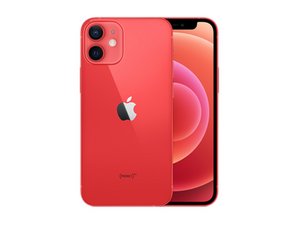

which speaker needs replacement
I use my (corded) ear phones or turn on speaker to hear a phone conversation. Which speaker needs replacing?
Ist dies eine gute Frage?
Bewertung
0
I use my (corded) ear phones or turn on speaker to hear a phone conversation. Which speaker needs replacing?
Ist dies eine gute Frage?
Rep: 43,4 Tsd.
 29
29
 55
55
 43
43
If you can't hear phone conversations unless those methods are employed, you need to replace the "Top speaker" or "Receiver speaker" (it's called either). It's part of the sensor assembly on the back of the display. Some of those sensors are tied to Face ID function so you'll either need to solder a new speaker into the flex cable, or use Apple approved methods of replacing to retain Face ID
War diese Antwort hilfreich?
I am replacing the battery and screen as a first timer. Are you saying I can replace without soldering if im willing to let go of face recognition? I will absolutely never use that tech.
Also there is no mention of soldering in the directions to replace "sensor assembly"
@maurak13 If you replace the whole assembly then no, but you will lose Face ID. Otherwise you can transplant the speaker from another flex cable, but those are soldered into the sensor assembly.
In comparison Apple would probably have you replace the whole display assembly.
Rep: 100,8 Tsd.
157
88
154
@maurak13 As an example, here is a guide showing how to replace the earpiece speaker without losing Face ID. This is for an iPhone X, but the last step of removing the speaker will be similar to what it would be on your phone.
iPhone X Earpiece Speaker Replacement Without Losing Face ID - iFixit Repair Guide
Just follow the iPhone 12 Mini earpiece speaker assembly replacement guide up to Step 27, then switch over to Step 29 of the iPhone X guide. The spots you need to unsolder will be in a slightly different place, but the procedure is basically the same.
War diese Antwort hilfreich?
Letzte 24 Stunden: 0
Letzte 7 Tage: 6
Letzte 30 Tage: 40
Insgesamt: 445


