Einleitung
The Apple Watch is one step closer to a super spy accessory with its Series 3 capable of making phone calls. What does a watch look like when Apple sticks a phone in it? Since teardowns are our calling we figure we'll dial right in!
Hot new tech is calling, will you pick up? Dial Facebook, Twitter, and Instagram to get on the party line for the newest gizmos!
Was du brauchst
-
-
What's that in your shiny new Apple Watch?
-
Second-generation OLED Retina display with Force Touch
-
Custom-designed Apple S3 SiP (System in Package)
-
Optional LTE and UMTS, built in GPS/GLONASS + NFC + Wi-Fi 802.11b/g/n 2.4 GHz + Bluetooth 4.2
-
Accelerometer + gyroscope + heart rate sensor + microphone + speaker + barometric altimeter + ambient light sensor
-
Water resistance rating (up to 50 meters)
-
WatchOS 4
-
-
-
Before we get inside, put on your X-ray glasses for a sneak peek.
-
While the overall layout is fairly unchanged from the original Apple Watch we tore down and X-rayed in 2015, it looks like there may be a few extra solder pads under the speaker (top right of this image).
-
-
-
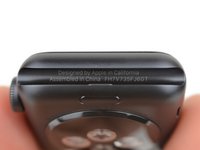
Time for a quick check of the back to make sure we bought the right watch.
-
Yep, this here is an Apple Watch Series 3, the most exclusive and top of the line Apple wrist computer, offering unparalleled computing power and fashion for the next 51 weeks.
-
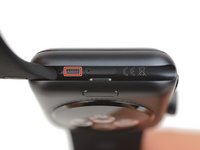
Next to that secret diagnostic port we picked out a new model number: A1889.
-
-
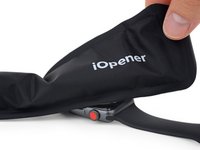
In diesem Schritt verwendetes Werkzeug:iOpener$17.99
-
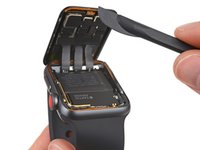
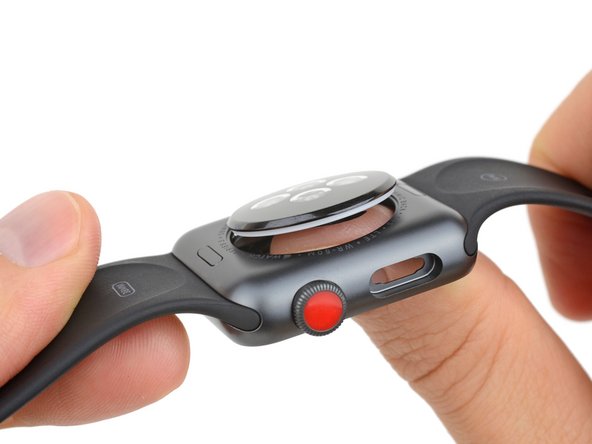
This watch's time has come. Since its form factor remains unchanged, we're hoping our standard opening technique still applies.
-
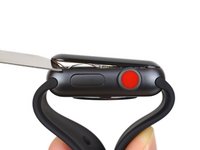
Summation: heat and slice. Slow and steady. Do not be distracted by the hypnotic red dot staring back at you.
-
Aside from that
status symbolred dot, we'd almost be convinced we're opening a Series 2 again. This looks eerily familiar.
-
-
-
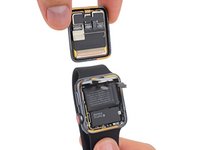
Cables de-ZIF'd, we're clear to get a look at the display.
-
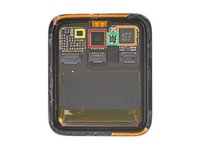
Spec-wise, the display is unchanged from the Series 2, with one key difference—it now functions as a multifrequency (LTE?) antenna.
-
This display has one fewer IC than last year. Probably wasn't important.
-
Analog Devices 343S00092 touch controller
-
NXP Semiconductor PN80V NFC module
-
Texas Instruments TPS36372 display power management (likely)
-
Empty solder pad (20211CP TD1628A goes here?)
-
-
-
In diesem Schritt verwendetes Werkzeug:Mako Driver Kit - 64 Precision Bits$39.95
-
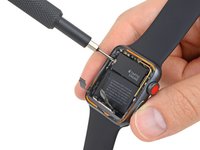
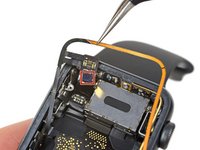
As in the prior version, further access is barred by a tiny tri-point screw—one of 64 possible contingencies we've come prepared for.
-
The top third of the watch is labeled "Taptic Engine," and that's mostly true—but the label also hides a bracket that guards, among other things, the battery connector we're searching for.
-
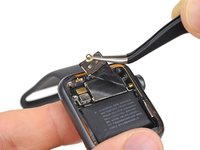
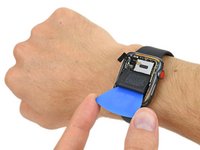
Time to pick away the power pack and see what gives this watch its all-day go-juice.
-
-
-
While the iPhone's battery continues to shrink in capacity, Apple's watch battery has been subtly pumped up:
-
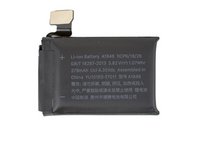
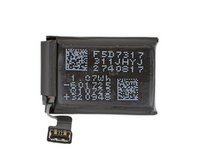
The Series 3 battery, designated A1848, packs in 1.07 Whr (279 mAh at 3.82 V).
-
That's nearly a 4% increase from the 1.03 Whr battery we found in the Series 2—which itself was a whopping 32% increase over the original Apple Watch's 0.78 Whr cell.
-
-
-
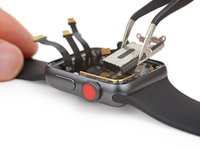
So far so good. We pull out the standard Force Touch sensor/gasket, equipped with the same Analog Devices AD7149 capacitance sensor controller that we found in the Series 2.
-
Continuing our parts-picking spree, we pluck out the Taptic Engine, seemingly unchanged from watches yore.
-
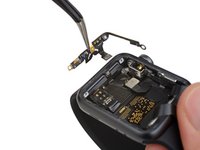
Then out pops the antenna array, including what we believe to be the GPS antenna.
-
-
-
The plucking continues, as we remove the self-emptying speaker, designed to sonically blast out water after your watch takes a dip.
-
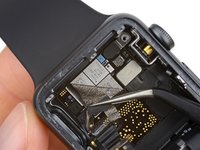
After an entirely Series 2-ish experience, we're finally rewarded with something new—a whole new section of RF chips, surely responsible for handling the added LTE functionality.
-
In another new twist, the air vent hole next to the microphone is now populated by what looks like a barometric pressure sensor.
-
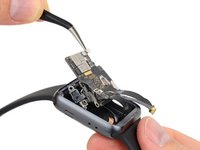
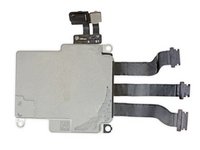
Time to pull this board!
-
-
-
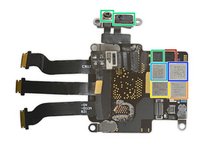
Did you guys hear that you can surf with this silicon? Let's see who's in this lineup:
-
ST Microelectronics ST33G1M2 32 bit MCU with ARM SecurCore SC300
-
Avago AFEM-8057 Wi-Fi front-end module?
-
Skyworks SKY78109-12 power amplifier module
-
FY LEE C7P Bosch gyro + accelerometer, STMicroelectronics pressure sensor and unknown MEMS microphone
-
FF1A02 (envelope module likely)
-
USI 339M00035 RF transceiver module
-
-
-
Last call: back cover. It's press-fit over a teflon-like O-ring, but a thumbs-up and a firm push relieves it of duty.
-
The material has been standardized across watch models and souped up to snazzy ceramic, replacing the previous Ion-X or Sapphire options.
-
It also houses the PPG sensor array that is responsible for sensing heart rate.
-
It would've been cool to see some change from the Series 2 after complaints about accuracy in previous models. As far as wearables go, however, the Apple Watch is the best of the bad.
-
Also it appears that the wireless charging coil has been slightly modified to support most Qi wireless chargers.
-
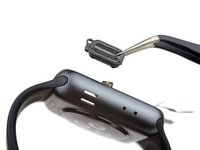
Lastly, with the new barometric altimeter taking the spot next to the microphone, where did the air vent go? Answer: hiding out right here, next to the diagnostic port.
-
-
-
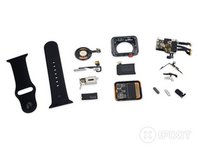
Here's all the
clockworkwatchwork! -
Final big thanks to Circuitwise for giving up a bit of their weekend to help us out!
-
And thanks again to Creative Electron for putting the X(-ray) in "excellent!"
-
- Watch band replacements remain fast and simple.
- Screen replacements are difficult but do-able—it's the first thing to come off, and detaches via simple ZIF connectors.
- Battery replacements are tricky but fairly straightforward once you're inside, provided you're armed with a Y000 screwdriver.
- While not proprietary, incredibly tiny tri-point screws are a repair hinderance.
- Replacing any of the component cables requires microsoldering.
- The mostly resin-encased S3 system makes most board-level repairs impossible.























Fazit
Reparierbarkeits-Index

(10 ist am einfachsten zu reparieren)
47 Kommentare
What’s the purpose of the air vent that began with Series 2? It’s clearly not for barometric readings since Series 2 lacked a barometric altimeter.
Not sure of I didn't See a barometer at the Apple Watch
eisblock -
does apple tv 4k teardown coming soon? i am curious about power supply voltage and ampere. nice btw.
