Von Studierenden verfasstes Wiki
Ein tolles Team von Studierenden aus unserem Bildungsprogramm hat dieses Wiki erstellt.
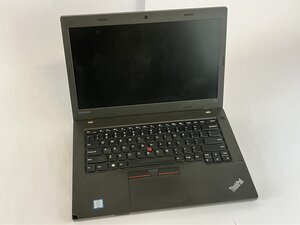
Wenn das Display deines Lenovo ThinkPad L460 flimmert oder kein Bild anzeigt, das Bild auf einem externen Monitor jedoch sichtbar ist, nutze diese Anleitung für mögliche Lösungen.
Physischer Displayschaden (Riss oder Streifenbildung)
- Display-Panel austauschen
- Entferne den Rand und das alte Panel und installiere dann ein neues, kompatibles Display.
Interner Kurzschluss oder Ausfall der Hintergrundbeleuchtung
- Display-Panel austauschen
- Wenn das Display zwar Strom bekommt, aber kein Bild anzeigt, ist wahrscheinlich die Hintergrundbeleuchtung defekt.
Lockeres Displaykabel
- Kabel neu einstecken oder austauschen
- Prüfe, ob das Displaykabel sowohl am Motherboard als auch am Display fest eingesteckt ist. Du kannst dies mithilfe der Anleitung Lenovo ThinkPad L460 Display austauschen überprüfen.

Team

UMass Dartmouth, Team 2-4, Bowman Fall 2025 Mitglied von UMass Dartmouth, Team 2-4, Bowman Fall 2025
UMASSD-BOWMAN-F25S2G4
4 Mitglieder
72 Anleitungen geschrieben

0 Kommentare