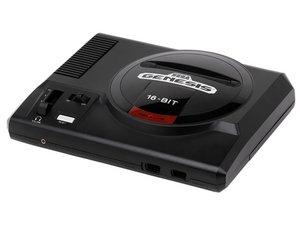
Kein Bild / Schwarzer Bildschirm
Prüfe, ob die Konsole eingeschaltet ist und ob das Spiel vollständig eingesteckt und sicher positioniert ist. Falls ja, reinige den Spielschacht mit Druckluftspray oder einem Wattestäbchen (Anleitung: Spielschacht reinigen).
Gerät geht nicht mehr an
Prüfe, ob das Netzkabel eingesteckt ist. Untersuche das Netzkabel auf sichtbare Risse oder Abnutzungen. Wenn das Problem weiterhin besteht, prüfe nach dem Zerlegen des Sega Genesis auf eine gelöste Lötverbindung am Stromanschluss (Anleitung: Gerät zerlegen). Falls erforderlich, löte sie nach.
Flimmerndes Bild
Der Sega Genesis stellt keine Verbindung zum Fernseher her.
Prüfe, ob das HF-Kabel vollständig am Fernseher und an der Konsole eingesteckt ist und ob das Kabel keine Risse oder Defekte aufweist. Prüfe nach dem Zerlegen des Sega Genesis außerdem auf gelöste Lötverbindungen am HF-Anschluss (Anleitung: Gerät zerlegen).
Controller funktioniert nicht richtig
Dies könnte durch einen defekten Controller oder einen defekten Controller-Anschluss verursacht werden.
Prüfe, ob der Controller vollständig in die Konsole eingesteckt ist. Falls ja, versuche es mit einem anderen Controller am selben Anschluss. Wenn dieser Controller funktioniert, liegt ein Problem mit dem ersten Controller vor (klicke hier, um einen neuen Controller zu kaufen). Wenn der zweite Controller ebenfalls nicht funktioniert, liegt höchstwahrscheinlich ein Problem mit dem Controller-Anschluss vor.
Kein Ton
Es gibt ein Verbindungsproblem mit dem HF-Kabel (könnte ein Verbindungsproblem oder ein defektes Kabel sein).
Prüfe, ob das HF-Kabel eingesteckt ist. Versuche, das Kabel leicht zu bewegen; wenn das nicht hilft, muss es ausgetauscht werden. (klicke hier, um ein neues HF-Kabel zu kaufen)

Team

Cal Poly, Team 3-29, Regan Fall 2010 Mitglied von Cal Poly, Team 3-29, Regan Fall 2010
CPSU-REGAN-F10S3G29
4 Mitglieder
60 Anleitungen geschrieben

24 Kommentare
just got the system for free with the power cord. no games yet. but plugged it in to see if power light turns on and it doesnt light up. does a game have to be inserted in order for the power light to light up? dont wanna buy games if it doesnt work. thx.
pencejesse - Antwort Teilen
So my sega will turn on just fine boots any game is in perfect condition but the sound is just weird like it will have the regular sound but with a buzz like a static noise like the console is dirty or clogged I took it apart and cleaned making sure I got every thing and still makes that weird sound idk if it’s just the old ness of the console or my RF cable is bad or I need to clean better but reply if you know.
MaxsonTroubleshoots - Antwort Teilen
^^its the sega genesis atgames console.
pencejesse - Antwort Teilen
The atgames genesis is NOT a true genesis. It is a cheap plug-n-play games console. If you depress the power on the front you indeed will see a power light, so this one is broken.
You are better off getting a real genesis used as these units are notorious for sound issues.
Howard Casto - Antwort Teilen
I just picked up a high definition sega Genesis and a few games. Hooked it up the next day, popped zero tolerance in and it worked great. Played that for about half an hour, took it out and popped in a different game. Nothing.
John Latimer - Antwort Teilen