Zum Hauptinhalt wechseln
Gemeinsam reparieren - Jetzt registrieren

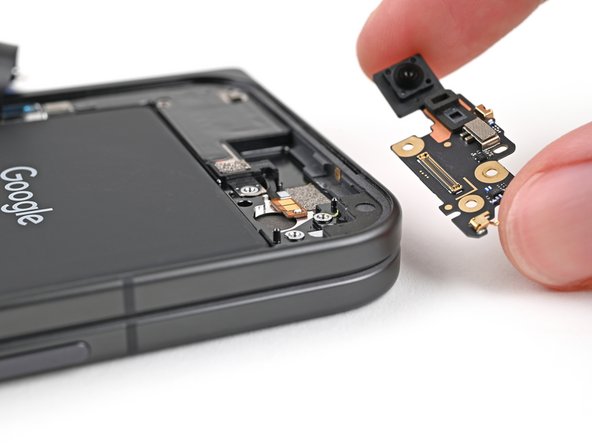
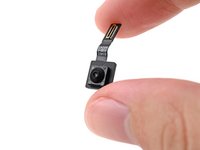
Google Pixel 9 Pro Fold Outer Front Camera Replacement

Was du brauchst

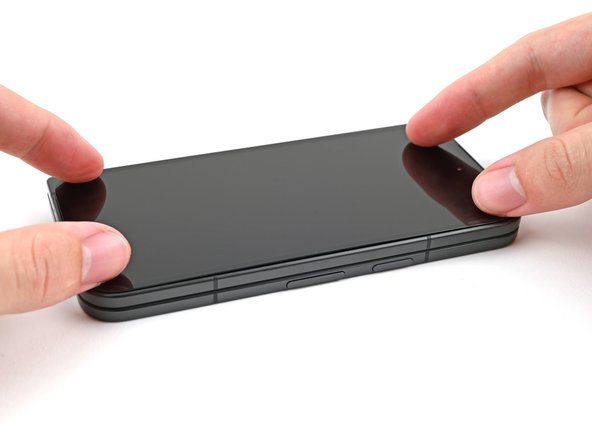
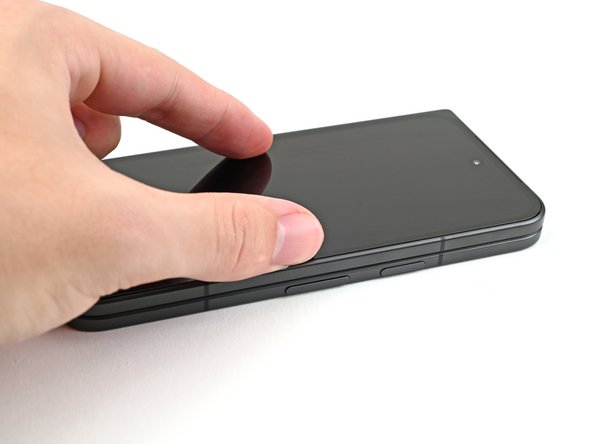
  1. Google Pixel 9 Pro Fold Outer Front Camera Replacement, Prepare your phone for disassembly: Schritt 1, Bild 1 von 1
    • Let your phone's battery drain below 25% before starting this repair. A charged lithium‑ion battery may catch fire if damaged.

    • Unplug all cables from your phone and completely power it down.

    Frag FixBot

    Kommentar hinzufügen

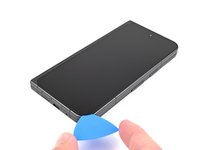
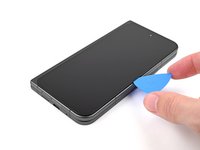
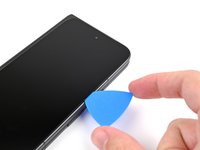
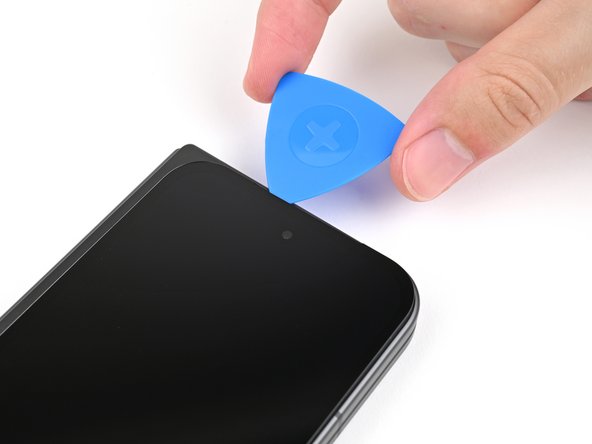
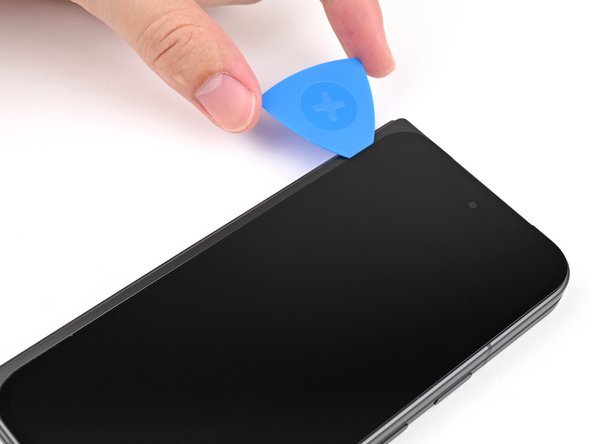
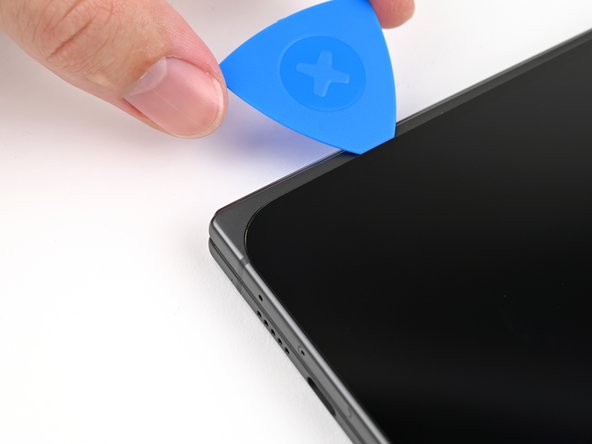
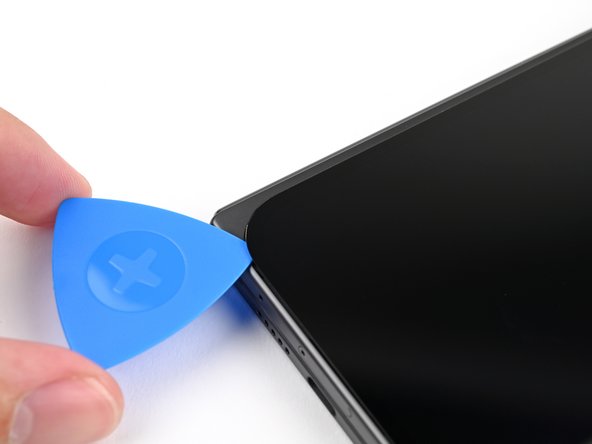
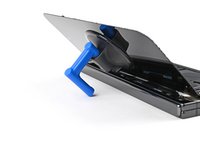
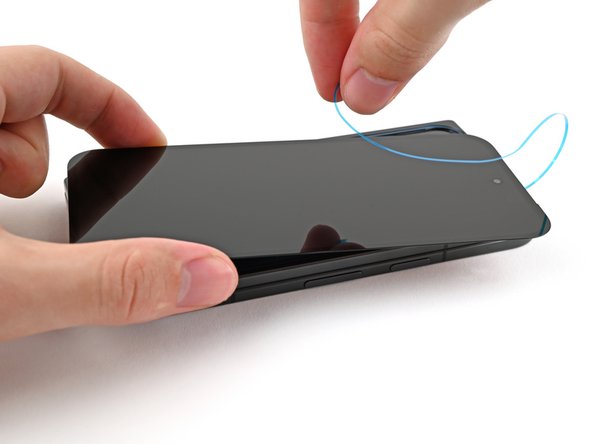
  2. Google Pixel 9 Pro Fold Outer Front Camera Replacement, Insert an opening pick: Schritt 2, Bild 1 von 3 Google Pixel 9 Pro Fold Outer Front Camera Replacement, Insert an opening pick: Schritt 2, Bild 2 von 3 Google Pixel 9 Pro Fold Outer Front Camera Replacement, Insert an opening pick: Schritt 2, Bild 3 von 3
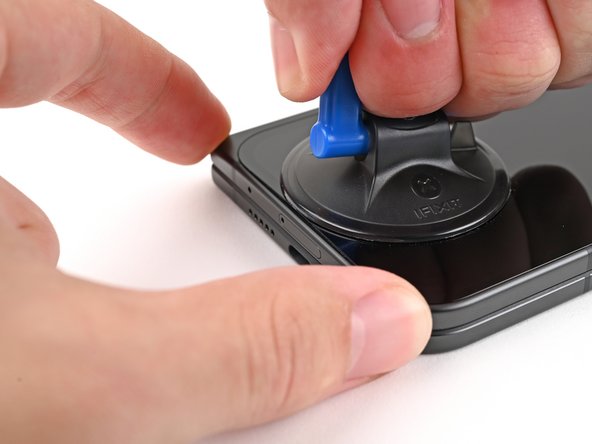
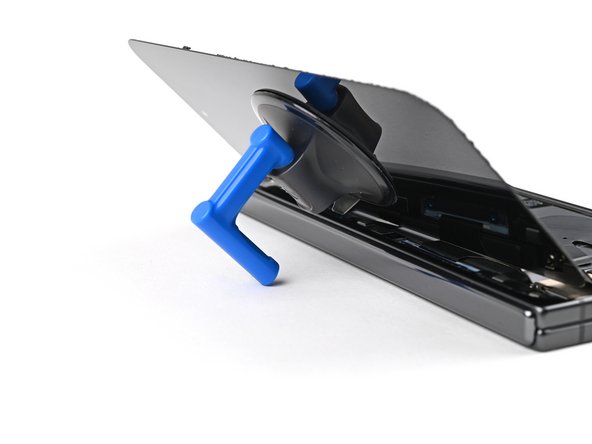
    • Apply a suction cup to the screen, as close to the center of the bottom edge as possible.

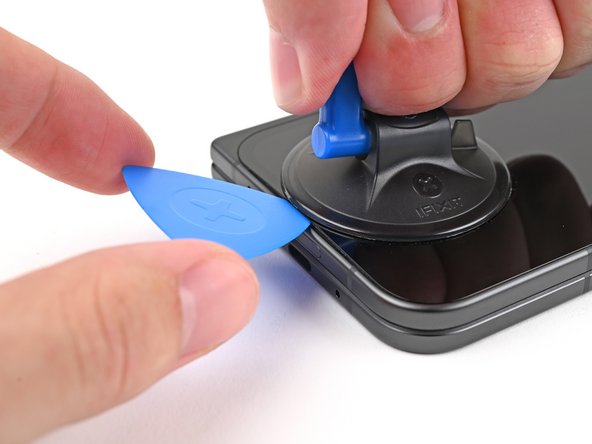
    • Pull up on the suction cup with strong, steady force to create a gap between the screen and the frame.

    • Insert an opening pick into the gap.

    • If your screen is badly cracked, covering it with a layer of clear packing tape may allow the suction cup to adhere. Alternatively, very strong tape may be used instead of the suction cup. If all else fails, you can superglue the suction cup to the screen.

    Frag FixBot

    Kommentar hinzufügen

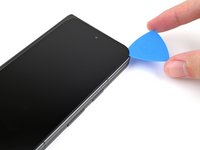
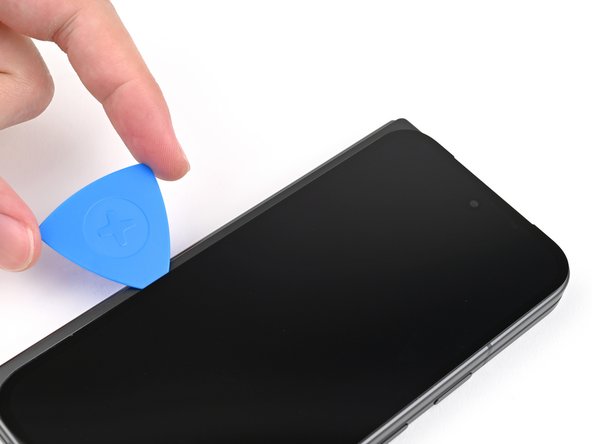
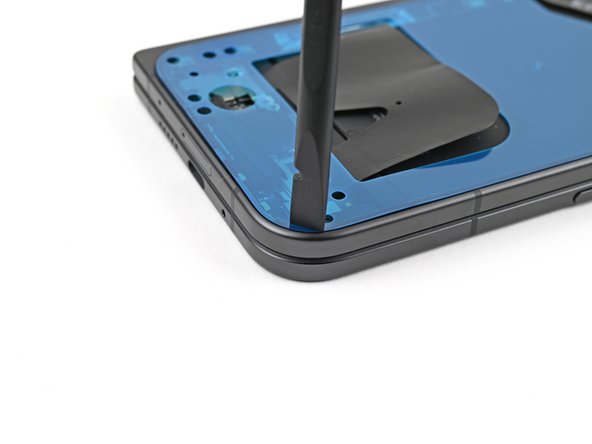
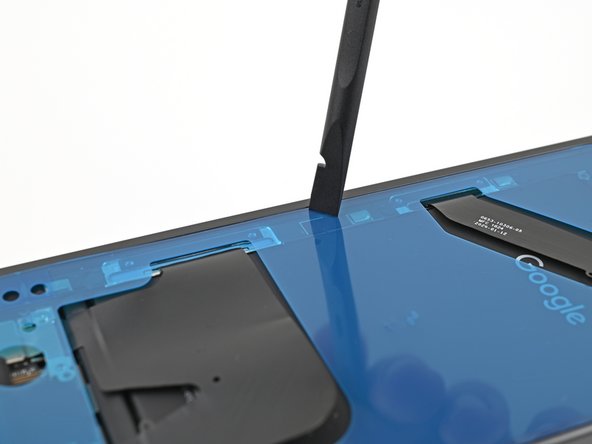
  3. Google Pixel 9 Pro Fold Outer Front Camera Replacement, Separate the adhesive: Schritt 3, Bild 1 von 3 Google Pixel 9 Pro Fold Outer Front Camera Replacement, Separate the adhesive: Schritt 3, Bild 2 von 3 Google Pixel 9 Pro Fold Outer Front Camera Replacement, Separate the adhesive: Schritt 3, Bild 3 von 3
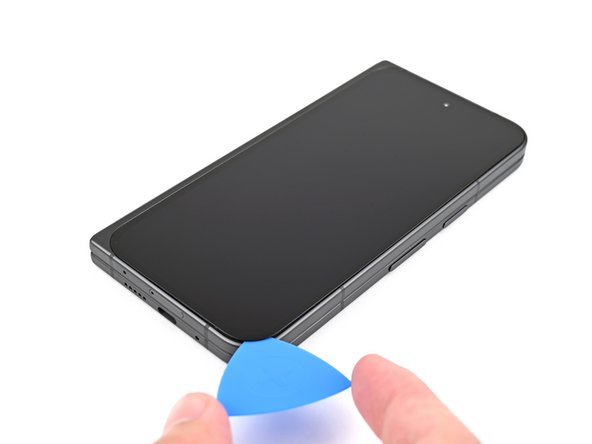
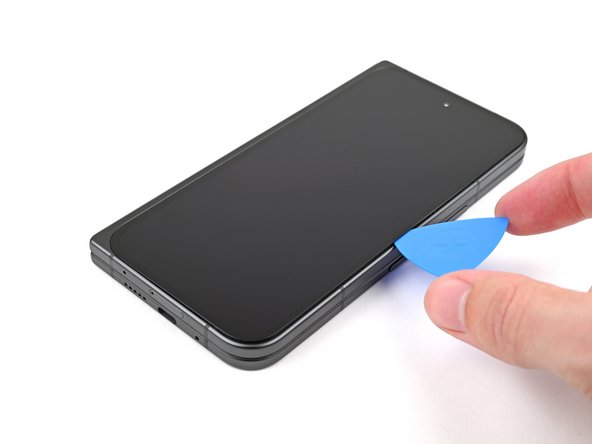
    • During the next four steps, don't insert your opening pick deeper than 3 mm to prevent damaging internal components.

    • Optionally, you can measure and mark your opening pick 3 mm from the tip to help you visualize the length.

    • Slide the opening pick around the bottom right corner and up the right edge of the screen to separate the adhesive.

    Frag FixBot

    Kommentar hinzufügen

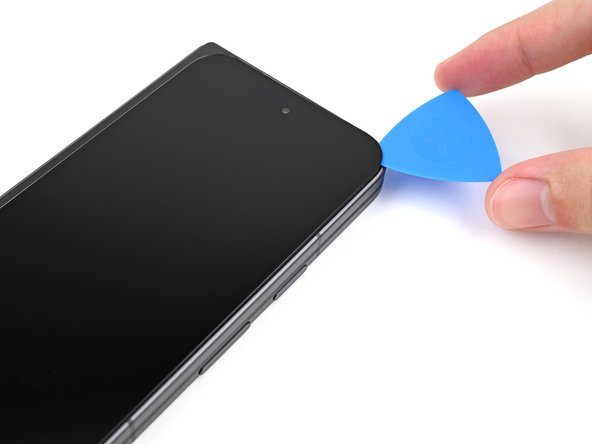
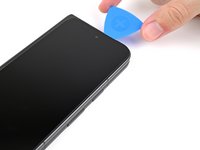
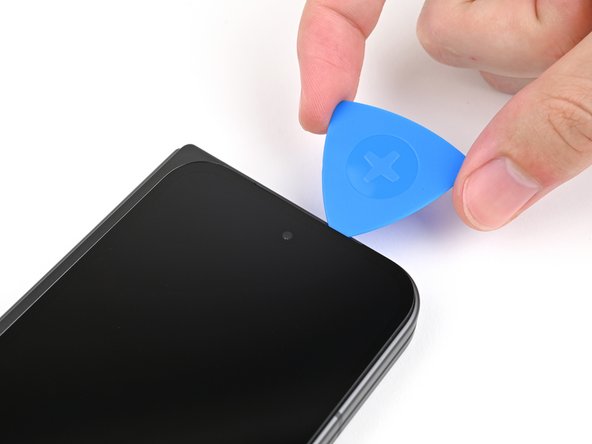
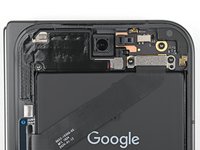
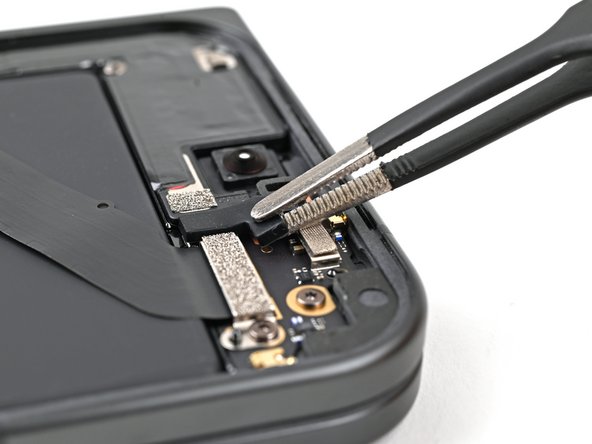
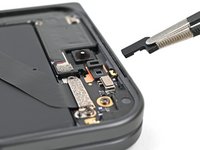
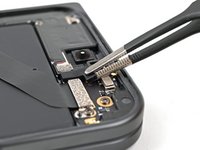
  4. Google Pixel 9 Pro Fold Outer Front Camera Replacement: Schritt 4, Bild 1 von 3 Google Pixel 9 Pro Fold Outer Front Camera Replacement: Schritt 4, Bild 2 von 3 Google Pixel 9 Pro Fold Outer Front Camera Replacement: Schritt 4, Bild 3 von 3
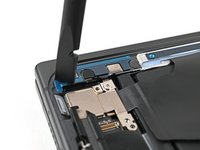
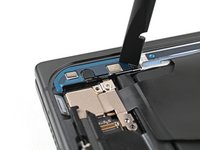
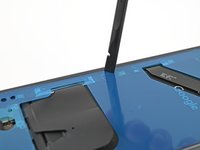
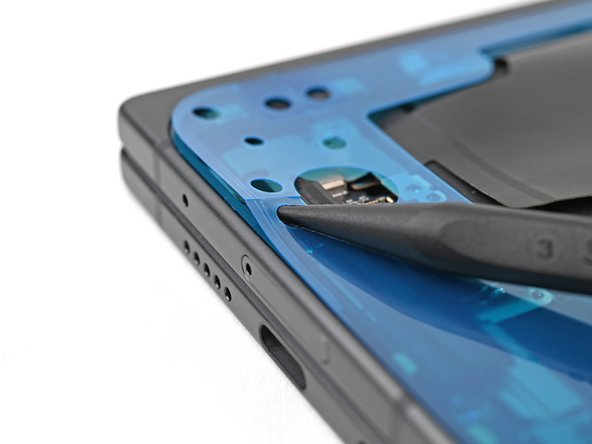
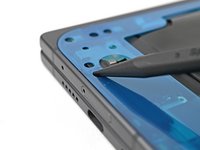
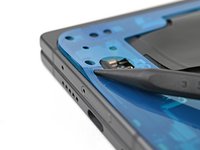
    • Slide the pick around the top right corner and stop before the front camera.

    Frag FixBot

    Kommentar hinzufügen

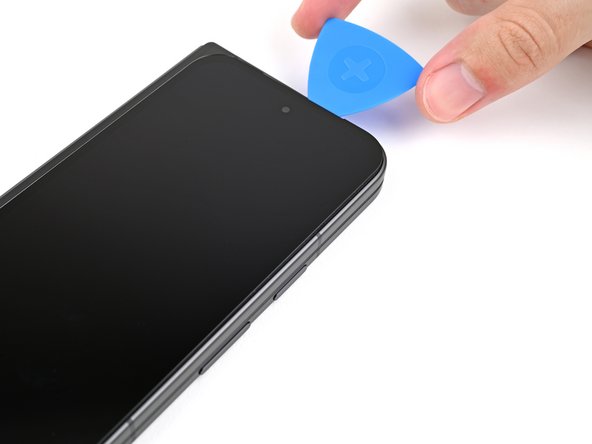
  5. Google Pixel 9 Pro Fold Outer Front Camera Replacement: Schritt 5, Bild 1 von 3 Google Pixel 9 Pro Fold Outer Front Camera Replacement: Schritt 5, Bild 2 von 3 Google Pixel 9 Pro Fold Outer Front Camera Replacement: Schritt 5, Bild 3 von 3
    • Pull the opening pick out so only the tip is under the screen.

    • Slide the opening pick across the top edge of the screen until you're past the front camera.

    • Push your pick to its original depth before continuing.

    Frag FixBot

    Kommentar hinzufügen

  6. Google Pixel 9 Pro Fold Outer Front Camera Replacement: Schritt 6, Bild 1 von 3 Google Pixel 9 Pro Fold Outer Front Camera Replacement: Schritt 6, Bild 2 von 3 Google Pixel 9 Pro Fold Outer Front Camera Replacement: Schritt 6, Bild 3 von 3
    • Slide the opening pick around the top left corner and stop about two‑thirds down the left edge of the screen.

    • Don't slide the pick any farther, or you risk damaging the display cable.

    Frag FixBot

    Kommentar hinzufügen

  7. Google Pixel 9 Pro Fold Outer Front Camera Replacement: Schritt 7, Bild 1 von 3 Google Pixel 9 Pro Fold Outer Front Camera Replacement: Schritt 7, Bild 2 von 3 Google Pixel 9 Pro Fold Outer Front Camera Replacement: Schritt 7, Bild 3 von 3
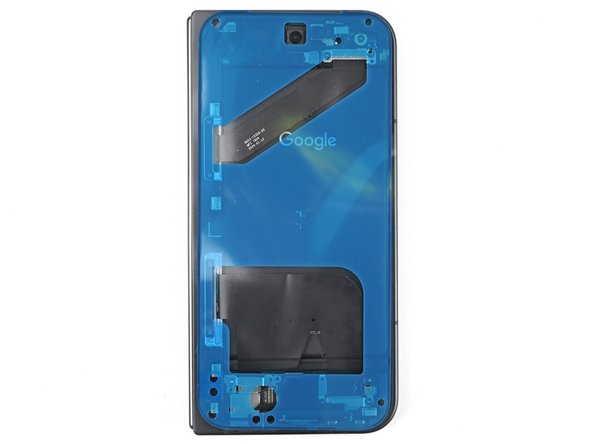
    • Pull the opening pick out to a 2 mm depth and rotate the pick around the bottom left corner to separate the remaining adhesive.

    Frag FixBot

    Kommentar hinzufügen

  8. Google Pixel 9 Pro Fold Outer Front Camera Replacement: Schritt 8, Bild 1 von 3 Google Pixel 9 Pro Fold Outer Front Camera Replacement: Schritt 8, Bild 2 von 3 Google Pixel 9 Pro Fold Outer Front Camera Replacement: Schritt 8, Bild 3 von 3
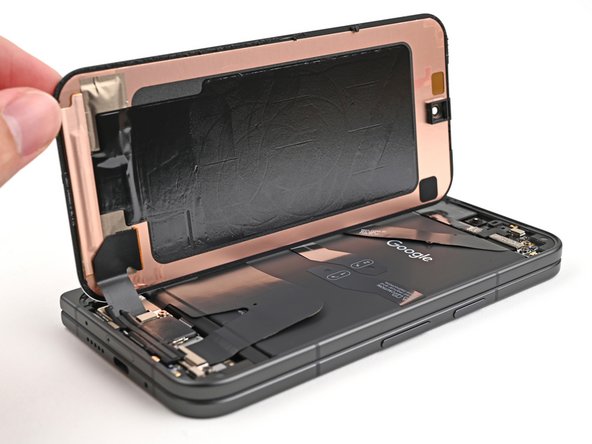
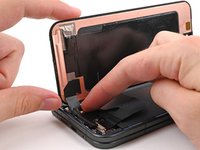
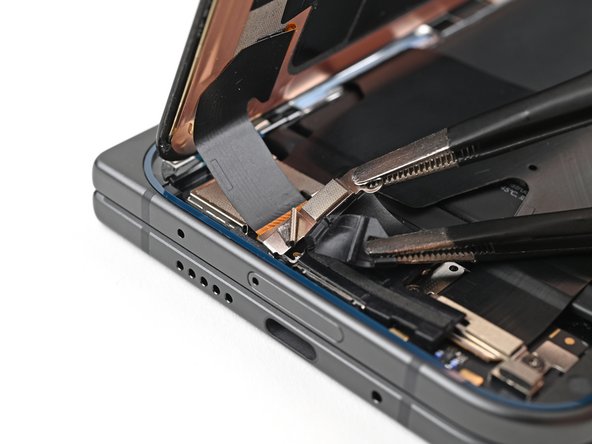
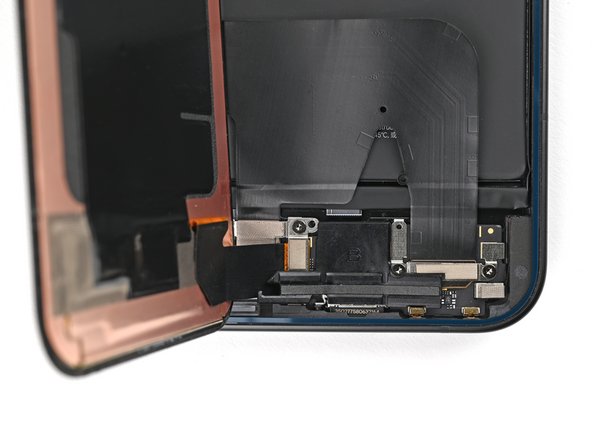
    • Don't fully remove the screen yet, as it's still connected to the phone by a cable.

    • At this point, the screen should be free from the frame. If there's still resistance around the edges, use an opening pick to separate any remaining adhesive.

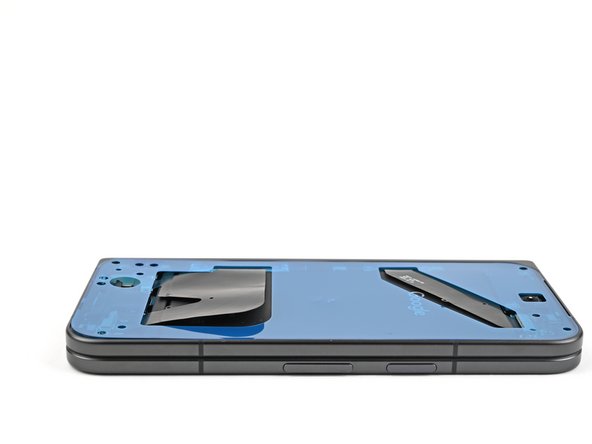
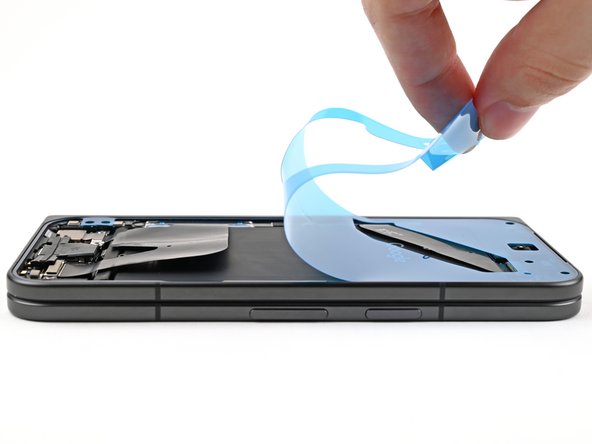
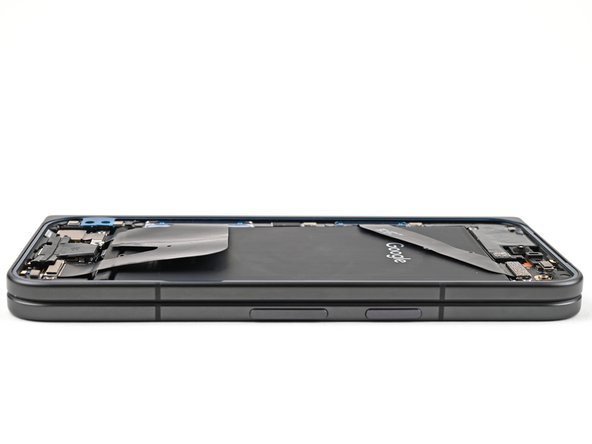
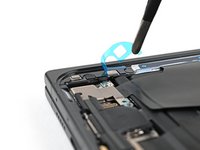
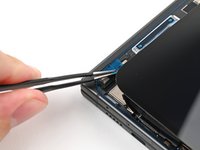
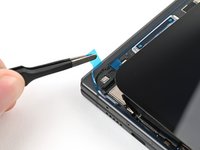
    • Lift the right edge of the screen and swing it over the left edge of the phone, like opening a book.

    • Prop up the screen with your suction handle or a clean, sturdy object.

    Frag FixBot

    Kommentar hinzufügen

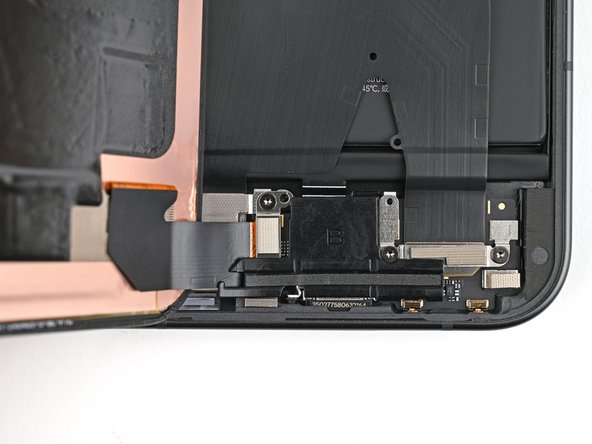
  9. Google Pixel 9 Pro Fold Outer Front Camera Replacement, Remove the display cable bracket screw: Schritt 9, Bild 1 von 2 Google Pixel 9 Pro Fold Outer Front Camera Replacement, Remove the display cable bracket screw: Schritt 9, Bild 2 von 2
    In diesem Schritt verwendetes Werkzeug:
    FixMat
    $31.41
    • Throughout this repair, keep track of each screw and make sure it goes back exactly where it came from.

    • While the Pixel 9 Pro Fold uses Torx Plus screws, standard Torx bits also work. Use the same size or one size larger (T3 or T4 Torx bits with 3IP Torx Plus screws) and apply constant, downward force to prevent stripping.

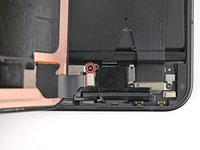
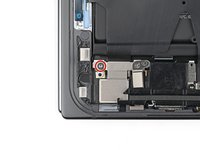
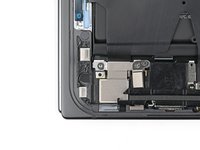
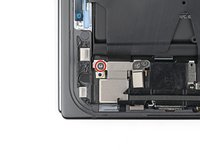
    • Use a Torx Plus 3IP driver to remove the 2.2 mm‑long screw securing the display cable bracket.

    Frag FixBot

    Kommentar hinzufügen

  10. Google Pixel 9 Pro Fold Outer Front Camera Replacement: Schritt 10, Bild 1 von 2 Google Pixel 9 Pro Fold Outer Front Camera Replacement: Schritt 10, Bild 2 von 2
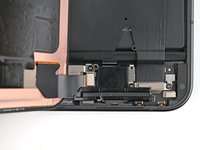
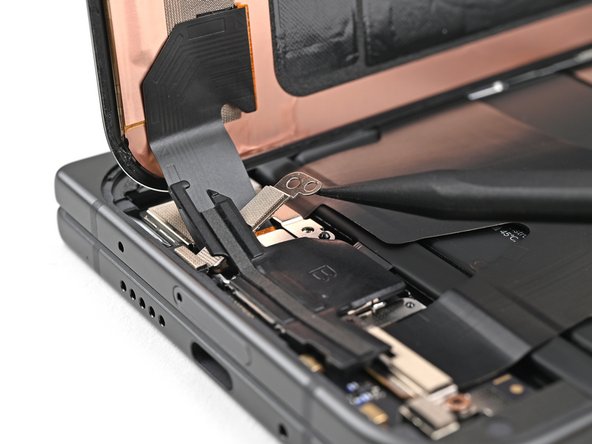
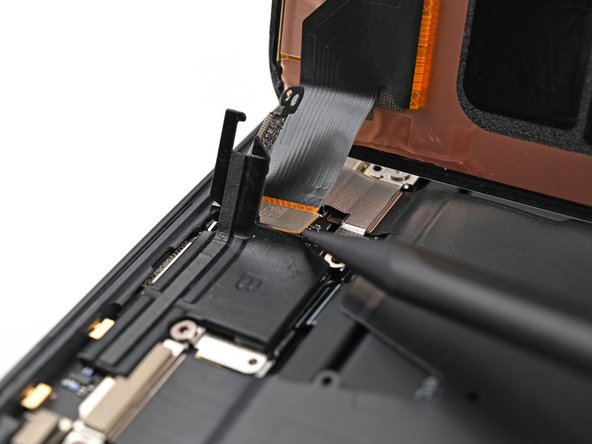
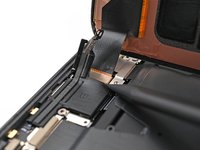
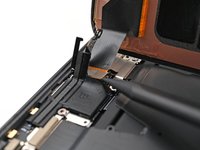
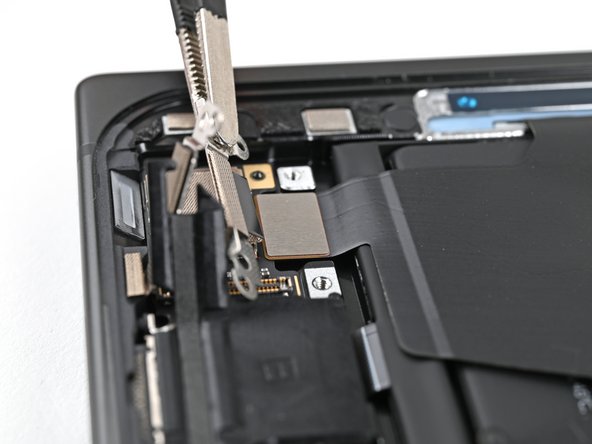
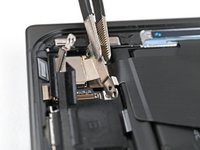
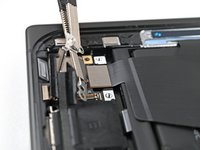
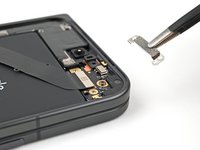
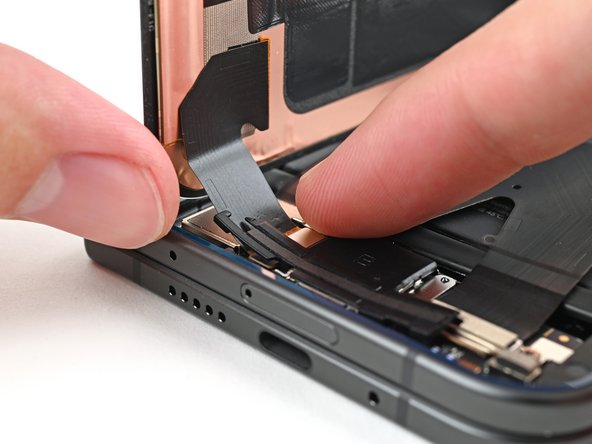
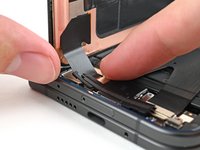
    • Conductive tape secures the display cable bracket to the frame.

    • Use a spudger, or your fingers, to lift the display cable bracket enough to access the press connector underneath.

    Frag FixBot

    Kommentar hinzufügen

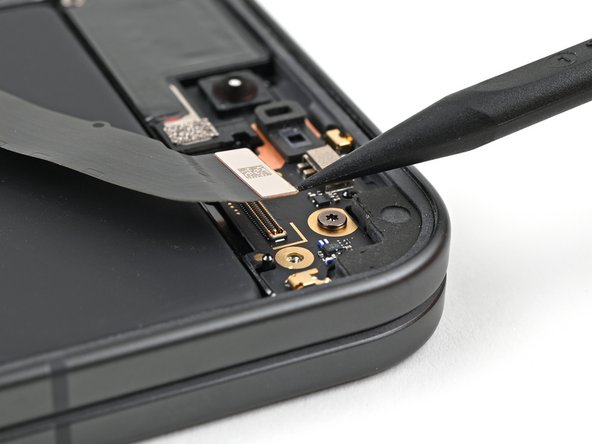
  11. Google Pixel 9 Pro Fold Outer Front Camera Replacement, Disconnect the display cable: Schritt 11, Bild 1 von 2 Google Pixel 9 Pro Fold Outer Front Camera Replacement, Disconnect the display cable: Schritt 11, Bild 2 von 2
    • Use the point of a spudger to pry up and disconnect the display cable press connector.

    Frag FixBot

    Kommentar hinzufügen

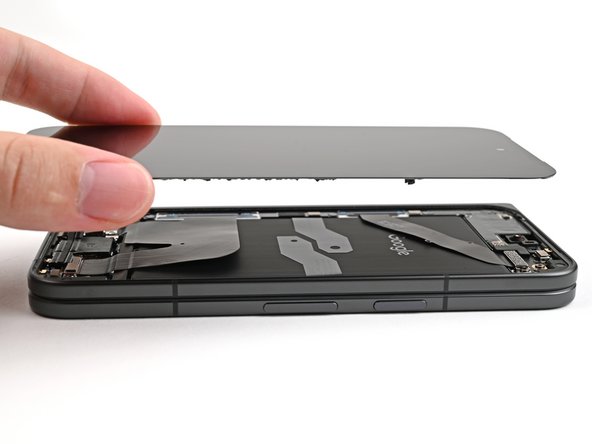
  12. Google Pixel 9 Pro Fold Outer Front Camera Replacement, Remove the screen: Schritt 12, Bild 1 von 1
    • Lift the screen off the frame and remove it.

    Frag FixBot

    Kommentar hinzufügen

  13. Google Pixel 9 Pro Fold Outer Front Camera Replacement, Remove the battery bracket screw: Schritt 13, Bild 1 von 2 Google Pixel 9 Pro Fold Outer Front Camera Replacement, Remove the battery bracket screw: Schritt 13, Bild 2 von 2
    • Use a Torx Plus 3IP driver to remove the 2.0 mm‑long screw securing the battery bracket.

    Frag FixBot

    Kommentar hinzufügen

  14. Google Pixel 9 Pro Fold Outer Front Camera Replacement, Disconnect the battery: Schritt 14, Bild 1 von 2 Google Pixel 9 Pro Fold Outer Front Camera Replacement, Disconnect the battery: Schritt 14, Bild 2 von 2
    • Conductive tape secures the battery connector bracket to the lower board.

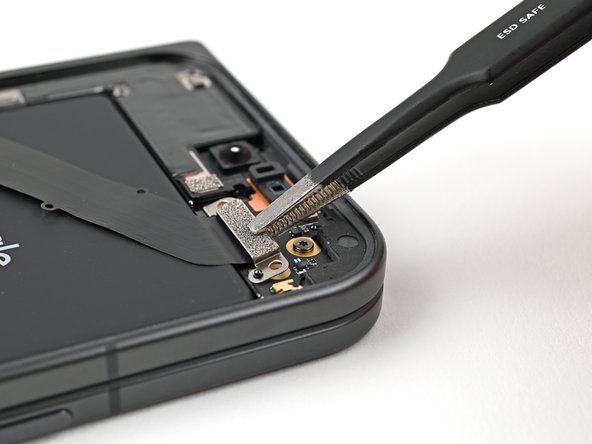
    • Use tweezers, or your fingers, to move the battery bracket out of the way of the battery press connector.

    Frag FixBot

    Kommentar hinzufügen

  15. Google Pixel 9 Pro Fold Outer Front Camera Replacement: Schritt 15, Bild 1 von 2 Google Pixel 9 Pro Fold Outer Front Camera Replacement: Schritt 15, Bild 2 von 2
    • Use the point of a spudger to pry up and disconnect the battery press connector.

    Frag FixBot

    Kommentar hinzufügen

  16. Google Pixel 9 Pro Fold Outer Front Camera Replacement, Remove the rubber block: Schritt 16, Bild 1 von 2 Google Pixel 9 Pro Fold Outer Front Camera Replacement, Remove the rubber block: Schritt 16, Bild 2 von 2
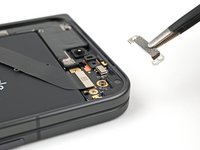
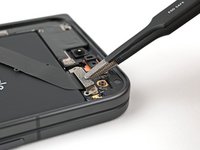
    • Use tweezers, or your fingers, to remove the rubber block covering a screw on the top board.

    Frag FixBot

    Kommentar hinzufügen

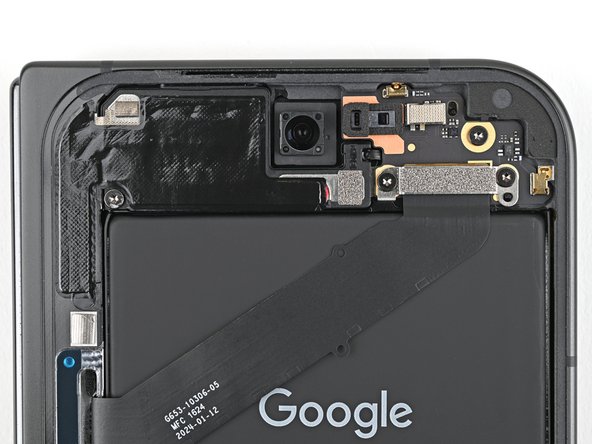
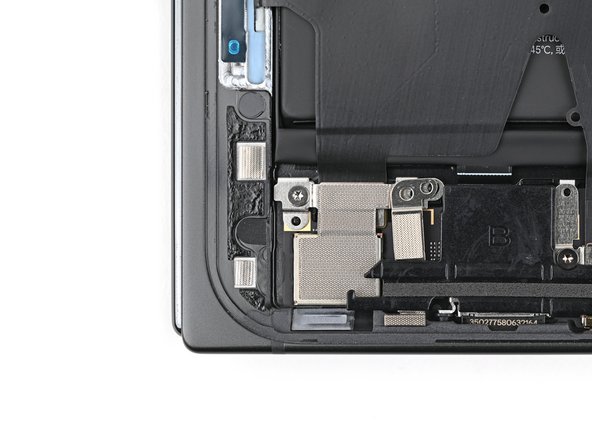
  17. Google Pixel 9 Pro Fold Outer Front Camera Replacement, Remove the top interconnect cable bracket screws: Schritt 17, Bild 1 von 2 Google Pixel 9 Pro Fold Outer Front Camera Replacement, Remove the top interconnect cable bracket screws: Schritt 17, Bild 2 von 2
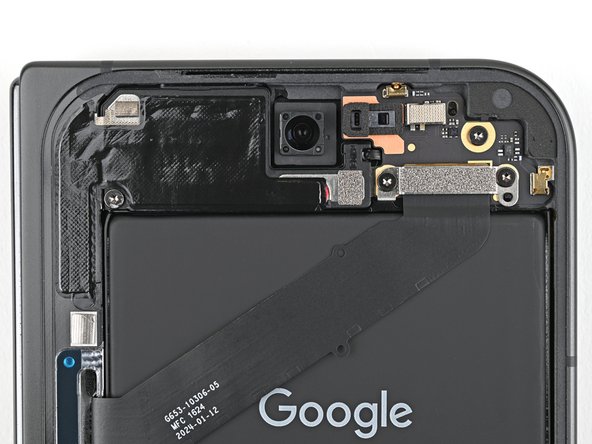
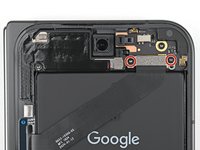
    • Use a Torx Plus 3IP driver to remove the two 2.2 mm‑long screws securing the top interconnect cable bracket.

    Frag FixBot

    Kommentar hinzufügen

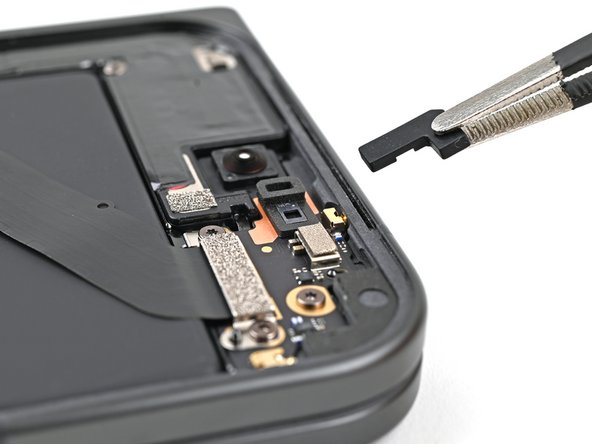
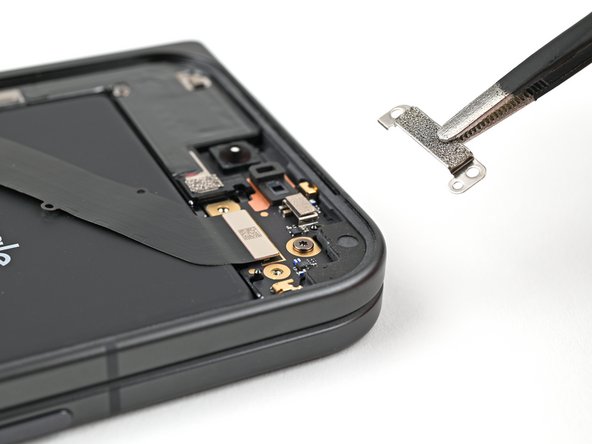
  18. Google Pixel 9 Pro Fold Outer Front Camera Replacement, Remove the top interconnect cable bracket: Schritt 18, Bild 1 von 2 Google Pixel 9 Pro Fold Outer Front Camera Replacement, Remove the top interconnect cable bracket: Schritt 18, Bild 2 von 2
    • Use tweezers, or your fingers, to remove the top interconnect cable bracket.

    Frag FixBot

    Kommentar hinzufügen

  19. Google Pixel 9 Pro Fold Outer Front Camera Replacement, Disconnect the top interconnect cable: Schritt 19, Bild 1 von 2 Google Pixel 9 Pro Fold Outer Front Camera Replacement, Disconnect the top interconnect cable: Schritt 19, Bild 2 von 2
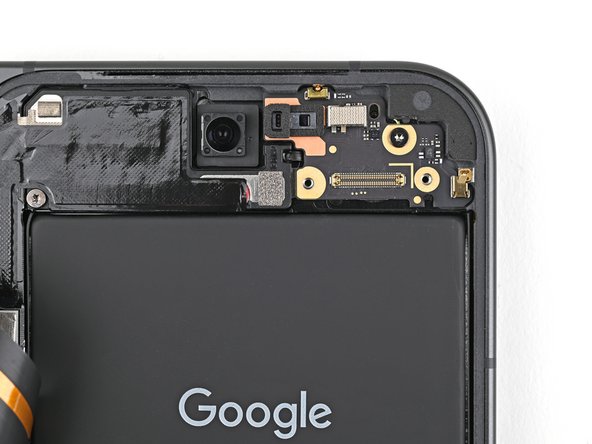
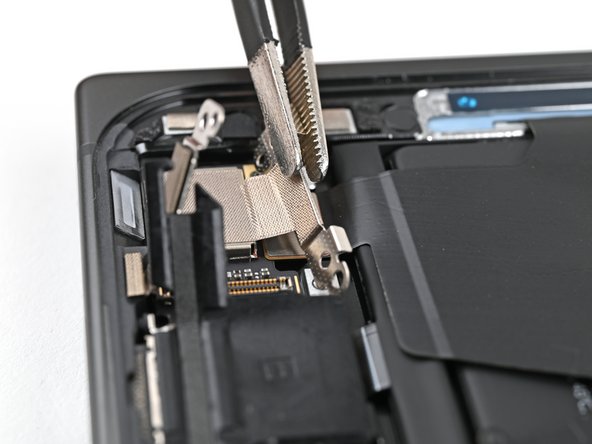
    • Insert the point of a spudger under the top right corner of the top interconnect cable press connector, near the golden marker.

    • Pry up and disconnect the top interconnect cable press connector.

    Frag FixBot

    Kommentar hinzufügen

  20. Google Pixel 9 Pro Fold Outer Front Camera Replacement, Remove the top board screw: Schritt 20, Bild 1 von 2 Google Pixel 9 Pro Fold Outer Front Camera Replacement, Remove the top board screw: Schritt 20, Bild 2 von 2
    • Use a Torx Plus 3IP driver to remove the 2.2 mm‑long screw securing the top board.

    Frag FixBot

    Kommentar hinzufügen

  21. Google Pixel 9 Pro Fold Outer Front Camera Replacement, Remove the top board: Schritt 21, Bild 1 von 3 Google Pixel 9 Pro Fold Outer Front Camera Replacement, Remove the top board: Schritt 21, Bild 2 von 3 Google Pixel 9 Pro Fold Outer Front Camera Replacement, Remove the top board: Schritt 21, Bild 3 von 3
    • Be careful not to puncture or deform the battery during this step.

    • Insert the flat end of a spudger under the bottom edge of the top board.

    • Twist the spudger to lift the top board and unclip it from the frame.

    • Remove the top board.

    Frag FixBot

    Kommentar hinzufügen

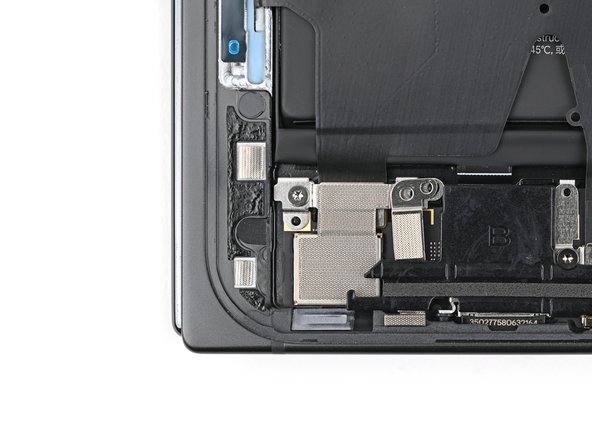
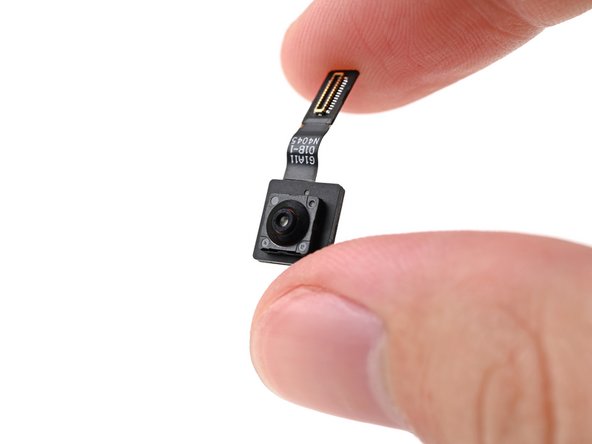
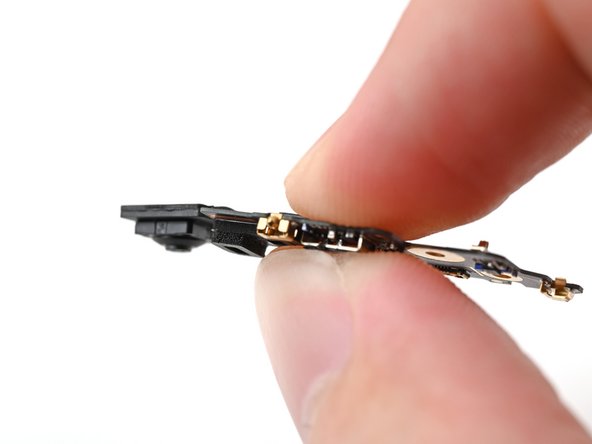
  22. Google Pixel 9 Pro Fold Outer Front Camera Replacement, Remove the outer front camera: Schritt 22, Bild 1 von 3 Google Pixel 9 Pro Fold Outer Front Camera Replacement, Remove the outer front camera: Schritt 22, Bild 2 von 3 Google Pixel 9 Pro Fold Outer Front Camera Replacement, Remove the outer front camera: Schritt 22, Bild 3 von 3
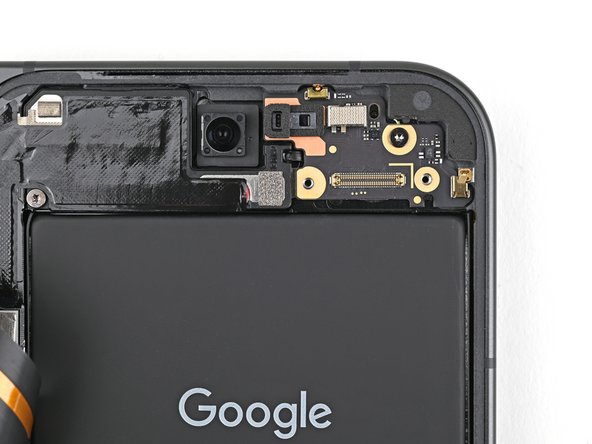
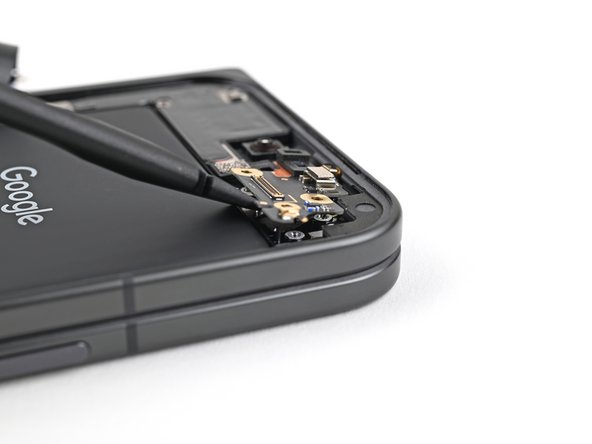
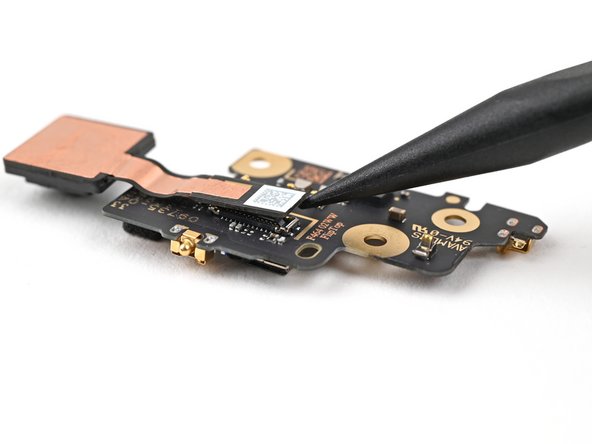
    • Don't press down heavily on the top board during this step to prevent bending the metal springs and connector pins.

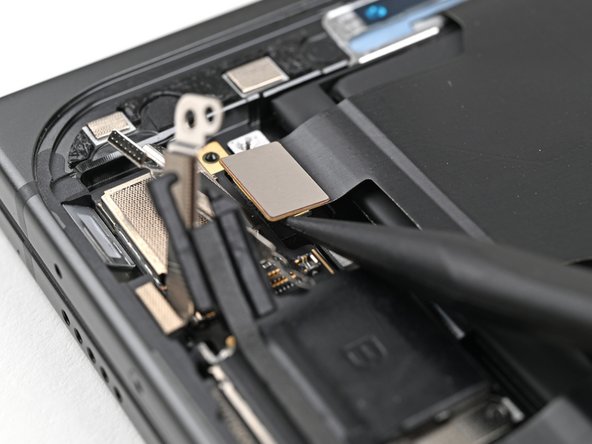
    • Insert the point of a spudger under the top right corner of the front camera press connector, next to the golden marker on the top board.

    • Don't insert your spudger anywhere else, as you risk dislodging surface‑mounted components.

    • Pry up and disconnect the outer front camera.

    Frag FixBot

    Kommentar hinzufügen

  23. Google Pixel 9 Pro Fold Outer Front Camera Replacement, End of disassembly: Schritt 23, Bild 1 von 1
    • Congratulations on completing disassembly! The remaining steps will show you how to reassemble your device.

    Frag FixBot

    Kommentar hinzufügen

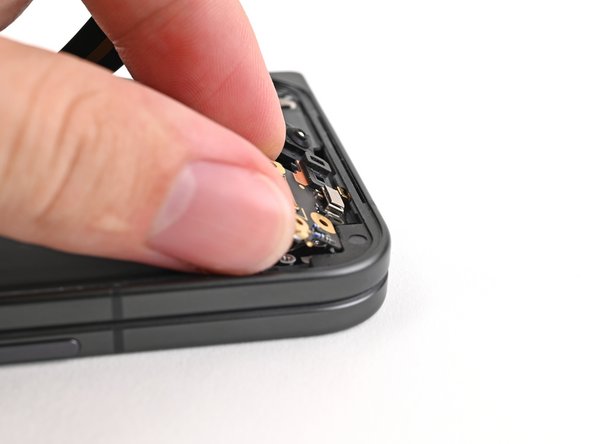
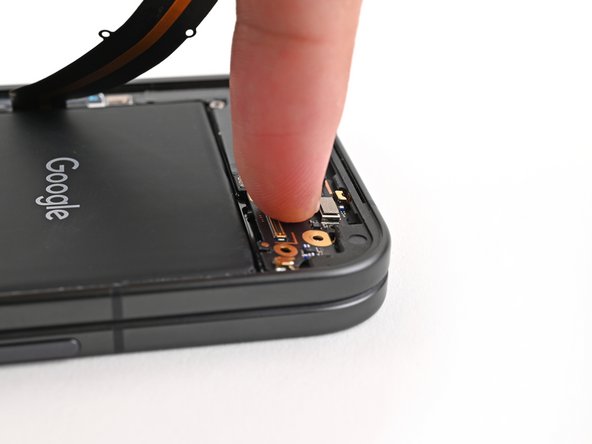
  24. Google Pixel 9 Pro Fold Outer Front Camera Replacement, Reconnect the outer front camera: Schritt 24, Bild 1 von 2 Google Pixel 9 Pro Fold Outer Front Camera Replacement, Reconnect the outer front camera: Schritt 24, Bild 2 von 2
    • Use your fingers to pinch the outer front camera press connector into its socket on the top board to reconnect it.

    Frag FixBot

    Kommentar hinzufügen

  25. Google Pixel 9 Pro Fold Outer Front Camera Replacement, Reinstall the top board: Schritt 25, Bild 1 von 3 Google Pixel 9 Pro Fold Outer Front Camera Replacement, Reinstall the top board: Schritt 25, Bild 2 von 3 Google Pixel 9 Pro Fold Outer Front Camera Replacement, Reinstall the top board: Schritt 25, Bild 3 von 3
    • Press the top edge of the top board against the frame at a downward angle to engage its metal spring.

    • Press the board flat to the frame, making sure the screw holes are aligned.

    Frag FixBot

    Kommentar hinzufügen

  26. Google Pixel 9 Pro Fold Outer Front Camera Replacement: Schritt 26, Bild 1 von 2 Google Pixel 9 Pro Fold Outer Front Camera Replacement: Schritt 26, Bild 2 von 2
    • Use a Torx Plus 3IP driver to install the 2.2 mm‑long screw securing the top board.

    Frag FixBot

    Kommentar hinzufügen

  27. Google Pixel 9 Pro Fold Outer Front Camera Replacement, Reconnect the top interconnect cable: Schritt 27, Bild 1 von 1
    • Reconnect the top interconnect cable press connector.

    Frag FixBot

    Kommentar hinzufügen

  28. Google Pixel 9 Pro Fold Outer Front Camera Replacement, Reinstall the top interconnect cable bracket: Schritt 28, Bild 1 von 2 Google Pixel 9 Pro Fold Outer Front Camera Replacement, Reinstall the top interconnect cable bracket: Schritt 28, Bild 2 von 2
    • Place the top interconnect cable bracket on the top board and align its screw holes.

    Frag FixBot

    Kommentar hinzufügen

  29. Google Pixel 9 Pro Fold Outer Front Camera Replacement: Schritt 29, Bild 1 von 2 Google Pixel 9 Pro Fold Outer Front Camera Replacement: Schritt 29, Bild 2 von 2
    • Use a Torx Plus 3IP driver to install the two 2.2 mm‑long screws securing the top interconnect cable bracket.

    Frag FixBot

    Kommentar hinzufügen

  30. Google Pixel 9 Pro Fold Outer Front Camera Replacement, Reinstall the rubber block: Schritt 30, Bild 1 von 2 Google Pixel 9 Pro Fold Outer Front Camera Replacement, Reinstall the rubber block: Schritt 30, Bild 2 von 2
    • Place the rubber block over its spot on the top board and press it down.

    Frag FixBot

    Kommentar hinzufügen

  31. Google Pixel 9 Pro Fold Outer Front Camera Replacement, Reconnect the flip battery: Schritt 31, Bild 1 von 1
    • Reconnect the flip battery press connector.

    Frag FixBot

    Kommentar hinzufügen

  32. Google Pixel 9 Pro Fold Outer Front Camera Replacement, Reinstall the flip battery bracket: Schritt 32, Bild 1 von 2 Google Pixel 9 Pro Fold Outer Front Camera Replacement, Reinstall the flip battery bracket: Schritt 32, Bild 2 von 2
    • Lay the flip battery bracket over the press connector and align the screw holes.

    Frag FixBot

    Kommentar hinzufügen

  33. Google Pixel 9 Pro Fold Outer Front Camera Replacement: Schritt 33, Bild 1 von 2 Google Pixel 9 Pro Fold Outer Front Camera Replacement: Schritt 33, Bild 2 von 2
    • Use a Torx Plus 3IP driver to install the 2.0 mm‑long screw securing the battery bracket.

    Frag FixBot

    Kommentar hinzufügen

  34. Google Pixel 9 Pro Fold Outer Front Camera Replacement, Remove the old adhesive: Schritt 34, Bild 1 von 2 Google Pixel 9 Pro Fold Outer Front Camera Replacement, Remove the old adhesive: Schritt 34, Bild 2 von 2
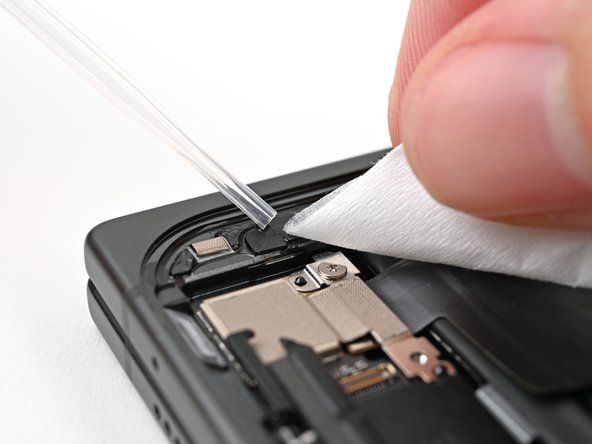
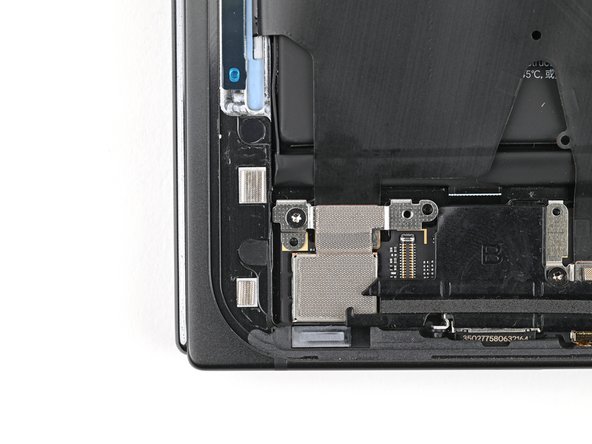
    • If your outer screen adhesive at the bottom left corner isn't sticky anymore, follow the next four steps to replace it. Otherwise, skip the next four steps.

    • Use a spudger, or your fingers, to remove the old bottom left outer screen adhesive.

    • Use isopropyl alcohol (>90%) and a coffee filter or a microfiber cloth to remove any adhesive residue.

    Frag FixBot

    Kommentar hinzufügen

  35. Google Pixel 9 Pro Fold Outer Front Camera Replacement, Compare your new adhesive: Schritt 35, Bild 1 von 2 Google Pixel 9 Pro Fold Outer Front Camera Replacement, Compare your new adhesive: Schritt 35, Bild 2 von 2
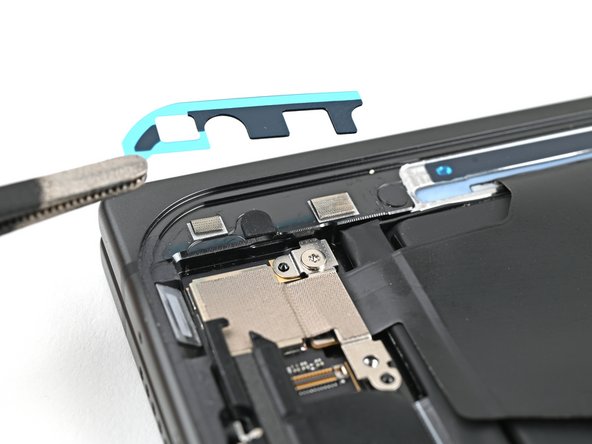
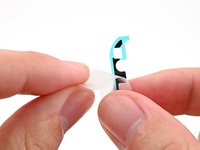
    • Before removing any liners, check if the bottom left outer screen adhesive matches the frame.

    • The clear liner should face the frame.

    Frag FixBot

    Kommentar hinzufügen

  36. Google Pixel 9 Pro Fold Outer Front Camera Replacement, Apply the new adhesive: Schritt 36, Bild 1 von 3 Google Pixel 9 Pro Fold Outer Front Camera Replacement, Apply the new adhesive: Schritt 36, Bild 2 von 3 Google Pixel 9 Pro Fold Outer Front Camera Replacement, Apply the new adhesive: Schritt 36, Bild 3 von 3
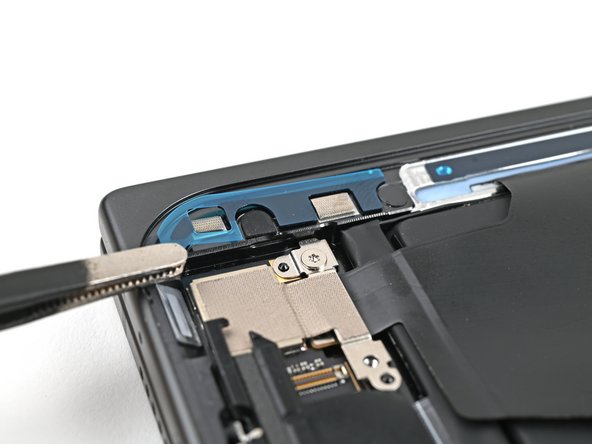
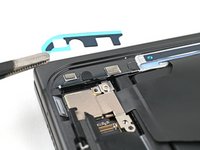
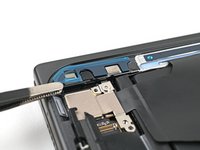
    • Peel the bottom left outer screen adhesive off its clear liner to expose the adhesive.

    • Put the adhesive into place on the frame.

    Frag FixBot

    Kommentar hinzufügen

  37. Google Pixel 9 Pro Fold Outer Front Camera Replacement: Schritt 37, Bild 1 von 2 Google Pixel 9 Pro Fold Outer Front Camera Replacement: Schritt 37, Bild 2 von 2
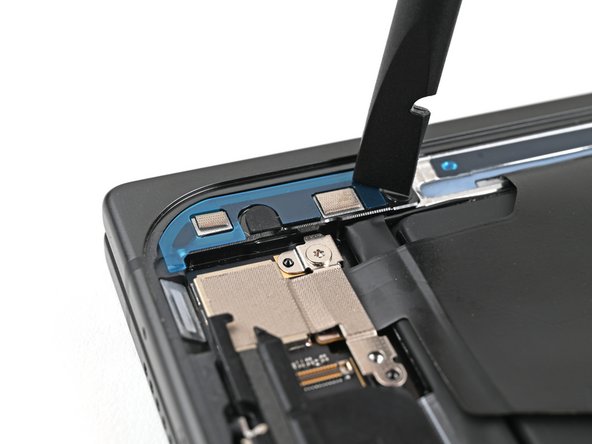
    • Use the flat end of a spudger to press along the adhesive strip to adhere it to the frame.

    Frag FixBot

    Kommentar hinzufügen

  38. Google Pixel 9 Pro Fold Outer Front Camera Replacement, Apply the new adhesive: Schritt 38, Bild 1 von 2 Google Pixel 9 Pro Fold Outer Front Camera Replacement, Apply the new adhesive: Schritt 38, Bild 2 von 2
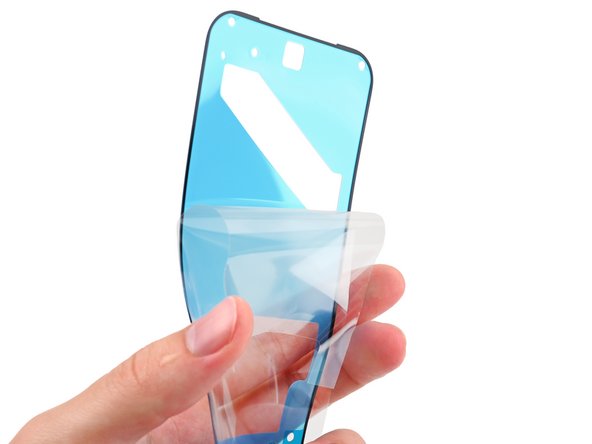
    • Before removing any liners, check if the perimeter outer screen adhesive matches the frame.

    • The clear liner should face the frame.

    Frag FixBot

    Kommentar hinzufügen

  39. Google Pixel 9 Pro Fold Outer Front Camera Replacement: Schritt 39, Bild 1 von 2 Google Pixel 9 Pro Fold Outer Front Camera Replacement: Schritt 39, Bild 2 von 2
    • Be careful during this step, as it's easy to stick the adhesive in the wrong spot. Take your time and work slowly.

    • Peel away the top half of the new adhesive strip from its clear liner and keep it folded.

    Frag FixBot

    Kommentar hinzufügen

  40. Google Pixel 9 Pro Fold Outer Front Camera Replacement: Schritt 40, Bild 1 von 2 Google Pixel 9 Pro Fold Outer Front Camera Replacement: Schritt 40, Bild 2 von 2
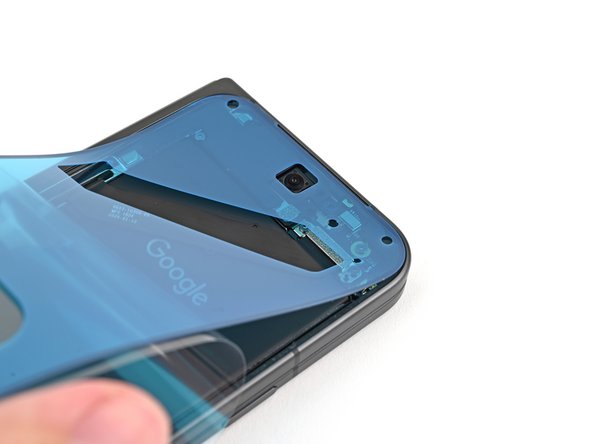
    • Align the top half of the adhesive over the frame, using the corners as reference points.

    • Place the adhesive on the frame.

    Frag FixBot

    Kommentar hinzufügen

  41. Google Pixel 9 Pro Fold Outer Front Camera Replacement: Schritt 41, Bild 1 von 3 Google Pixel 9 Pro Fold Outer Front Camera Replacement: Schritt 41, Bild 2 von 3 Google Pixel 9 Pro Fold Outer Front Camera Replacement: Schritt 41, Bild 3 von 3
    • Use the flat end of a spudger, or your fingers, to press down the top edge of the adhesive and adhere it to the frame.

    Frag FixBot

    Kommentar hinzufügen

  42. Google Pixel 9 Pro Fold Outer Front Camera Replacement: Schritt 42, Bild 1 von 3 Google Pixel 9 Pro Fold Outer Front Camera Replacement: Schritt 42, Bild 2 von 3 Google Pixel 9 Pro Fold Outer Front Camera Replacement: Schritt 42, Bild 3 von 3
    • While peeling away the rest of the clear liner, slowly lay the rest of the adhesive over the perimeter of the phone.

    Frag FixBot

    Kommentar hinzufügen

  43. Google Pixel 9 Pro Fold Outer Front Camera Replacement: Schritt 43, Bild 1 von 3 Google Pixel 9 Pro Fold Outer Front Camera Replacement: Schritt 43, Bild 2 von 3 Google Pixel 9 Pro Fold Outer Front Camera Replacement: Schritt 43, Bild 3 von 3
    • Use the flat end of a spudger, or your fingers, to press down the rest of the adhesive and adhere it to the frame.

    Frag FixBot

    Kommentar hinzufügen

  44. Google Pixel 9 Pro Fold Outer Front Camera Replacement: Schritt 44, Bild 1 von 2 Google Pixel 9 Pro Fold Outer Front Camera Replacement: Schritt 44, Bild 2 von 2
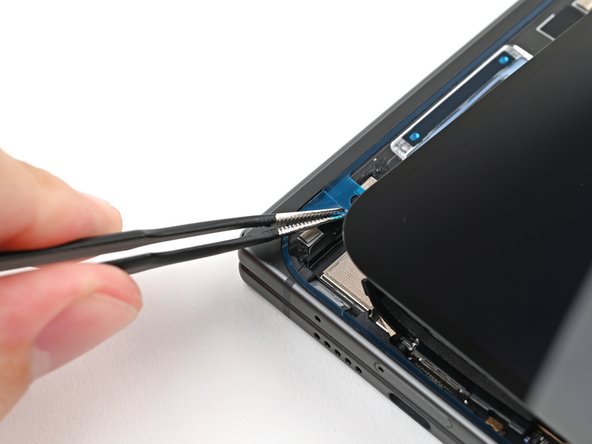
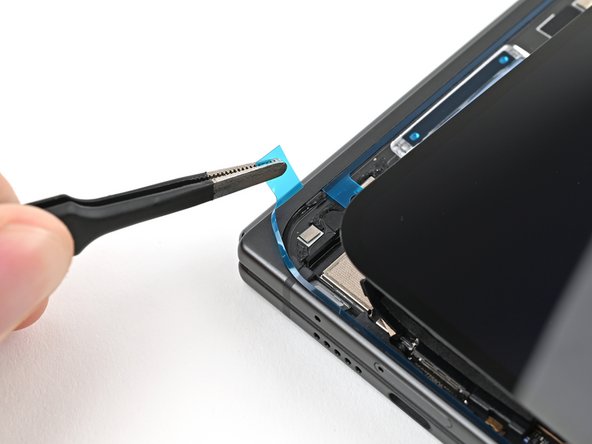
    • Use the tip of a spudger to pry up the segmented tab on the bottom left corner of the large blue liner.

    Frag FixBot

    Kommentar hinzufügen

  45. Google Pixel 9 Pro Fold Outer Front Camera Replacement: Schritt 45, Bild 1 von 3 Google Pixel 9 Pro Fold Outer Front Camera Replacement: Schritt 45, Bild 2 von 3 Google Pixel 9 Pro Fold Outer Front Camera Replacement: Schritt 45, Bild 3 von 3
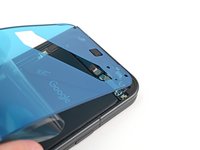
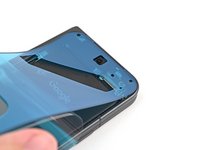
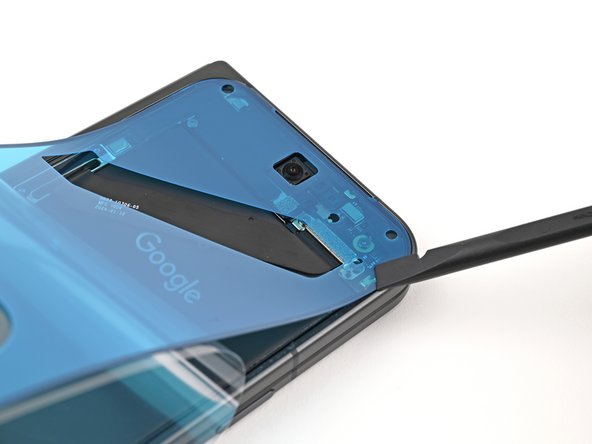
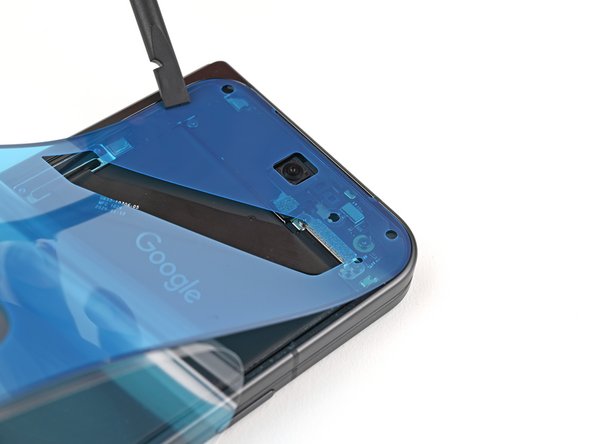
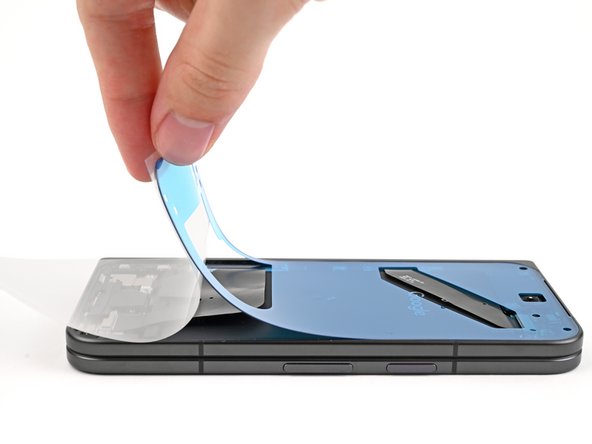
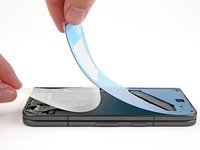
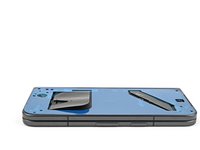
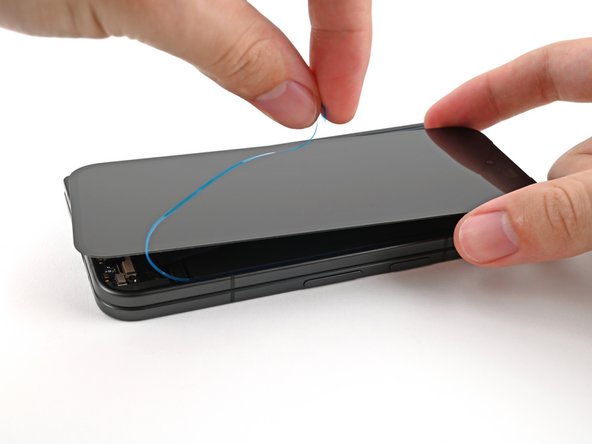
    • Lift the tab and peel off the large blue liner to expose the secondary liner.

    • If any of the adhesive starts to peel up with the liner, gently lay it back on the frame and use the flat end of a spudger to secure it to the frame.

    Frag FixBot

    Kommentar hinzufügen

  46. Google Pixel 9 Pro Fold Outer Front Camera Replacement, Reconnect the outer screen: Schritt 46, Bild 1 von 2 Google Pixel 9 Pro Fold Outer Front Camera Replacement, Reconnect the outer screen: Schritt 46, Bild 2 von 2
    • Support the screen with your hand or prop it up on something sturdy.

    • Reconnect the outer screen cable press connector.

    Frag FixBot

    Kommentar hinzufügen

  47. Google Pixel 9 Pro Fold Outer Front Camera Replacement, Reinstall the outer screen cable bracket: Schritt 47, Bild 1 von 2 Google Pixel 9 Pro Fold Outer Front Camera Replacement, Reinstall the outer screen cable bracket: Schritt 47, Bild 2 von 2
    • Reinsert the outer screen cable bracket clip under the frame and align its screw hole.

    Frag FixBot

    Kommentar hinzufügen

  48. Google Pixel 9 Pro Fold Outer Front Camera Replacement: Schritt 48, Bild 1 von 2 Google Pixel 9 Pro Fold Outer Front Camera Replacement: Schritt 48, Bild 2 von 2
    • Use a Torx Plus 3IP driver to install the 2.2 mm‑long screw securing the display cable bracket.

    Frag FixBot

    Kommentar hinzufügen

  49. Google Pixel 9 Pro Fold Outer Front Camera Replacement, Expose the adhesive: Schritt 49, Bild 1 von 3 Google Pixel 9 Pro Fold Outer Front Camera Replacement, Expose the adhesive: Schritt 49, Bild 2 von 3 Google Pixel 9 Pro Fold Outer Front Camera Replacement, Expose the adhesive: Schritt 49, Bild 3 von 3
    • Remove the blue liner from the bottom left outer screen adhesive strip.

    • While holding the screen above the frame, separate one of the secondary liner's pull tabs at the bottom left corner.

    Frag FixBot

    Kommentar hinzufügen

  50. Google Pixel 9 Pro Fold Outer Front Camera Replacement: Schritt 50, Bild 1 von 3 Google Pixel 9 Pro Fold Outer Front Camera Replacement: Schritt 50, Bild 2 von 3 Google Pixel 9 Pro Fold Outer Front Camera Replacement: Schritt 50, Bild 3 von 3
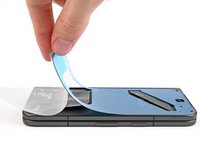
    • Still holding the screen, peel off the secondary liner to expose the adhesive.

    • If any of the adhesive starts to peel up with the liner, gently lay it back on the frame and use the flat end of a spudger to secure it to the frame.

    Frag FixBot

    Kommentar hinzufügen

  51. Google Pixel 9 Pro Fold Outer Front Camera Replacement, Secure the outer screen: Schritt 51, Bild 1 von 2 Google Pixel 9 Pro Fold Outer Front Camera Replacement, Secure the outer screen: Schritt 51, Bild 2 von 2
    • Align the outer screen over the frame and press it into place.

    Frag FixBot

    Kommentar hinzufügen

  52. Google Pixel 9 Pro Fold Outer Front Camera Replacement: Schritt 52, Bild 1 von 2 Google Pixel 9 Pro Fold Outer Front Camera Replacement: Schritt 52, Bild 2 von 2
    • Press along the perimeter of the outer screen to adhere it to the frame.

    • Optionally, you can use a hair dryer or heat gun to lightly heat the edges of the back cover and create a stronger bond.

    • Let the phone sit a few hours for the adhesive to cure.

    Frag FixBot

    Kommentar hinzufügen

Abschluss

Congratulations on completing your repair!

Take your e-waste to an R2 or e-Stewards certified recycler.

Repair didn’t go as planned? Try some basic troubleshooting, or ask our Google Pixel 9 Pro Fold Answers Community for help.


Rückgängig: Ich habe diese Anleitung nicht absolviert.

Alex Diaz-Kokaisl

Mitglied seit: 01/16/22

239.234 Reputation

1.171 Anleitungen geschrieben

Team

iFixit Mitglied von iFixit

Staff

122 Mitglieder

25.946 Anleitungen geschrieben

0 Kommentare zur Anleitung

Kommentar hinzufügen

Seitenaufrufe:

Letzte 24 Stunden: 1

Letzte 7 Tage: 4

Letzte 30 Tage: 23

Insgesamt: 450