Zum Hauptinhalt wechseln
Gemeinsam reparieren - Jetzt registrieren

Xbox Series S Foot Replacement

Was du brauchst

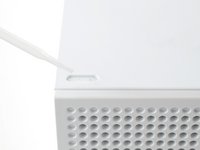
  1. Xbox Series S Foot Replacement, Set your Xbox down: Schritt 1, Bild 1 von 2 Xbox Series S Foot Replacement, Set your Xbox down: Schritt 1, Bild 2 von 2
    • Place your Xbox on your work surface so that the foot you're replacing is facing upward.

    Frag FixBot

    Kommentar hinzufügen

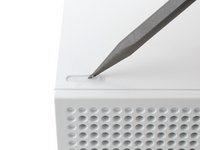
  2. Xbox Series S Foot Replacement, Pry up the old foot: Schritt 2, Bild 1 von 3 Xbox Series S Foot Replacement, Pry up the old foot: Schritt 2, Bild 2 von 3 Xbox Series S Foot Replacement, Pry up the old foot: Schritt 2, Bild 3 von 3
    • This step shows how to remove a loose foot. If your Xbox is already missing the foot, skip this step!

    • Insert the point of a spudger underneath one end of the foot.

    • Pry up to separate the foot from the Xbox.

    • Remove the foot.

    Frag FixBot

    Kommentar hinzufügen

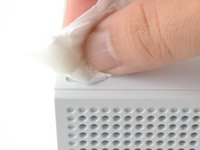
  3. Xbox Series S Foot Replacement, Clean the footwell: Schritt 3, Bild 1 von 3 Xbox Series S Foot Replacement, Clean the footwell: Schritt 3, Bild 2 von 3 Xbox Series S Foot Replacement, Clean the footwell: Schritt 3, Bild 3 von 3
    • Cleaning the footwell will drastically help the new foot to stay on your Xbox.

    • Apply a drop of >70% isopropyl alcohol to the footwell.

    • Use the point of a spudger or a toothpick to scrape and loosen any adhesive residue in the footwell.

    • Wipe the footwell with a lint-free cloth or a coffee filter.

    Frag FixBot

    Kommentar hinzufügen

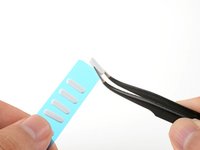
  4. Xbox Series S Foot Replacement, Replace the foot: Schritt 4, Bild 1 von 3 Xbox Series S Foot Replacement, Replace the foot: Schritt 4, Bild 2 von 3 Xbox Series S Foot Replacement, Replace the foot: Schritt 4, Bild 3 von 3
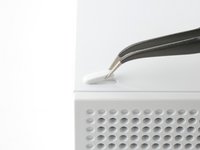
    • Pick up a foot from the replacement sheet.

    • Align the foot in its footwell.

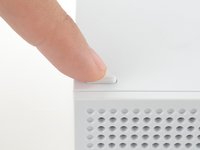
    • Use your finger to press the foot down for ten seconds to secure it onto your Xbox.

    Frag FixBot

    Kommentar hinzufügen

Abschluss

If your Xbox is missing additional feet, repeat the procedure to replace them.

Repair didn’t go as planned? Try some basic troubleshooting, or ask our Answers community for help.

Rückgängig: Ich habe diese Anleitung nicht absolviert.

2 weitere Personen haben diese Anleitung absolviert.

Arthur Shi

Mitglied seit: 01/03/18

337.282 Reputation

849 Anleitungen geschrieben

Team

iFixit Mitglied von iFixit

Staff

122 Mitglieder

26.050 Anleitungen geschrieben

0 Kommentare zur Anleitung

Kommentar hinzufügen

Seitenaufrufe:

Letzte 24 Stunden: 2

Letzte 7 Tage: 21

Letzte 30 Tage: 101

Insgesamt: 1,486