Zum Hauptinhalt wechseln
Gemeinsam reparieren - Jetzt registrieren

Canon EOS Rebel T6i Flash Assembly Replacement

Was du brauchst

    1. Canon EOS Rebel T6i Flash Assembly Replacement, Flash Assembly: Schritt 1, Bild 1 von 3 Canon EOS Rebel T6i Flash Assembly Replacement, Flash Assembly: Schritt 1, Bild 2 von 3 Canon EOS Rebel T6i Flash Assembly Replacement, Flash Assembly: Schritt 1, Bild 3 von 3
      • Remove two 6.8 mm JIS #000 screws on the right side.

      • Remove six 5.3 mm JIS #000 screws on the bottom.

      • Remove two 5.3 mm JIS #000 screws on either side of the viewfinder.

      Frag FixBot

      Kommentar hinzufügen

    2. Canon EOS Rebel T6i Flash Assembly Replacement: Schritt 2, Bild 1 von 2 Canon EOS Rebel T6i Flash Assembly Replacement: Schritt 2, Bild 2 von 2
      • Remove one 5.9 mm JIS #000 screw on the top right.

      • Remove one 3.4 mm JIS #000 screw on the top left.

      Frag FixBot

      Kommentar hinzufügen

    3. Canon EOS Rebel T6i Flash Assembly Replacement: Schritt 3, Bild 1 von 3 Canon EOS Rebel T6i Flash Assembly Replacement: Schritt 3, Bild 2 von 3 Canon EOS Rebel T6i Flash Assembly Replacement: Schritt 3, Bild 3 von 3
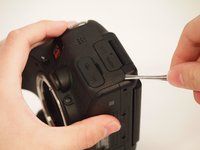
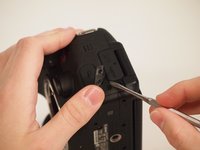
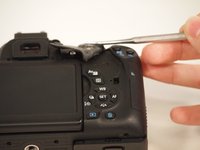
      • Using a metal spudger, pry the rubber grip off of the casing on the left side of the camera.

      • Potential for device damage: Be careful not to rip the rubber with the metal spudger.

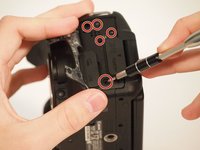
      • Remove five silver 5.8 mm JIS #000 screws from underneath the grip.

      Frag FixBot

      Kommentar hinzufügen

    4. Canon EOS Rebel T6i Flash Assembly Replacement: Schritt 4, Bild 1 von 2 Canon EOS Rebel T6i Flash Assembly Replacement: Schritt 4, Bild 2 von 2
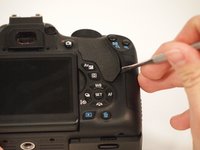
      • Using the metal spudger, pry the rubber grip located just below the turndial.

      • Potential for device damage: Be careful not to rip the rubber.

      Frag FixBot

      Kommentar hinzufügen

    5. Canon EOS Rebel T6i Flash Assembly Replacement: Schritt 5, Bild 1 von 2 Canon EOS Rebel T6i Flash Assembly Replacement: Schritt 5, Bild 2 von 2
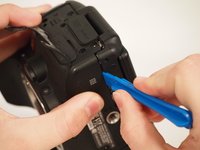
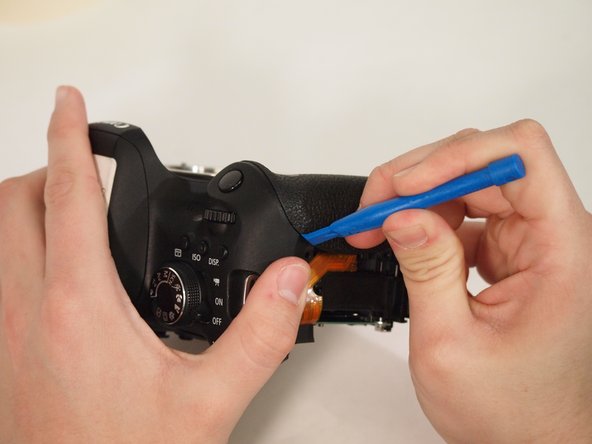
      • Carefully use the plastic opening tool to pry the casing apart along the seam.

      • Follow the seam with the plastic tool until the back is ready to remove.

      • Potential for device damage: Make sure you use the grounding strip to remove the chance of discharging static electricity into the internal components.

      Frag FixBot

      Kommentar hinzufügen

    6. Canon EOS Rebel T6i Flash Assembly Replacement: Schritt 6, Bild 1 von 3 Canon EOS Rebel T6i Flash Assembly Replacement: Schritt 6, Bild 2 von 3 Canon EOS Rebel T6i Flash Assembly Replacement: Schritt 6, Bild 3 von 3
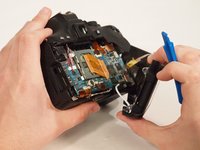
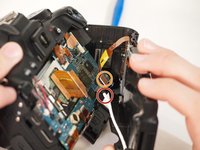
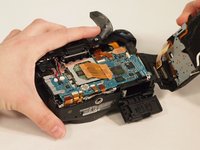
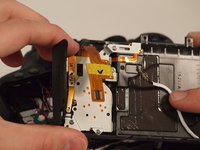
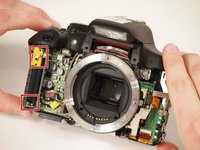
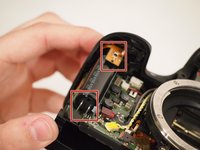
      • Notice the two connections attaching the back of the camera to the motherboard.

      • To disconnect the white wire, pinch the wire casing and pull it directly out from the camera.

      • This may take a very small amount of strength; however, do not force or pry it.

      • To disconnect the ribbon connector, softly pull the back away from the motherboard. It should come undone with little force.

      • Once removed, set the back in a safe place.

      Frag FixBot

      Kommentar hinzufügen

    7. Canon EOS Rebel T6i Flash Assembly Replacement: Schritt 7, Bild 1 von 2 Canon EOS Rebel T6i Flash Assembly Replacement: Schritt 7, Bild 2 von 2
      In diesem Schritt verwendetes Werkzeug:
      Tweezers
      $4.99
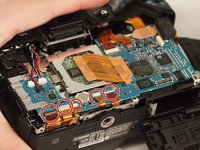
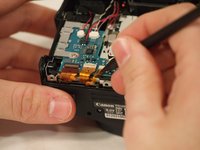
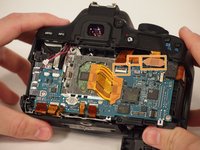
      • Remove the five ribbon connectors along the bottom of the assembly using either needle nose tweezers or a plastic opening tool to flip the small flaps to the "up" position.

      • Use a nylon spudger to pull each ribbon connector out of its connection using the hole in the center of the ribbon.

      Frag FixBot

      Kommentar hinzufügen

    8. Canon EOS Rebel T6i Flash Assembly Replacement: Schritt 8, Bild 1 von 1
      • Remove the button cell battery from the motherboard using a pair of tweezers.

      Frag FixBot

      Kommentar hinzufügen

    9. Canon EOS Rebel T6i Flash Assembly Replacement: Schritt 9, Bild 1 von 2 Canon EOS Rebel T6i Flash Assembly Replacement: Schritt 9, Bild 2 von 2
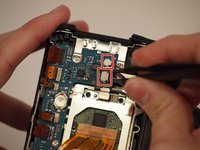
      • Disconnect the small plastic connectors on the top left corner of the motherboard by gripping the small plastic portion of the wire and gently pulling out of the connector.

      • Disconnect the three ribbon connectors along the top.

      • Don't detach the connectors underneath or the ribbon connectors with the foam block, as these will be removed later.

      Frag FixBot

      Kommentar hinzufügen

    10. Canon EOS Rebel T6i Flash Assembly Replacement: Schritt 10, Bild 1 von 2 Canon EOS Rebel T6i Flash Assembly Replacement: Schritt 10, Bild 2 von 2
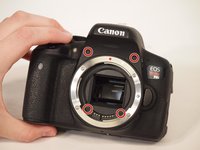
      • Remove the four screws from the front of the camera. There are two screws above the lens mount and two screws inside the lens mount.

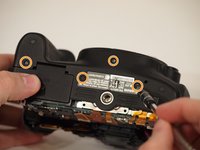
      • Remove the four screws from the bottom of the camera.

      Frag FixBot

      Kommentar hinzufügen

    11. Canon EOS Rebel T6i Flash Assembly Replacement: Schritt 11, Bild 1 von 3 Canon EOS Rebel T6i Flash Assembly Replacement: Schritt 11, Bild 2 von 3 Canon EOS Rebel T6i Flash Assembly Replacement: Schritt 11, Bild 3 von 3
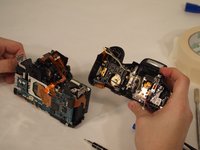
      • Using the plastic opening tool, pry the front of the casing off of the camera.

      • Warning: Electric Shock! Be careful not to touch the terminals of the capacitor (black cylinder). This can cause the capacitor to discharge.

      Frag FixBot

      Kommentar hinzufügen

    12. Canon EOS Rebel T6i Flash Assembly Replacement: Schritt 12, Bild 1 von 2 Canon EOS Rebel T6i Flash Assembly Replacement: Schritt 12, Bild 2 von 2
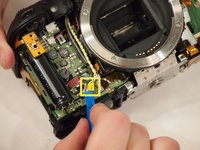
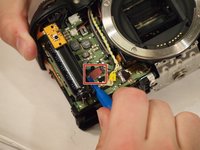
      • Remove the yellow and red connections on the front near the black cylinder (capacitor).

      • The yellow connector will just pop out if pried from the bottom using a plastic opening tool.

      • The red connector will pull out of the casing with either a plastic opening tool or a thin set of tweezers.

      • Warning: Electric Shock! Be careful not to touch the terminals of the capacitor (black cylinder). This can cause the capacitor to discharge.

      Frag FixBot

      Kommentar hinzufügen

    13. Canon EOS Rebel T6i Flash Assembly Replacement: Schritt 13, Bild 1 von 1
      • Remove the diopter adjustment knob next to the viewfinder using a JIS #000 screwdriver.

      Frag FixBot

      Kommentar hinzufügen

    14. Canon EOS Rebel T6i Flash Assembly Replacement: Schritt 14, Bild 1 von 2 Canon EOS Rebel T6i Flash Assembly Replacement: Schritt 14, Bild 2 von 2
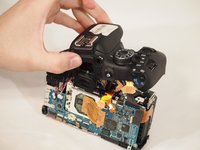
      • Remove the entire upper flash assembly by gently pulling it up and off the camera.

      • The flash assembly is sold as a single piece.

      Frag FixBot

      Kommentar hinzufügen

Abschluss

To reassemble your device, follow these instructions in reverse order.

Rückgängig: Ich habe diese Anleitung nicht absolviert.

3 weitere Personen haben diese Anleitung absolviert.

0 Kommentare zur Anleitung

Kommentar hinzufügen

Seitenaufrufe:

Letzte 24 Stunden: 1

Letzte 7 Tage: 11

Letzte 30 Tage: 61

Insgesamt: 4,597