Akku
Diese Übersetzung wurde maschinell erstellt und noch nicht von einer Person überprüft. Sprichst du diese Sprache? Überprüfe sie.

|
2 Antworten 0 Punkte |
Backlit keyboard stoped working |
|
1 Antwort 0 Punkte |
Any way to replace the ethernet jack? |
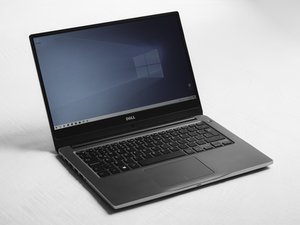
Das Precision 7510 ist ein High-End-Workstation-Laptop, der 2016 von Dell veröffentlicht wurde. Er verfügt über einen 15,6-Zoll-Bildschirm (39,6 cm) mit einer Auflösung von 1080p oder 4K, je nach Konfiguration. Für die Rechenleistung bietet das 7510 einen Intel Core-Prozessor der 6. Generation oder einen Intel Xeon-Prozessor in Serverqualität. Durch eine Designänderung gegenüber früheren Dell Precision-Laptops hat das 7510 eine schwarze Oberfläche und ein Gehäuse aus genopptem Carbonfaser und Magnesium. Du kannst diesen Laptop identifizieren, indem du auf dem unteren Gehäuse nach einem Aufkleber mit der Modellnummer „Precision 7510“ suchst. Hier findest du auch deinen Service-Code (auch bekannt als Dell-Seriennummer), mit dem du auf der Dell-Support-Website weitere Informationen abrufen kannst.
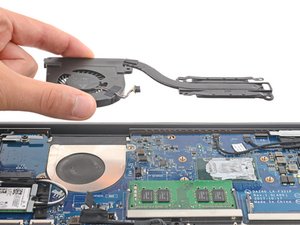
Das Precision 7510 ist sehr gut reparierbar. Hinter einer Akku-Abdeckung auf der Unterseite des Laptops kannst du auf den Festplatten-Einschub und natürlich auf den austauschbaren Akku zugreifen. Wenn du die andere Hälfte der unteren Abdeckung entfernst, erhältst du Zugriff auf zwei Speichersteckplätze, die Wireless-Karte, die Mobilfunkkarte, einen M.2-SSD-Steckplatz und die Knopfzelle, die die Stromversorgung für Zeit und Datum aufrechterhält. Du kannst fast alle Teile des Computers austauschen, einschließlich der Lautsprecher, der rechten und linken I/O-Platinen, des Displays, des Kameramoduls, der Tastatur, der Kühlkörper und sogar der Grafikkarte! Falls es auf iFixit keine Anleitung für eine bestimmte Komponente gibt, bietet das 7510-Handbuch (zu finden auf der Produktsupport-Seite) eine hervorragende Dokumentation zum Ausbau und Einbau für jedes Teil.
Prozessor
Arbeitsspeicher
Speicher
Grafik
Display
Anschlüsse
Drahtlos
Stromversorgung
Offizielle Webseite des Dell Precision 7510
Offizielle Support-Seite des Dell Precision 7510
Dell Precision 7510 Testbericht von NotebookCheck
Dell Legacy Adapter LD17 Anleitung
Dell Precision 7510 Mobile Workstation – Kurzanleitung (EN, CS, HU, PL, SK)
Dell Precision 7510 Mobile Workstation – Kurzanleitung (EN, FR, PT, TR, AR)
Dell Precision 15 série 7000 (7510) Besitzerhandbuch
Dell Precision 7000 Series – Kurzanleitung für Windows 10 (EN, HR, HU, RU, SR)
Dell Precision Mobile Workstation 7000 Series – Kurzanleitung für Windows 10 (EN, IT, PL, ES)
Dell Precision 7510 Mobile Workstation – Kurzanleitung (EN, NL, FR, PT, ES)
Dell Precision Mobile Workstation 7000 Series – Kurzanleitung für Windows 10 (EN, FR, PT, TR, AR)
Dell Precision 7510 Mobile Workstation – Kurzanleitung (EN, HR, HU, RU, SR)
Dell Precision 7510 Volatilitätserklärung
Dell Precision 15 7000 Series (7510) Besitzerhandbuch
Dell Precision Mobile Workstation 7000 Series – Kurzanleitung (EN, EL, PT, RU)
Dell Precision Mobile Workstation 7000 Series – Kurzanleitung für Windows 10 (EN, DA, FI, NO, SV)
Dell Precision Mobile Workstation 7000 Series – Kurzanleitung (EN, ZH, JA, KO)
Dell Precision Mobile Workstation 7000 Series – Kurzanleitung (EN, NL, PL, RO, SL)
Dell Precision 7510 Mobile Workstation – Kurzanleitung (EN, ZH, JA, KO)
Dell Precision Mobile Workstation 7000 Series – Kurzanleitung (EN, NL, FR, PT, ES)
Dell Precision Mobile Workstation – Kurzanleitung für Windows 10
Dell Precision Mobile Workstation 7000 Series – Kurzanleitung für Windows 10 (EN, ID, ES, VI, AR)
Dell Precision 7510 Mobile Workstation – Kurzanleitung (EN, IT, PL, ES)
Dell Precision 7510 Mobile Workstation – Kurzanleitung (EN, ID, ES, VI, AR)
Dell Precision Mobile Workstation 7000 Series – Kurzanleitung für Windows 10 (EN, CS, HU, PL, SK)
Dell Precision Mobile Workstation 7000 Series – Kurzanleitung für Windows 10 (EN, NL, FR, DE, IT)
Community
45 Mitglieder
12.349 Anleitungen geschrieben
Letzte 24 Stunden: 3
Letzte 7 Tage: 32
Letzte 30 Tage: 149
Insgesamt: 9,280