Akku
Diese Übersetzung wurde maschinell erstellt und noch nicht von einer Person überprüft. Sprichst du diese Sprache? Überprüfe sie.

This wiki does not have a summary. Help improve this page by writing one!
|
5 Antworten 2 Punkte |
How do I unlock a BIOS password on Dell Precision M4500? |
|
Keine Antworten 0 Punkte |
How can I force bios downgrade at startup? |
Das Dell Precision M4500 wurde Anfang 2010 als leistungsstarke mobile Workstation eingeführt, die für Ingenieure und Designprofis entwickelt wurde, die CAD, 3D-Modellierung, Grafikdesign und Videobearbeitung betreiben. Es ist Teil der Dell Precision-Reihe, die für ihre Langlebigkeit und Robustheit bekannt ist – oft hält sie bei richtiger Wartung und Upgrades 5–10 Jahre.
Der Preis zum Zeitpunkt der Veröffentlichung begann bei 1549 $ für ein Basismodell und stieg für High-End-Konfigurationen auf über 2500 $. Das 2,7 kg schwere M4500 wurde als tragbarere Option zum leistungsstarken M6500 mit einem 17-Zoll-Bildschirm auf den Markt gebracht, das 3,85 kg wog.
Heutzutage sind generalüberholte Dell Precision M4500 Laptops bei Wiederverkäufern für nur 100 bis 200 $ zu finden. Zertifizierte, generalüberholte Modelle sind für 339 $ mit einjähriger Garantie erhältlich. Die Kosten für ein generalüberholtes Gerät hängen von den vorgenommenen Prozessor- und Speicher-Upgrades ab.
Das M4500 wurde anfangs für sein kastenförmiges, sogar „hässliches“ Design kritisiert, doch diese robusten Eigenschaften sind es, die es auf dem Markt für Gebrauchtgeräte relevant halten. Neue Nutzer beschwerten sich oft darüber, dass der Laptop einen unzureichenden Lüfter hatte und die Belüftungsschlitze zu viel Staub ansammelten. Zweifellos trugen die hohen Anforderungen an das Gerät – die Ausführung leistungsstarker Aufgaben oft außerhalb der kontrollierten Umgebung eines Bürogebäudes – zu den Kühl- und Belüftungsproblemen bei.
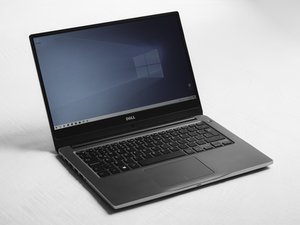
Das Dell Precision M4500 ist zweckmäßig und auf Langlebigkeit statt auf Ästhetik ausgelegt. Es hat eine Oberseite aus gebürstetem Metall sowie eine Unterseite und einen Innenbereich aus mattschwarzem Kunststoff. Sein blockartiges Design ist etwa 2,9 cm dick und es wiegt über 2,7 kg. Die Oberseite des Gehäuses weist eingestanzte horizontale Linien auf, und der „Dell“-Schriftzug erscheint mittig an der Seite des Deckels sowie im Innenbereich unter dem Bildschirm in der Mitte. Es verfügt über einen 15,6-Zoll-HD+-sRGB-LED-Bildschirm, eine Tastatur in voller Größe ohne Ziffernblock, einen Trackpoint und einen optionalen Fingerabdrucksensor.
Der Laptop misst etwa 37,4 x 25,4 x 2,9 cm und wiegt ab etwa 2,73 kg, mit einem Belüftungsdesign an Rückseite und Seiten. Bei den Anschlüssen umfasst es vier USB-2.0-Ports, VGA, DisplayPort, RJ-45-Ethernet, Audiobuchsen, eSATA und einen 4-poligen IEEE-1394-Port (FireWire) sowie einen 8-in-1-Kartenleser und einen ExpressCard-Steckplatz. Der Stromanschluss befindet sich an der hinteren Kante des Systems. Die Modellnummer, der Service-Tag und andere Identifikationsinformationen sind auf einem Etikett auf der Unterseite des Laptops aufgedruckt.
Prozessor: Intel Core i5 und Core i7 (Dual-Core) oder Intel Core i7 Quad-Core / Extreme Edition (variiert je nach Konfiguration)
Betriebssystem: Windows Vista Business, Windows 7 Professional oder Ultimate, Windows XP Professional (über Downgrade-Rechte) oder Red Hat Linux (variiert je nach Konfiguration)
Display: 15,6-Zoll-LED-Display — HD (1366 x 768), HD+ (1600 x 900) oder Full HD (1920 x 1080)
Speicher: DDR3 Dual-Channel-RAM, bis zu 8 GB (1066 oder 1333 MHz)
Speicherkapazität: HDD bis zu 500 GB (7200 U/min), verschlüsselte 250 GB HDD oder SSD bis zu 256 GB
Optisches Laufwerk: DVD-ROM, DVD±RW oder Blu-ray (optional)
Grafikkarte: NVIDIA Quadro FX 880M oder Quadro FX 1800M mit 1 GB dediziertem Speicher
Konnektivität: Wi-Fi 802.11a/b/g/n, optionales mobiles Breitband mit GPS, Bluetooth 2.1
Sicherheit: TPM 1.2, optionaler Fingerabdrucksensor, Smartcard-Leser, Vorrichtung für Kabelschloss
Multimedia: Integrierte Stereolautsprecher, optionales Dual-Array-Mikrofon, optionale 3-MP-Webcam
Kartensteckplätze: 8-in-1-Medienkartenleser und ExpressCard/34-Steckplatz
Anschlüsse: 4 × USB 2.0, VGA, DisplayPort, RJ-45-Ethernet, Audiobuchsen, eSATA, IEEE 1394 (FireWire)
Abmessungen: Etwa 37,4 cm × 25,4 cm × 2,9 cm (374 × 253 × 29–36 mm)
Gewicht: Ab etwa 2,73 kg
Akku: 6-Zellen- oder 9-Zellen-Lithium-Ionen-Akku
Netzteil: 130-W-Netzteil
Technische Details zum Dell Precision M4500
Dell Precision Mobile Workspace M4500 Servicehandbuch
Dell Precision Mobile Workspace M4500 Produktdatenblatt
Dell Precision Mobile Workspace M4500 Bedienungsanleitung
Ace Magazine Dell Precision M4500 Testbericht
Techcrunch Dell Precision M4500 Testbericht
Tech Power Up Dell Precision M4500 Testbericht
Dell Precision Mobile Workstation M4500 Servisní příručka
Dell Precision M4500 Stație de lucru mobilă: Informații despre configurare și caracteristici
Manual Servis Stasiun Kerja Bergerak Dell Precision M4500
Dell Precision M4500 -työaseman huolto-opas
Εγχειρίδιο σέρβις Dell Precision Mobile Workstation M4500
Manual de Serviço do Dell Precision Mobile Workstation M4500
Servicehändbok for Dell Precision Mobile Workstation M4500
Dell Precision Mobile Workstation M4500 szervizelési kézikönyv
Servicehåndbog til Dell Precision M4500 mobil arbejdsstation
Dell Precision M4500 Мобильная рабочая станция — Информация по установке и функциям
Dell Precision M4500 Mobilna delovna postaja – informacije o nastavitvi in funkcijah
دليل الخدمة لجهاز Dell Precision Mobile Workstation M4500
Manual de servicio de Dell Precision Mobile Workstation M4500
Servicehandbok för Dell Precision Mobile Workstation M4500
Dell Precision Stasiun Kerja Bergerak M4500 Informasi Fitur dan Pemasangan
Dell Precision Mobile Workstation M4500 サービスマニュアル
Dell Precision M4500 Servisná príručka mobilnej pracovnej stanice
Dell Precision Mobile Workstation M4500 Informationen zu Setup und Funktionen
Workstation mobile Dell Precision M4500 Informazioni sull'installazione e sulle funzionalità
Dell Precision mobiel werkstation M4500 Informatie over installatie en functies
Servisni priručnik za mobilnu radnu stanicu Dell Precision M4500
Manual de Serviço do Dell Precision Mobile Workstation M4500
Servisni priročnik za Dell Precision Mobile Workstation M4500
Dell Precision 모바일 워크스테이션 M4500 설치 및 기능정보
Manuale di servizio della workstation mobile Dell Precision M4500
Dell Precision Mobile Workstation M4500 維修手冊
Dell Precision Mobile Workstation M4500 서비스 설명서
Onderhoudhandleiding Dell Precision Mobile Workstation M4500
Dell Precision Mobile Workstation M4500 Service-Handbuch
Руководство по обслуживанию мобильной рабочей станции Dell Precision M4500
Dell Precision Mobile Workstation M4500 服务手册
Dell Precision M4500 Mobil İş İstasyonu Servis El Kitabı
Dell Precision M4500 Mobilna stacja robocza — Konfiguracja i funkcje komputera
Dell Precision bærbar arbeidsstasjon M4500: Informasjon om konfigurasjon og funksjoner
Community
45 Mitglieder
12.349 Anleitungen geschrieben
Letzte 24 Stunden: 3
Letzte 7 Tage: 5
Letzte 30 Tage: 68
Insgesamt: 1,641