Akku
Diese Übersetzung wurde maschinell erstellt und noch nicht von einer Person überprüft. Sprichst du diese Sprache? Überprüfe sie.

|
1 Antwort 0 Punkte |
Why the display is gray with vertical lines |
Es werden ein paar gängige Werkzeuge verwendet, um an diesem Gerät zu arbeiten. Du wirst nicht jedes Werkzeug für jeden Schritt benötigen.
XPS 12 9Q33
Der Dell XPS 12 9Q33 war ein 12,5-Zoll-Convertible-Laptop, der 2013 auf den Markt kam. Als Hybrid aus Laptop und Tablet bestand seine Besonderheit darin, dass der Bildschirm umgeklappt und flach auf die Tastatur gelegt werden konnte, wodurch er sich in ein Tablet verwandelte. Der XPS 12 richtete sich an Studierende und Berufstätige, die ein tragbares Gerät für alltägliche Aufgaben wie Schreiben, Surfen im Netz, Filme schauen sowie Online-Meetings oder -Kurse suchten. Obwohl der Verkaufsstart schon eine Weile her ist, sind viele dieser Geräte noch im Umlauf und benötigen aufgrund normaler Abnutzung möglicherweise Reparaturen oder Ersatzteile. Bei seiner Einführung lag der Anschaffungspreis bei über 1000 $.
Der XPS 12 9Q33 wurde hauptsächlich auf dem nordamerikanischen und anderen globalen Märkten vertrieben und als Update für frühere XPS-Laptops konzipiert. Dieses Modell verfügt jedoch über einen drehbaren Rahmen, mit dem sich der Bildschirm umklappen lässt. Nutzer haben von einigen häufigen Problemen bei diesem Modell berichtet, wie etwa einem nach einiger Zeit schwächer werdenden Akku, einem langsamer reagierenden Touchscreen und einem Scharnier, das durch übermäßiges Hin- und Herdrehen instabil wird. Wie bei allen Ultrabooks müssen Komponenten wie der Akku und das Laufwerk im Laufe der Zeit möglicherweise ausgetauscht werden.
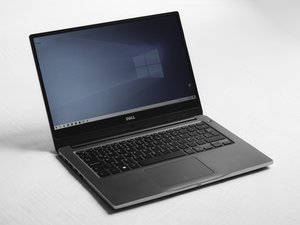
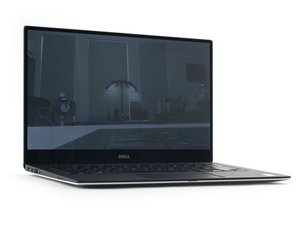
Der Dell XPS 12 9Q33 ist ein 12,5-Zoll-Convertible-Laptop, der sich durch sein Klappdisplay auszeichnet, das sich innerhalb eines Rahmens dreht – im Gegensatz zu einem abnehmbaren Keyboard oder dem später eingeführten 360-Grad-Scharnier. Er besitzt ein silbernes Aluminiumgehäuse, ein Interieur aus schwarzer Kohlefaser, eine hintergrundbeleuchtete Tastatur und ein zentriertes Trackpad. Sein 12,5-Zoll-Full-HD-Touchscreen ist in einem stabilen Rand untergebracht. Anders als bei einigen späteren XPS-2-in-1-Modellen lässt sich dieser Bildschirm nicht abnehmen, sondern klappt zum Tablet-Modus in sich zusammen. Wenn du herausfinden möchtest, welches Modell du besitzt, kannst du dies auf der Unterseite des Laptops nachlesen.
· Höhe: 7,90 mm bis 19,50 mm
· Breite: 317,30 mm
· Tiefe: 215,40 mm
· Maximales Gewicht (mit 6-Zellen-Akku): 1,52 kg
· Intel Core i5 ULT (4. Generation)
· Intel Core i7 ULT (4. Generation)
· Typ: Dual-Channel-RAM DDR3L-RS
· Geschwindigkeit: Bis zu 1600 MHz
· Unterstützte Konfigurationen: 4 GB und 8 GB
· Hinweis: Der Arbeitsspeicher ist fest auf der Hauptplatine integriert
· Schnittstelle: SATA 2.0 (3 Gb/s) / SATA 3.0 (6 Gb/s)
· Unterstütztes Laufwerk: Eine mSATA-SSD (Mini-Card)
· Typ: 12,5-Zoll-Gorilla-Glass-Full-HD-WLED mit TrueLife (16:9)
· Maximale Auflösung: 1920 x 1080
· Bildwiederholrate: 60 Hz
· Betrachtungswinkel: 80 Grad
· Pixelabstand: 0,144 mm
· Controller: Intel HD Graphics 4000 (UMA)
· Speicher: 512 MB dedizierter Videospeicher
· Maximale externe Auflösung: 2560 x 1600
· Ein Mini-DisplayPort
· Ein USB-3.0-Anschluss
· Ein USB-3.0-Anschluss mit PowerShare
· Ein Kopfhörer-/Mikrofon-Kombi-Anschluss
· Ein Full-Mini-Card-Steckplatz für mSATA
· Ein NGFF-Card-Steckplatz für eine WLAN-/BT-/WiDi-Kombikarte
· Wi-Fi 802.11 a/b/g/n
· Bluetooth 4.0+EDR
· Intel Wireless Display (WiDi) 3.0
· Near-Field Communication (NFC)
· Standbild: 1280 x 1024 Pixel (~1,3 MP)
· Video: 1280 x 720 Pixel (HD) bei 30 fps
· Diagonaler Betrachtungswinkel: 66 Grad
· Typ: 6-Zellen-Lithium-Ionen-Akku „Smart“ (45 Wh)
· Spannung: 7,40 V DC
· Lebensdauer (ca.): 300 Ladezyklen
· Knopfzelle: CR-2032
· Typ: 45 W
· Eingangsspannung: 100 V AC bis 240 V AC
· Ausgangsspannung: 19,50 V DC
Dell XPS 12 9Q33 Handbuch mit Spezifikationen
Dell XPS 12 Dokumentation und Handbücher
Wikipedia: Übersicht der Dell XPS-Produktreihe
Community
45 Mitglieder
12.349 Anleitungen geschrieben
Letzte 24 Stunden: 7
Letzte 7 Tage: 10
Letzte 30 Tage: 39
Insgesamt: 2,263